The 15 Best Free SEO Tools in 2026 (Tested & Ranked)
Quick answer: The best free SEO tools in 2026 are Google Search Console, Bing Webmaster Tools, Screaming Frog, PageSpeed Insights, Lighthouse, Google Keyword Planner, Google Trends, and Ahrefs' free toolset. Together they cover keyword research, technical audits, page speed, rankings, backlinks, and the new layer that matters this year: visibility inside AI search results. You can run a complete SEO program on free tools alone, then use a reporting tool to turn that scattered data into one clear picture.
Search engine optimization is a tool-heavy discipline.
Every SEO professional builds their own kit, and the most powerful all-in-one platforms usually come with a monthly subscription that only makes sense once you are using them heavily. For a small business, a solo marketer, or anyone learning the ropes, paying hundreds of dollars a month for features you touch occasionally is hard to justify.
The good news: the free SEO tools available in 2026 are better than the paid suites of a few years ago. The right combination of free tools handles keyword research, competitor analysis, backlink checks, technical audits, page speed, and on-page optimization without costing a cent. Many of the best ones come straight from Google.
Below are the 15 best free SEO tools, grouped by the job they do, so beginners and seasoned SEOs can find the right tool for the right task fast. We have updated the list for 2026, replaced anything that has been deprecated, and added the tools you now need to stay visible in AI-powered search.
What are the best free SEO tools?
The best free SEO tools are the ones that cover a specific part of the workflow without a paywall. No single free tool does everything, so most marketers combine a handful: one for crawling, one for keyword research, one for speed, one for backlinks. Google's own tools (Search Console, Keyword Planner, Trends, PageSpeed Insights, Lighthouse) form the backbone, and free tiers from established SEO platforms fill the gaps.
Here is the full list at a glance.
| # | Tool | Category | Best for | Cost |
|---|---|---|---|---|
| 1 | Google Search Console | Technical & performance | Indexing, queries, rankings | Free |
| 2 | Bing Webmaster Tools | Technical & performance | Bing/Copilot visibility, free keyword data | Free |
| 3 | Screaming Frog SEO Spider | Technical & crawling | Site crawls, broken links, metadata | Free up to 500 URLs |
| 4 | Google Rich Results Test | Technical & schema | Validating structured data | Free |
| 5 | PageSpeed Insights | Page speed | Core Web Vitals scores | Free |
| 6 | Lighthouse | Page speed | On-page performance audits | Free |
| 7 | TinyPNG | Page speed | Image compression | Free |
| 8 | Google Keyword Planner | Keyword research | Search volume, keyword ideas | Free |
| 9 | Google Trends | Keyword research | Trend and seasonality data | Free |
| 10 | Ahrefs Free SEO Tools | Keyword & backlinks | Keyword and backlink checks | Free |
| 11 | AlsoAsked | Keyword & content | "People also ask" research | Free tier |
| 12 | SERP snippet preview | On-page & CRO | Title and meta optimization | Free |
| 13 | Check My Links | Links | Finding broken links | Free |
| 14 | Google Business Profile | Local SEO | Local rankings and maps | Free |
| 15 | AI search visibility checks | AEO | Getting cited by ChatGPT, Perplexity, AI Overviews | Free |
Technical SEO tools
Technical SEO makes sure search engines can crawl, render, and index your site without friction. These tools find and help you fix the problems that quietly hold back rankings.
1. Google Search Console
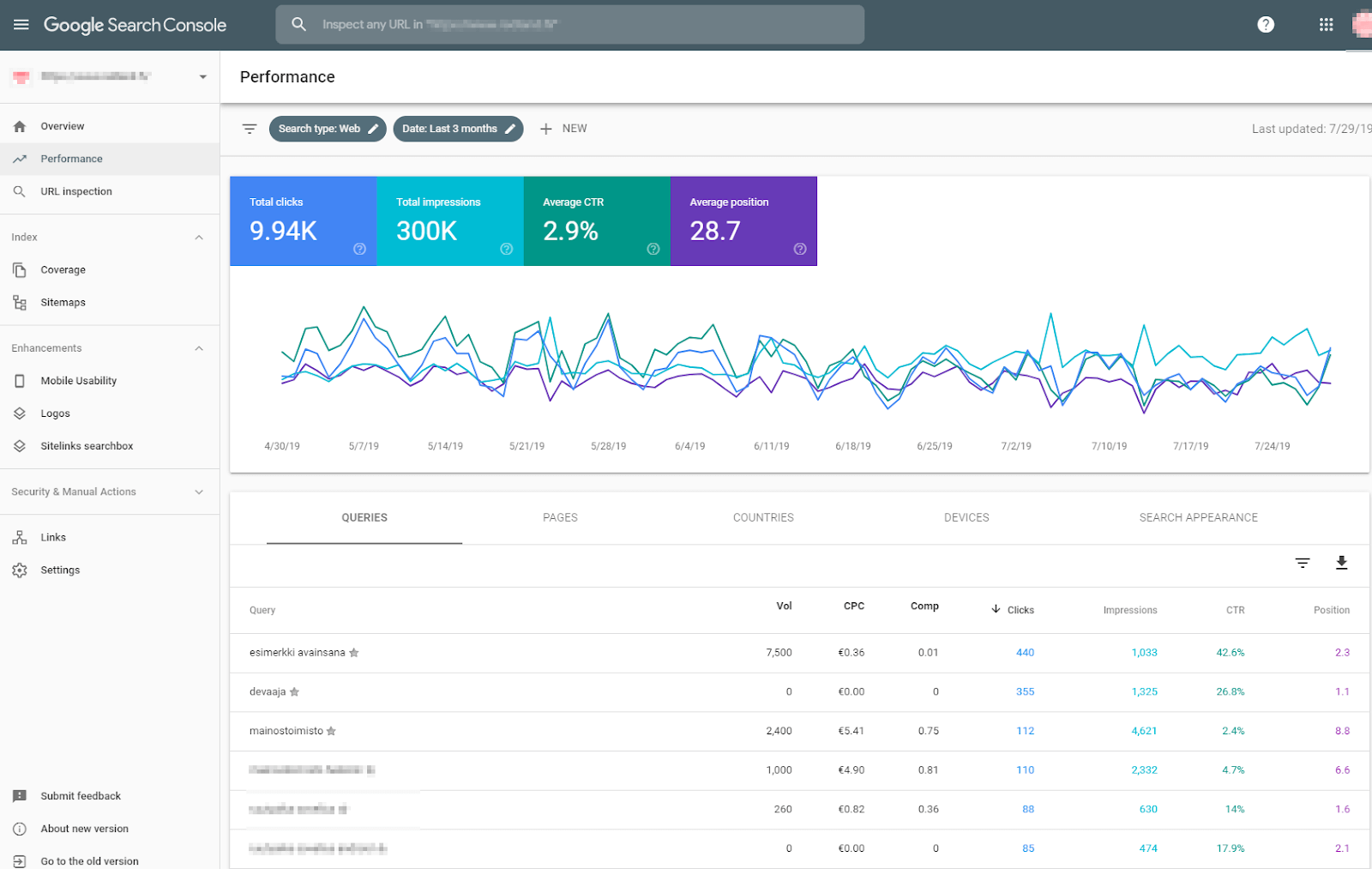
Google Search Console is the single most important free SEO tool, and the first one any marketer should set up. It is Google's own window into how your site performs in search, and the data comes straight from the source rather than a third-party estimate.
With Search Console you can see which keywords bring organic traffic, your average ranking position for every page and query, how often you appear in results, and how many of those impressions turn into clicks. The Pages report shows exactly how Google indexes your site and flags coverage errors, while the Core Web Vitals and Page Experience reports surface speed and usability issues. It is also where you submit sitemaps and request indexing for new content.
Because the data is first-party, Search Console is the foundation for any reliable SEO report. If you only set up one tool, make it this one. Find it here: Google Search Console.
2. Bing Webmaster Tools
Bing Webmaster Tools is the often-overlooked counterpart to Search Console, and it matters more than ever in 2026. Bing powers Microsoft Copilot and feeds several AI answer engines, so visibility in Bing increasingly translates into visibility inside AI-generated results.
Beyond the standard indexing and crawl reports, Bing Webmaster Tools includes a genuinely useful free keyword research feature and a site scan that audits on-page SEO. It is a free source of search volume and competitor insight that does not count against any quota. Setting it up takes minutes, especially if you import your existing Search Console data. Find it here: Bing Webmaster Tools.
3. Screaming Frog SEO Spider
Screaming Frog is a desktop crawler that scans your site page by page and documents everything an SEO needs: redirects, 404 errors, page titles, meta descriptions, H-tags, image issues, canonical tags, and more. It is the fastest way to find the technical problems hiding across a website.
The free version crawls up to 500 URLs, which is plenty for most small and medium sites. Run a crawl, sort by status code or missing metadata, and you have an instant prioritized to-do list for a free SEO audit of your own. Find it here: Screaming Frog SEO Spider.
4. Google Rich Results Test and Schema Markup Validator
Google retired the old Structured Data Testing Tool, so the current free tools for validating schema are the Rich Results Test and the Schema.org Validator. Structured data tells search engines and AI systems exactly what your content means, which can earn rich results like FAQ dropdowns, star ratings, and how-to steps.
Paste a URL or a code snippet, and the Rich Results Test tells you which rich results your page qualifies for and flags any errors. Pages with valid schema also show meaningfully higher visibility in AI answers, so this is no longer just a "nice to have." Find it here: Google Rich Results Test.
Page speed tools
Page loading speed affects both user experience and rankings. A faster site keeps visitors from bouncing and gives your rankings a lift, which is why Core Web Vitals are part of Google's page experience signals.
5. PageSpeed Insights
PageSpeed Insights is Google's free tool for measuring how fast a page loads and how it scores on Core Web Vitals (Largest Contentful Paint, Interaction to Next Paint, and Cumulative Layout Shift). It blends lab data with real-world field data from actual Chrome users, so you see both diagnostic detail and how real visitors experience your site.
Each report comes with a prioritized list of opportunities, from render-blocking resources to oversized images, with estimated time savings for each fix. It is the quickest way to turn "my site feels slow" into a concrete action list. Find it here: PageSpeed Insights.
6. Lighthouse
Lighthouse is built into Chrome's developer tools. Open any page, press F12, and find the Lighthouse tab. With one click it runs audits across performance, accessibility, best practices, and SEO, then links to explanations for every issue it finds.
Because it runs locally in your browser, Lighthouse is perfect for testing pages before they go live or for auditing a competitor's page on the fly. Think of PageSpeed Insights as your field report and Lighthouse as your lab bench. Find it here: Lighthouse.
7. TinyPNG
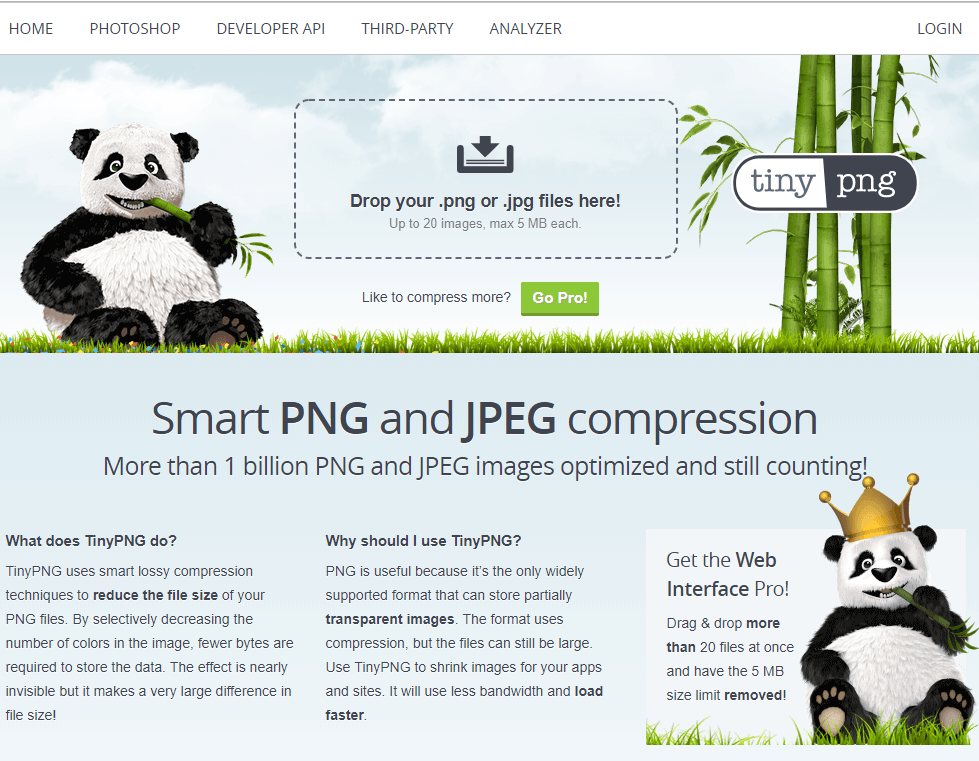
Large images are one of the most common causes of slow pages, especially on mobile. TinyPNG compresses PNG, JPEG, and WebP files dramatically while keeping them visually sharp, so you rarely have to drop resolution to speed up your site.
Image optimization is one of the easiest, highest-impact speed wins available, and TinyPNG makes it a drag-and-drop job. Squoosh, Google's open-source image compressor, is an excellent free alternative if you want fine-grained control over format and quality. Find it here: TinyPNG.
Keyword research tools
Keyword research is one of the first things to do when you start improving search visibility. Knowing which terms your audience searches for, and how hard they are to rank for, tells you where to focus your effort.
8. Google Keyword Planner
Google Keyword Planner is free with any Google Ads account, and it pulls search volume and keyword ideas directly from Google. Even if you never run a paid campaign, it is a reliable source for discovering new keywords, checking rough monthly volume, and understanding commercial intent.
It is especially handy for free keyword research because the suggestions come from real Google query data rather than a model's estimate. Pair it with Search Console to see which of those keywords you already rank for. Find it here: Google Keyword Planner.
9. Google Trends
Google Trends shows how interest in a topic changes over time, across regions, and against related queries. It will not give you exact volume, but it is unbeatable for spotting seasonality, catching rising topics early, and comparing the relative popularity of two terms.
Use it to time content around seasonal peaks and to validate whether a keyword is growing or fading before you invest in it. For content planning, it is one of the most underrated free tools available. Find it here: Google Trends.
10. Ahrefs Free SEO Tools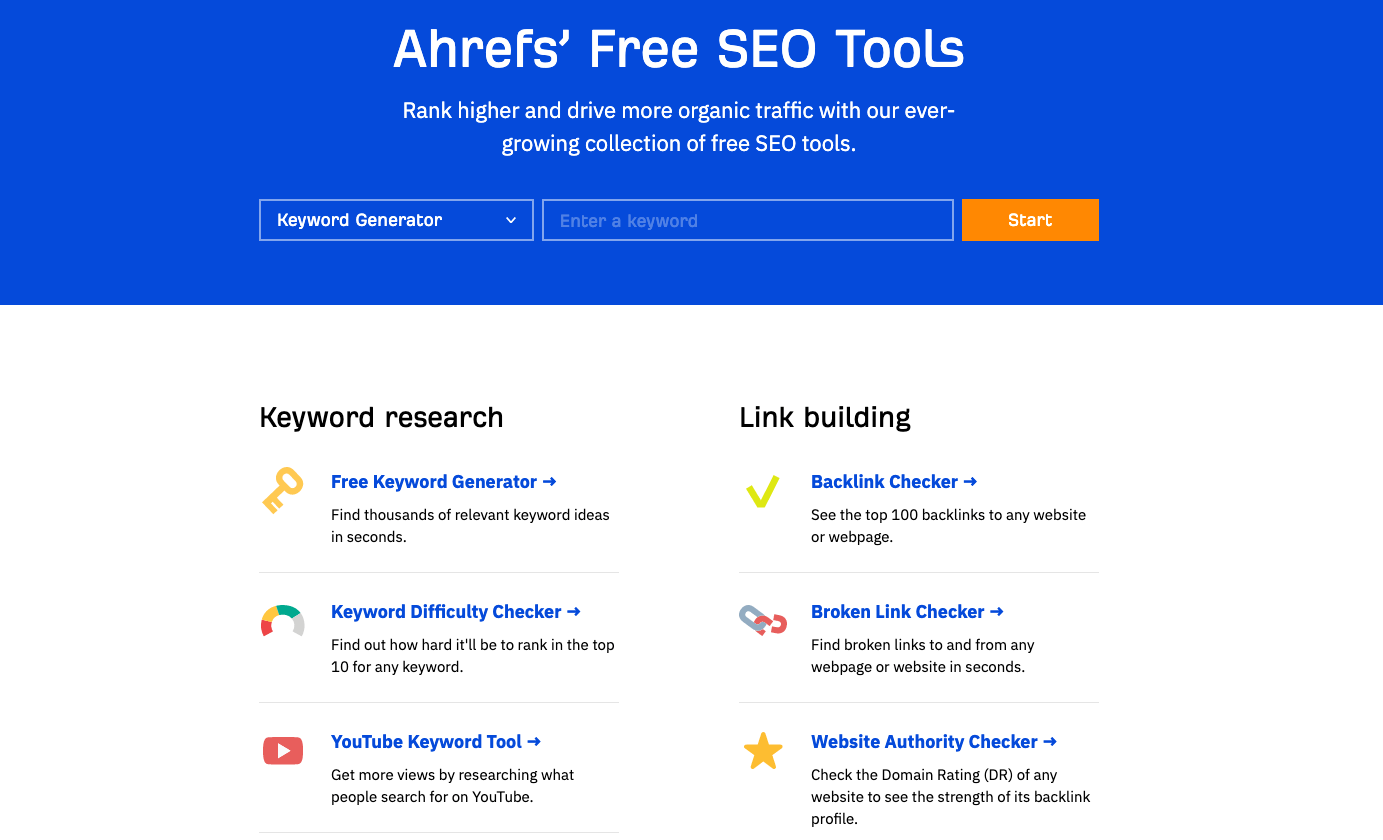
Ahrefs offers a generous set of free SEO tools that cover a lot of ground for keyword research and link analysis. The free suite includes a keyword generator, a keyword difficulty checker, a keyword rank checker, and tools for YouTube, Amazon, and Bing.
It also includes free SERP and link-building tools: a backlink checker, a broken link checker, and a website authority checker. For quick checks without committing to a subscription, it is one of the most complete free options for keyword and backlink research. Find them here: Ahrefs Free SEO Tools.
11. AlsoAsked
AlsoAsked maps out the "People Also Ask" questions Google surfaces for any query, organized as a visual tree of how questions relate to one another. This is gold for both traditional SEO and answer engine optimization, because it shows the exact questions real people ask.
Use these questions as H2 and H3 subheadings, then answer each one directly. That structure is precisely what wins featured snippets and what AI answer engines extract when they cite a source. The free tier gives you a handful of searches a day, which is enough for planning individual articles. Find it here: AlsoAsked.
Rankings, SERP, and on-page
Tracking rankings and fine-tuning how your result looks in search are core SEO activities. These tools help you monitor positions and improve your click-through rate.
12. SERP snippet preview tool
A SERP snippet preview tool shows how your title tag and meta description will appear in Google before you publish. Free snippet simulators let you check that titles and descriptions fall within the right pixel length so they do not get cut off, and that your keyword and value proposition are visible at a glance.
This is as much a conversion tool as an SEO tool. Two pages can rank in the same position, but the one with a clearer, more compelling snippet earns more clicks. Treat your title and meta description as ad copy for your organic listing. Most free snippet preview tools, like the one from Mangools or SERPsim, do the job in seconds.
13. Check My Links
Check My Links is a free Chrome extension that scans the page you are viewing and highlights every link, marking broken ones in red. Broken links frustrate users and waste crawl budget, and they are easy to miss on long pages or older content.
It is the fastest way to audit a single page, including your own resource pages or a prospect's site you are pitching for a guest post. For broader internal link analysis across the whole site, Screaming Frog's crawl will surface the same issues at scale. Find it here: Check My Links.
Local and AI search
The last two tools cover where search is heading: local intent and AI-generated answers. Both are free, and both are increasingly where clicks come from.
14. Google Business Profile
If you serve customers in a specific area, Google Business Profile is the most valuable free local SEO tool there is. A complete, accurate profile is what gets you into the local map pack, Google Maps, and the local knowledge panel.
Fill out every field, choose the right categories, keep your hours and contact details current, post updates, and collect reviews. The profile's built-in insights show how people find you and what actions they take, all for free. For any local business, this is non-negotiable. Find it here: Google Business Profile.
15. AI search visibility checks
In 2026, ranking in Google is only half the battle. AI Overviews now appear in a large share of searches, and tools like ChatGPT, Perplexity, and Copilot answer questions directly, often citing sources. Answer engine optimization (AEO) is about getting your content cited in those answers.
You do not need a paid platform to start. The free method is simple: take your 10 to 20 most important queries and run each one through Google's AI Overviews, ChatGPT, and Perplexity. Note whether your site is cited, who is cited instead, and what page they used. Then make your content more extractable with clear definitions, self-contained answers, statistics with sources, and FAQ sections. Search Console also reveals which queries trigger AI Overviews so you can prioritize. This manual audit, repeated monthly, is one of the highest-value free SEO habits you can build this year.
How to turn free SEO tool data into one clear report
The catch with running SEO on free tools is that your data ends up scattered across a dozen tabs: rankings in Search Console, speed scores in PageSpeed Insights, keyword data in Keyword Planner, backlinks in Ahrefs. Pulling it together by hand every month is where the hours disappear.
That is exactly what DashThis is built for. Instead of replacing your free tools, DashThis connects to them and pulls everything into one automated SEO dashboard, so your organic traffic, keyword rankings and conversions live in a single report that updates itself. You keep using the free tools you love, and you stop wasting time copying numbers into spreadsheets.
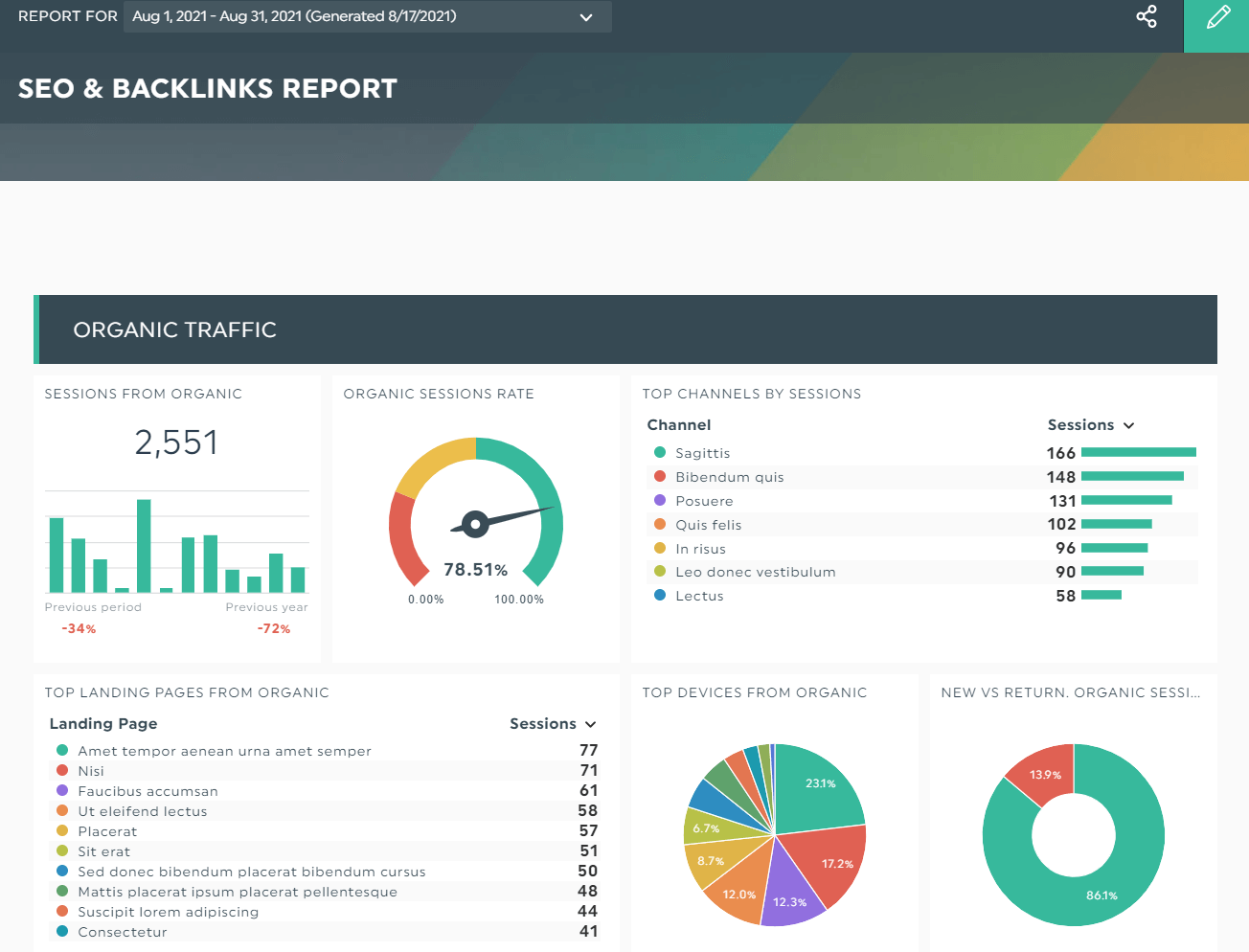
If you want to see your SEO performance in one place, you can try DashThis free and connect Google Search Console, Google Analytics, and more in a few clicks. You can also browse more free marketing tools to round out your stack.
Conclusion
SEO is a tool-heavy field, and much of the work is hard to do reliably without the right software. The good news in 2026 is that you do not need an expensive suite to get started. Between Google's free tools and the free tiers from established platforms, you can handle keyword research, technical audits, page speed, backlinks, rankings, and even AI search visibility without spending a dollar.
Start with Google Search Console, add the tools that match the jobs in front of you, and build from there. Then, when your data is spread across all those tools, bring it together into one automated report so you can actually see what is working.
Track all your SEO, digital marketing and social media efforts in the same report with DashThis; the all-in-one reporting tool.

Read More

Don’t miss out!
Follow us on social media to stay tuned!


Automate your reports!
Bring all your marketing data into one automated report.
Try dashthis for free