TL;DR: Ahrefs reporting in DashThis pulls your backlink, organic traffic, and keyword data straight from Ahrefs into automated, customizable dashboards. The native Ahrefs connector replaces manual CSV exports. It refreshes on a schedule, blends with more than thirty other marketing tools, and lets you ship clean client and stakeholder reports in minutes instead of hours.
What is Ahrefs reporting?
Ahrefs is a comprehensive SEO tool widely recognized as the world's largest index of live backlinks. Ahrefs reporting is the process of turning raw Ahrefs data, including backlinks, referring domains, organic traffic, and keyword rankings, into a structured report or dashboard that teams and clients can read at a glance.
DashThis offers native integration with Ahrefs. The integration lets marketing teams visualize, monitor, and analyze Ahrefs SEO data inside a single customizable dashboard, alongside other reporting tools.
How does the Ahrefs and DashThis integration work?
The Ahrefs and DashThis integration is a native data connector. DashThis links your Ahrefs account directly, pulls Ahrefs SEO metrics into your dashboards, and refreshes them on a schedule.
Setup takes five steps:
-
Log into DashThis and create a new dashboard
-
Click "Add a New Data Source" and select Ahrefs
-
Authorize DashThis to access your Ahrefs account
-
Choose the Ahrefs project you want to report on
-
Drag preset widgets onto the dashboard, or build custom ones from the Indicators drop-down menu
Once connected, the Ahrefs dashboard refreshes itself. Each new reporting period inherits the same layout without rebuilding.
Enhance your Ahrefs reporting with custom dashboards
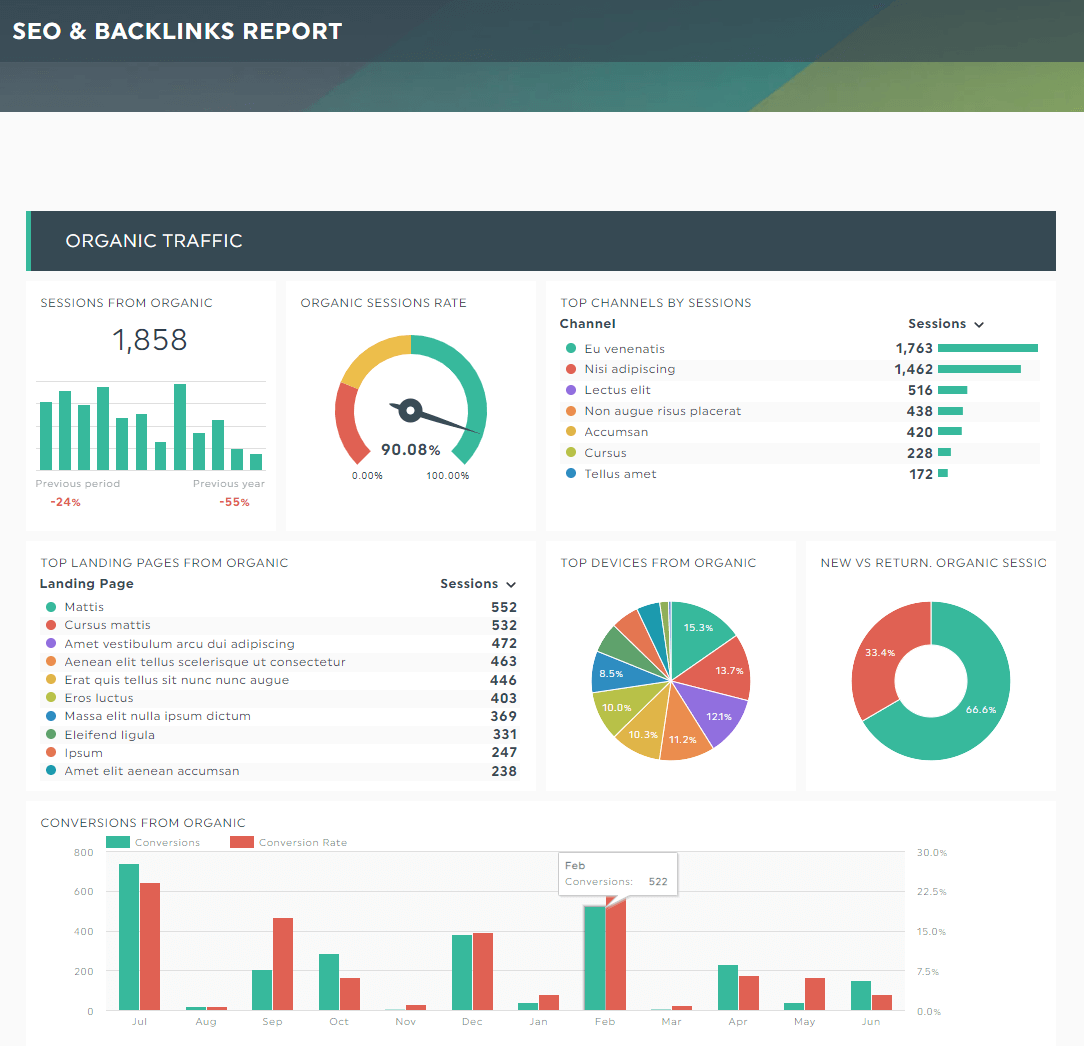
DashThis turns raw Ahrefs data into clear, presentation-ready dashboards. You can build a dedicated Ahrefs dashboard, or blend Ahrefs data with Google Analytics, Google Search Console, Google Ads, and social platforms for a full view of SEO and marketing performance.
Standard KPIs for Ahrefs reporting
Standard Key Performance Indicators (KPIs) for Ahrefs reporting are available from the Indicators drop-down menu inside DashThis.
| KPI |
What it measures |
Why it matters |
| Domain Rating (DR) |
Backlink-based authority score of your domain, 0 to 100 |
Tracks overall SEO authority over time |
| URL Rating (UR) |
Backlink authority score of a specific URL |
Identifies your strongest individual pages |
| Total Backlinks |
All inbound links pointing to your site |
Volume signal for link building |
| Referring Domains |
Unique domains linking to your site |
Diversity signal, often more meaningful than raw backlink count |
| Organic Traffic |
Estimated monthly organic visits |
Outcome metric for SEO performance |
| Organic Keywords |
Number of keywords ranking in the top 100 |
Reach of indexed content |
| Traffic Value |
Estimated paid value of organic traffic |
Translates SEO into a dollar figure for stakeholders |
| New and Lost Backlinks |
Backlinks gained and lost over a period |
Health check on outreach and link decay |
| New and Lost Referring Domains |
Domains gained and lost over a period |
Trend signal for link-building momentum |
Available metrics and dimensions for Ahrefs reporting
The DashThis integration provides access to key Ahrefs metrics such as Domain Rating, URL Rating, Backlinks, Referring Domains, Organic Traffic, Organic Keywords, and Traffic Value. Available dimensions include Target URL, Referring Page Title, and Anchor Text.
Pair a metric with a dimension to build focused widgets. A few examples: Backlinks by Target URL shows which pages on your site attract the most links. Referring Domains by Anchor Text shows the phrases other sites use when linking to you. Domain Rating over time shows your authority trend month by month.
What are the benefits of automated SEO reports?
Automated Ahrefs SEO reports save hours of manual work each month. They deliver consistent data to clients and stakeholders, and free SEO teams to focus on analysis instead of report compilation.
A side-by-side comparison shows the difference:
| Reporting task |
Manual workflow |
Automated with DashThis |
| Pulling Ahrefs data |
Export CSV, clean, paste |
Native connector, no exports |
| Updating monthly |
Rebuild every report |
Refreshes on schedule |
| Combining sources |
Stitch spreadsheets together |
Drag and drop widgets from 30+ tools |
| Branding |
Manually restyle every deck |
Custom logo, colors, white label |
| Sharing |
Email static PDFs |
Shareable live link or scheduled email |
| Time spent per client |
Four to eight hours per month |
Under thirty minutes per month |
For an agency reporting to ten clients, that is roughly fifty-five hours back every month. Time that can be redirected to strategy, link building, or content production.
Can I combine Ahrefs data with other marketing data sources?
Yes. DashThis supports more than thirty native integrations. You can combine Ahrefs data with Google Analytics, Google Search Console, Google Ads, Facebook Ads, LinkedIn Ads, and other marketing platforms.
Common pairings include Ahrefs with Google Search Console to confirm that new backlinks correlate with higher impressions and clicks, Ahrefs with Google Analytics 4 to see which referring domains drive traffic that actually converts, and Ahrefs with Google Ads to find high-intent keywords where SEO can replace paid spend.
What kind of insights can I gain from Ahrefs dashboards?
Ahrefs dashboards in DashThis surface five practical insight types:
- Authority trends. Watch Domain Rating and referring domains rise or fall quarter over quarter.
- Link velocity. See how many new backlinks and referring domains you acquire each month.
- Content performance. Identify which Target URLs attract the most authority and organic traffic.
- Anchor profile health. Monitor anchor text distribution for natural diversity.
- Competitive gaps. Compare your link metrics against competitor benchmarks in parallel widgets.
Each insight maps to a concrete decision: where to invest in outreach, which pages to refresh, and which competitors to study next.
Who is Ahrefs reporting in DashThis for?
Ahrefs reporting in DashThis serves several audiences. Agencies use it to deliver white-labeled, automated monthly client reports. In-house SEO teams replace static slide decks with live executive dashboards. Content marketers tie backlink and traffic data to specific articles. Freelancers use it to look professional at scale, and marketing leadership gets a unified view of SEO alongside paid and social channels.
Frequently asked questions
How do I connect Ahrefs to DashThis?
Log into DashThis, create a dashboard, click "Add a New Data Source," select Ahrefs, authorize the connection, and choose your Ahrefs project. The integration takes about two minutes.
Is Ahrefs reporting in DashThis automated?
Yes. Once connected, your Ahrefs dashboard refreshes on a schedule. You do not need to rebuild reports each month.
Can I combine Ahrefs with Google Analytics in one report?
Yes. DashThis supports more than thirty native integrations. You can blend Ahrefs data with Google Analytics, Google Search Console, Google Ads, Meta Ads, LinkedIn Ads, and other marketing sources in the same dashboard.
Which Ahrefs metrics are available in DashThis?
DashThis pulls Domain Rating, URL Rating, Backlinks, Referring Domains, Organic Traffic, Organic Keywords, Traffic Value, and new and lost backlinks and referring domains. Dimensions include Target URL, Referring Page Title, and Anchor Text.
Can I white-label my Ahrefs report for clients?
Yes. DashThis lets you brand reports with your own logo, colors, and domain, so client reports look like an extension of your agency.
Ready to automate your Ahrefs reporting with DashThis?
DashThis automates your Ahrefs SEO reports. Connect your Ahrefs account, pick your KPIs from the Indicators drop-down menu, and start delivering clean, customizable, automated reports today.
Try it free for 14 days today!
 The Team at DashThis
DashThis is the power behind thousands of reporting dashboards created by and delivered for agencies and digital marketers every month.