Whether Swydo works for your agency depends on how much your data source count moves around and how diligent you and your team are about keeping it in check. It charges per source, and inactive data integrations count toward your total until you remove them.
If your clients stick to the same tools month to month, you'll have no problems. But if you're growing fast, onboarding new clients, or running short-term campaigns, costs add up quicker than the base price suggests.
We'll show you where Swydo excels and where DashThis might be a better Swydo alternative, so you can decide which reporting platform fits your agency.
Why you can trust this Swydo review
We're DashThis, so yes, we're Swydo's competitor.
That puts us in a good position to evaluate reporting tools and marketing analytics platforms for you. We've worked with over 10,000 small agencies and in-house teams since 2011.
For this review, we signed up for a Swydo trial, built real reports, connected data from marketing tools, and went through their support channels firsthand. We also analyzed verified reviews from Capterra, G2, and Trustpilot from the past three years.
In our testing, we wanted to know whether you can connect your clients' platforms without hitting gaps, build a first report quickly, and count on someone picking up when something breaks at 4 PM on a Friday.
Quick verdict: TLDR - key takeaways
In summary
Swydo works well for smaller agencies focused on paid media and social reporting, with a straightforward setup and responsive support. Every feature is available on every plan. The billing model is worth understanding before you commit: costs scale with data source usage, inactive connections still count, which makes costs harder to anticipate month to month. If your client roster is stable and your marketing platform mix doesn't change much, that's fine. But if you're growing or running short-term campaigns, these costs add up.
Who Swydo is best for
- Agencies with a stable client roster reporting on a consistent set of paid media and social media platforms
- You prefer paying for what you use rather than committing to a fixed monthly tier
Who Swydo isn’t ideal for
- Agencies that need e-commerce, broader SEO, or email marketing integrations beyond Mailchimp and Klaviyo
- Agencies that need predictable monthly costs regardless of client activity
Swydo's key features
Swydo pricing model
Swydo's pricing is straightforward in principle. You pay based on how many data sources you connect. Plans start at $62/month for 10 data source slots, and the per-source rate drops the more you connect, so the more you add, the less you pay per source.
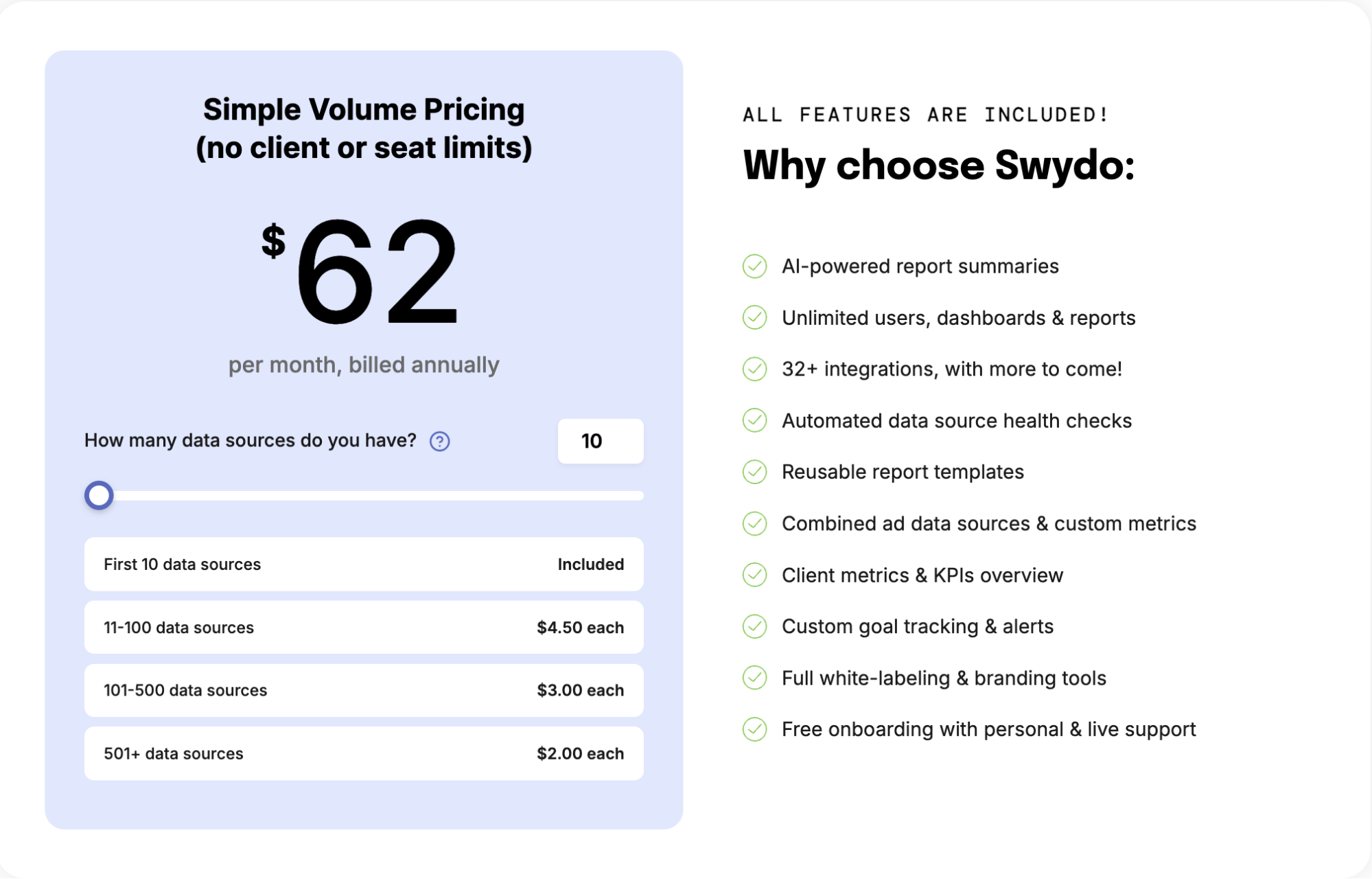
Table on Swydo pricing model accessed March 2026
The good news is you get everything, no matter which plan you're on. Features like AI-powered reports, white-label options, unlimited users and customizable dashboards aren't locked behind a higher tier, since you're only paying for data connections.
How does Swydo count data sources?
Every client account you connect to a third-party platform counts as one data source. Connect the same Google Ads account across three clients and that's three data sources, not one. So if you have three clients with Facebook Ads, TikTok Ads, and HubSpot connected, that's nine data sources total.
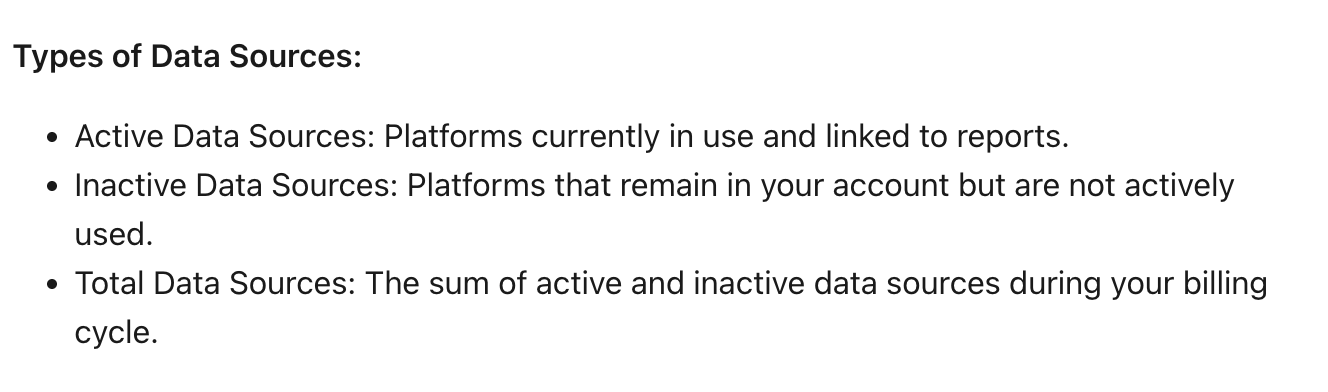
The different types of data sources in Swydo
It's worth knowing that Swydo counts both active and inactive connections toward your billing. So, you'll need to regularly remove sources you're no longer using, otherwise you'll keep paying for connections that aren't delivering any data.
Swydo bills in arrears, meaning you pay for the previous month's usage at the end of each billing cycle. Add a source mid-month and you'll see it on your next invoice. Remove one and the saving kicks in the cycle after that, not immediately. A source connected for one day costs the same as one active all month.
This billing schedule means you need to monitor your data source count carefully to avoid unexpected charges.
What you need to know about Swydo's AI credit allocation
Every plan includes 4,000 AI credits per month. That sounds like a lot, but a single report summary averages around 95 credits, so in practice, you're looking at roughly 42 summaries before you hit the limit. You can set a spend cap to avoid overages, though that means keeping an eye on usage throughout the month.
Swydo pros: What are real customers saying about Swydo?
What are real users saying about Swydo? We analyzed verified reviews from G2 and Capterra to find out what works well and where the platform falls short.
G2 rating: 4.6/5 from 111 reviews
Capterra rating: 4.6/5 from 93 reviews
Swydo is easy to set up and use
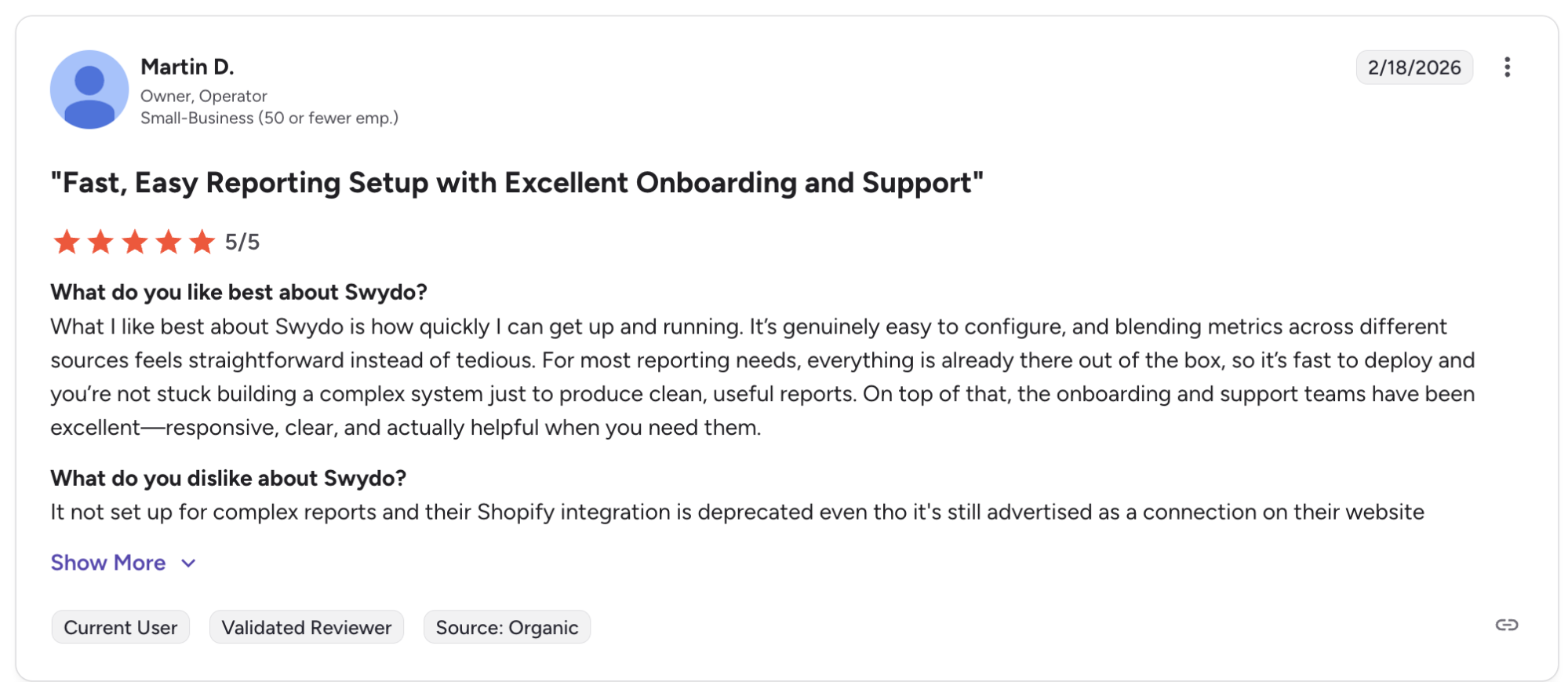
Swydo's user-friendly setup is one of its strongest points. As Martin D. puts it on G2: "For most reporting needs, everything is already there out of the box, so it's fast to deploy and you're not stuck building a complex system just to produce clean, useful reports."
Lauren S., a director at a small business, echoes this in their G2 review: "Integrating data from multiple ad platforms and sources into a single report is straightforward, allowing us to adapt easily to our clients' varying needs. I also appreciate the different options available for distributing the reports, such as dashboards, PDFs, and email delivery."
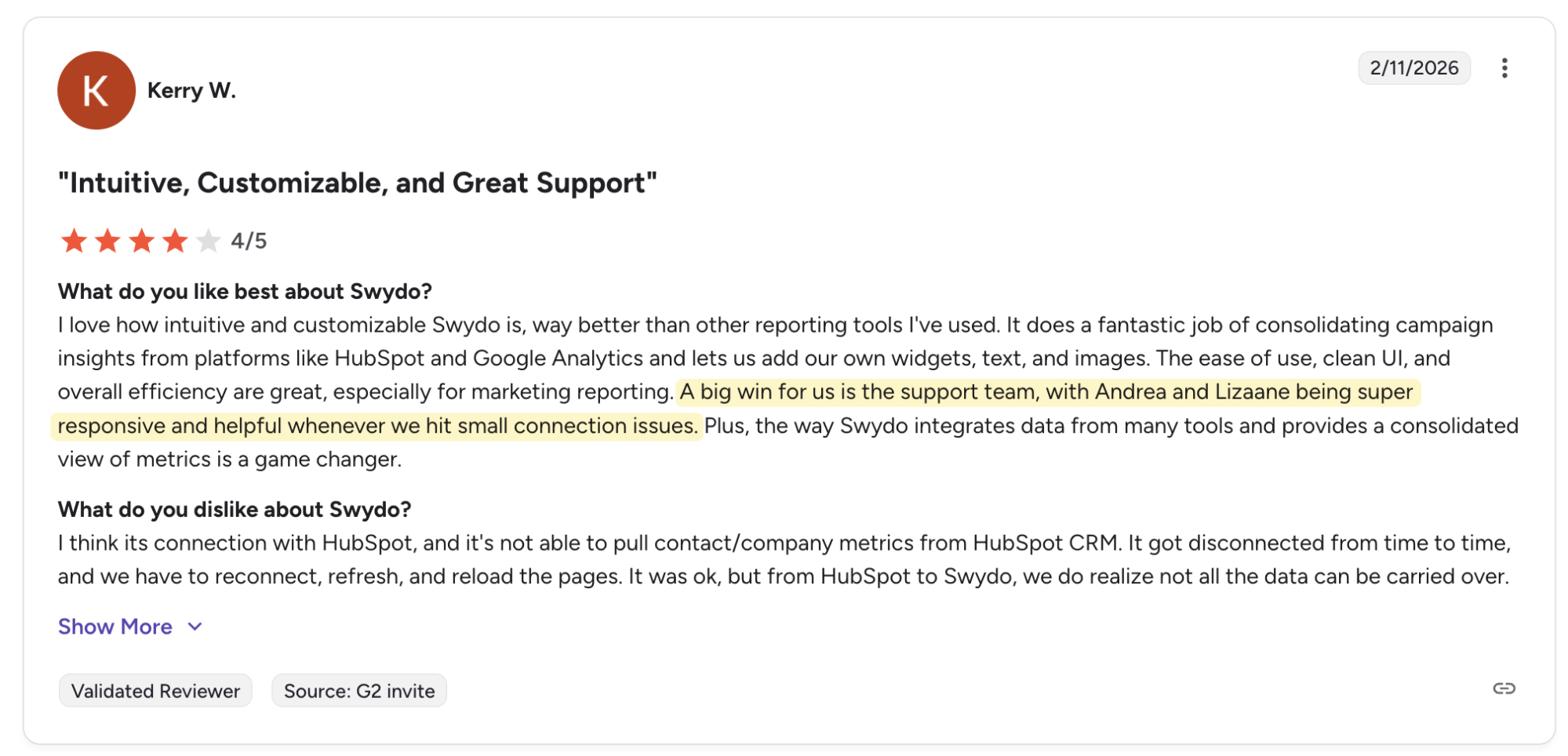
Strong and responsive customer support
Swydo's support team gets consistent praise. Out of 111 G2 reviews, 30 specifically called out helpful interactions with the support team, with some naming individual reps by name.
Swydo cons: Common frustrations faced by users
Of course, no tool is perfect, and Swydo is no exception. Two frustrations come up consistently in user reviews, and they're worth knowing before you commit.
Volume-based pricing means costs can balloon quickly if you manage multiple data sources
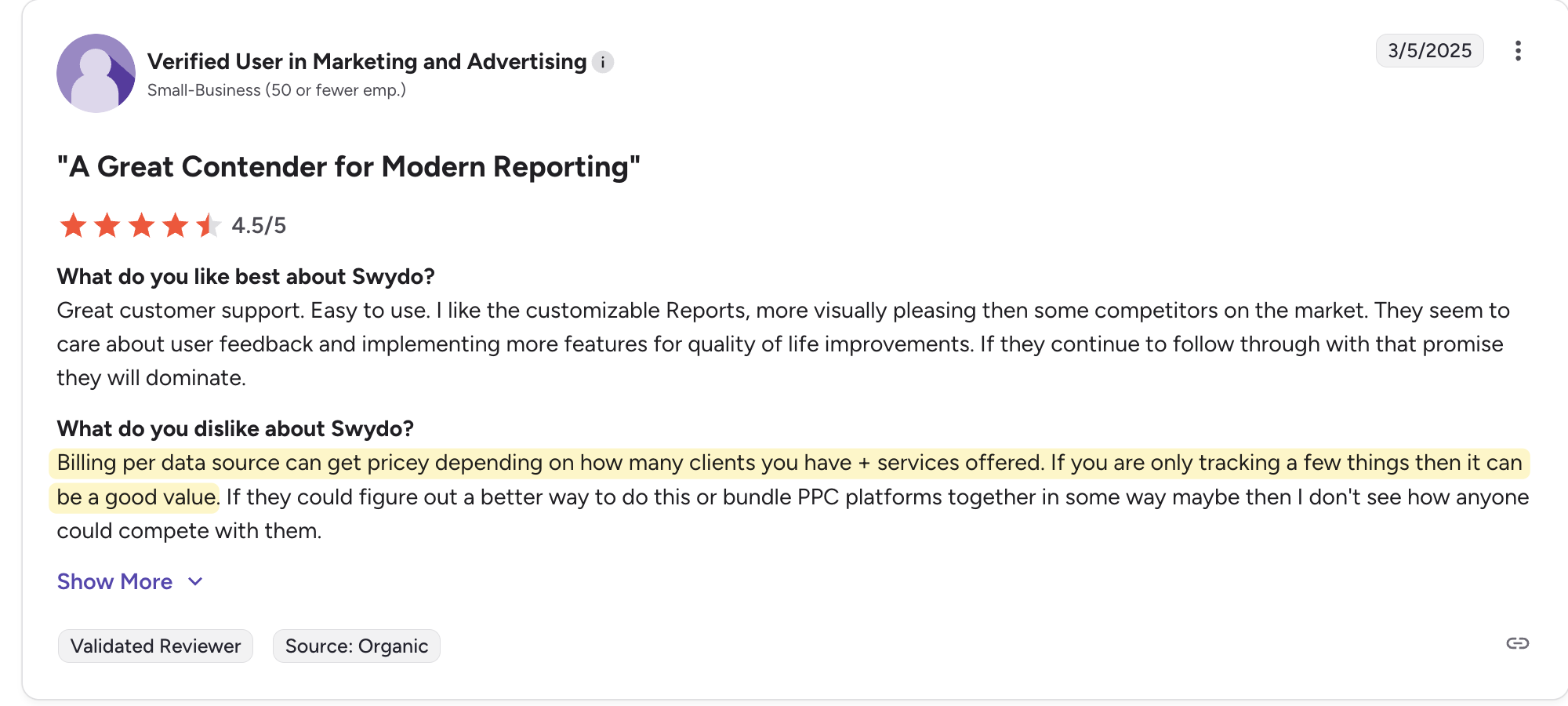
Pricing is the most common complaint. Per-source billing adds up fast for agencies running multiple services per client, each of which needs its own connection. The more platforms your clients use, the more you pay, and the harder it gets to forecast costs month to month.
Limited customization options and integrations
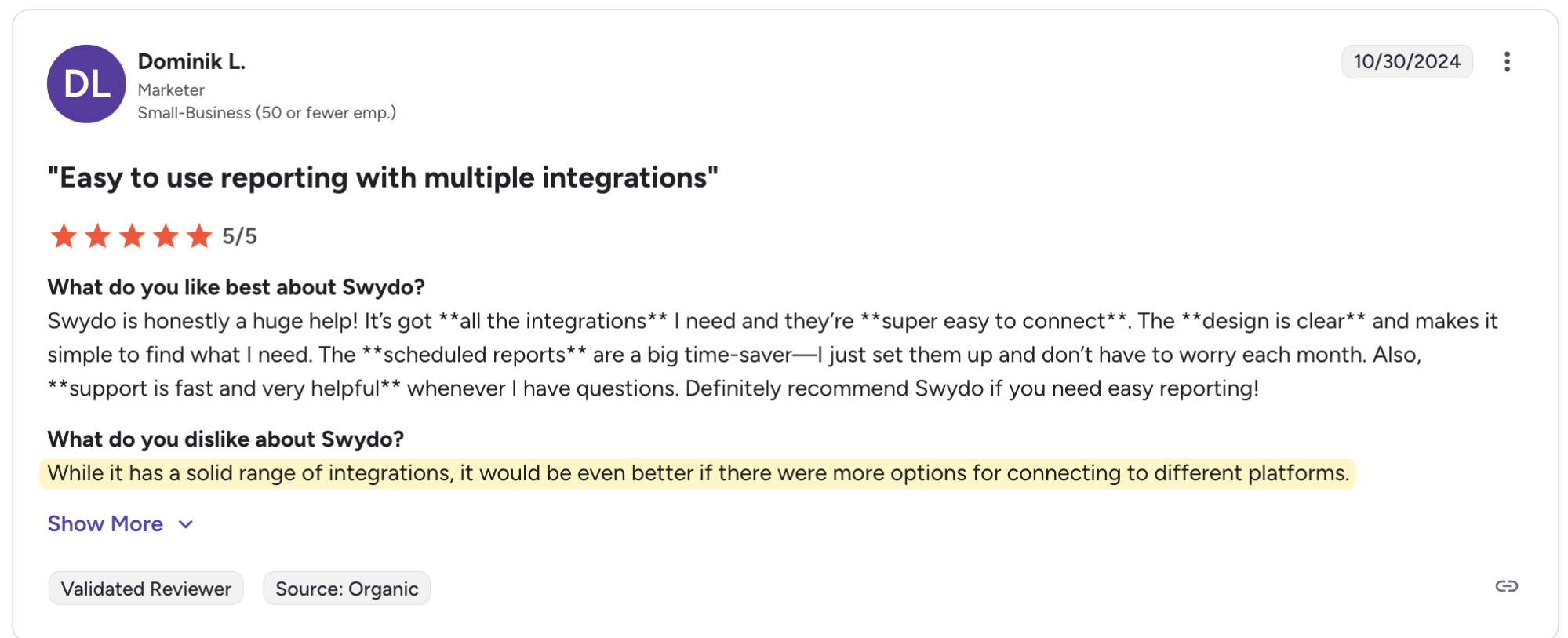
Swydo's integration library covers paid ads and social media well, but gaps show up quickly outside those areas. Email marketing is limited to Mailchimp and Klaviyo, SEO tools to SEMRush and SE Ranking, and e-commerce platforms have no native support at all. If a platform isn't on the list, your only option is a Google Sheets or a CSV file workaround.
DashThis Tests: How does Swydo compare with DashThis for small teams?
We dug into whether Swydo solves the real problems small agencies face, such as:
- Whether it connects to the platforms marketing teams already use for data collection
- How quickly can you build a client-ready report
- What it's like to share insights with clients
- What happens when you need help
1. Data and integration coverage
Swydo supports 34 integrations as of March 2026. Its strength is in paid ads and social media, covering tools like LinkedIn, Instagram, X (Twitter), Pinterest, Reddit Ads, Google Analytics 4, and YouTube.
It also supports tools like Pingdom, which is handy if you manage web performance retainers and want to include uptime and site speed data alongside your marketing performance metrics.
Outside paid ads and social media, though, the gaps show up quickly.
- SEO tools: SEMrush and SE Ranking only
- Email marketing: Mailchimp and Klaviyo only
- E-commerce: No native support. Shopify was previously available but is now inactive.
If a platform isn't natively supported, your only option to import custom data is Swydo's Google Sheets integration or CSV upload. That means manually formatting your spreadsheet, setting up fields correctly, and refreshing the data every time something changes in your marketing campaigns. Swydo has no API features as of March 2026.
Our verdict: For marketers, Swydo's integration library is built around paid ads and social media platforms. If that covers most of what your clients need, you'll be fine. If you also handle SEO, email marketing, or e-commerce, the gaps will push you toward the Google Sheets workaround.
2. Report building and ease of customization
For small agencies, how fast you build reports matter. You don't have hours to spend configuring a dashboard from scratch every time you onboard a new client.
Here's what we focused on:
- Template availability
- Layout and chart type control
- Ease of updating reports as client needs change
- Learning curve for non-technical users
Getting started and building your first report in Swydo
Swydo's 14-day trial works a little differently from most tools. Instead of signing up directly, you'll need to contact their support team to get access. It's a small extra step, but worth knowing if you want to evaluate quickly.
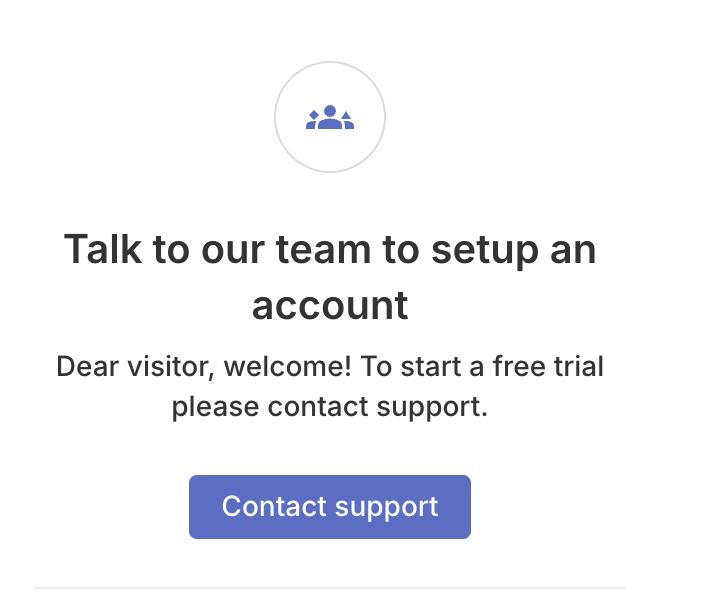
Once you're in, you can name your team and invite teammates by email before you start building.
From there, setup is quick. Connect your data sources, pick a template, and you have a working report in minutes. Swydo also lets you load a pre-populated sample report before connecting your own data, which is useful if you want to get a feel for the layout before committing.
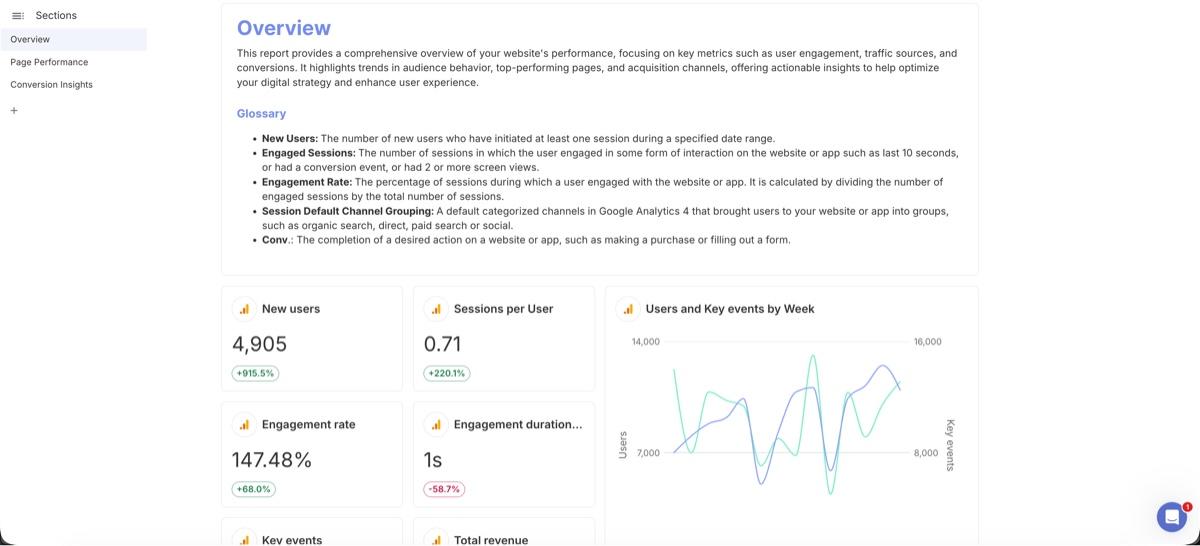
A GA4 report using Swydo's pre-built templates.
Report template availability
Swydo's templates are mostly built around its native integration strengths: multi-channel social media, local digital marketing, and platform-specific reports. If your agency focuses on those areas, you'll find something useful quickly.
Once you've selected your report template, connect your data sources in a couple of clicks, and you can start customizing your report.
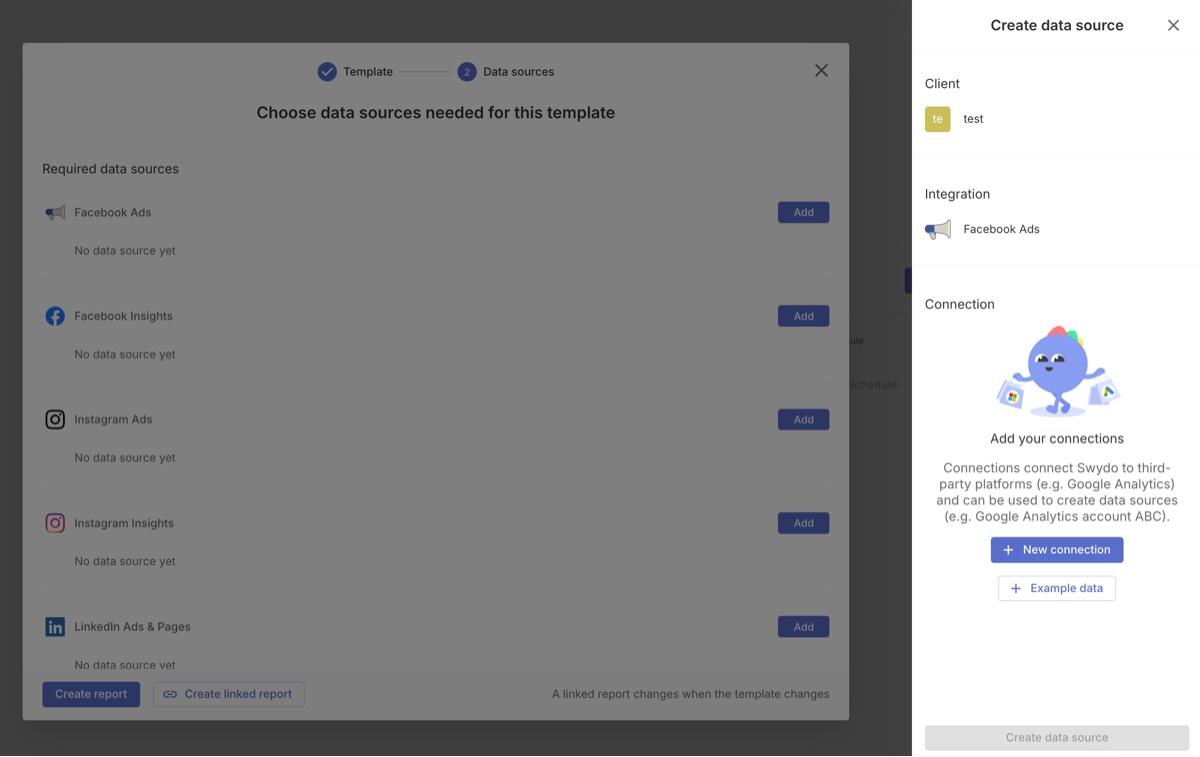
Swydo's report templates also include written text prompts to guide you on what to add in each section. If you're newer to client reporting, that structure helps reduce the guesswork when you're staring at a blank report.
How does Swydo fare when creating and editing widgets?
Resizing and editing widgets in Swydo
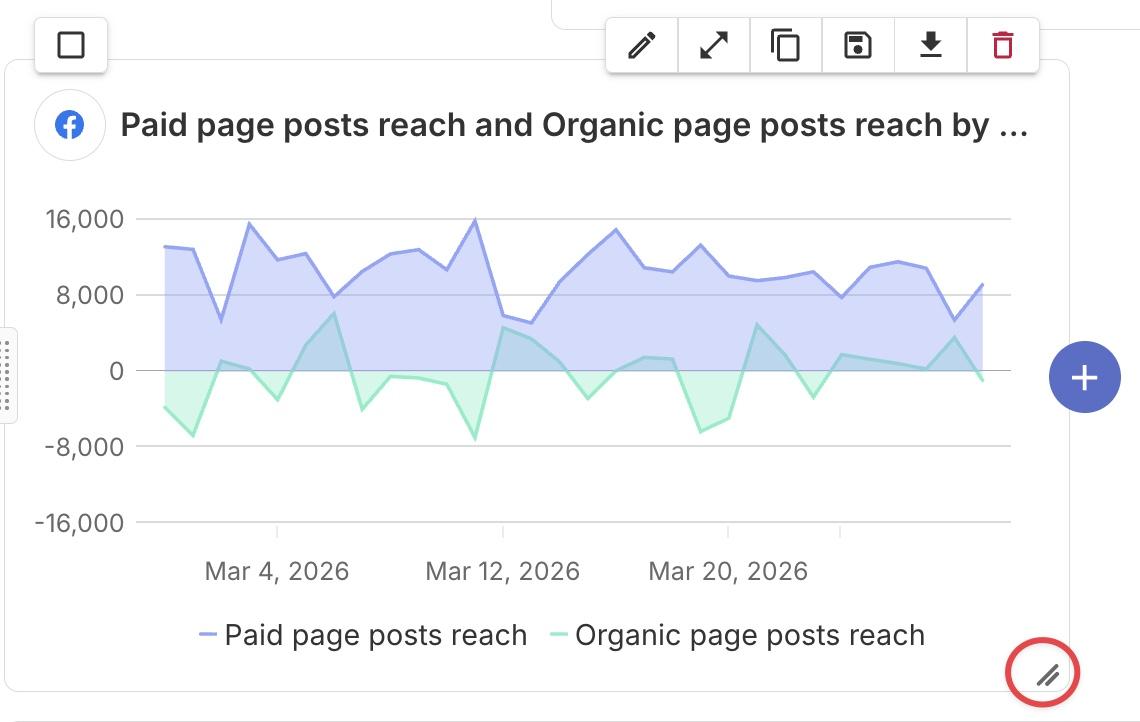
Swydo gives you two ways to resize widgets: drag the handle at the bottom of the widget to resize in any direction, or open the widget editor to adjust layout settings. The graph content adjusts automatically as you resize, so you don't need to reformat the widget after moving things around.
The drag-and-drop interface is clean, and you won't need a technical background to get your layout where you want it.
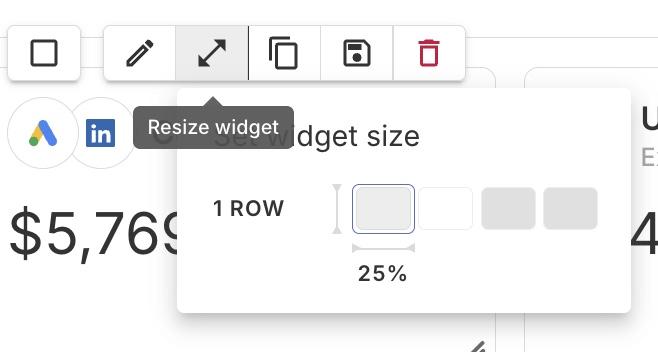
Widget availability and features to visualize data
Swydo includes 16 widget types, covering bar charts, column charts, line graphs and different types of heat maps. You can edit any widget through a hover menu that lets you swap the KPI, apply a data filter, or set a performance target, useful for showing clients at a glance whether they're on track for a given goal.
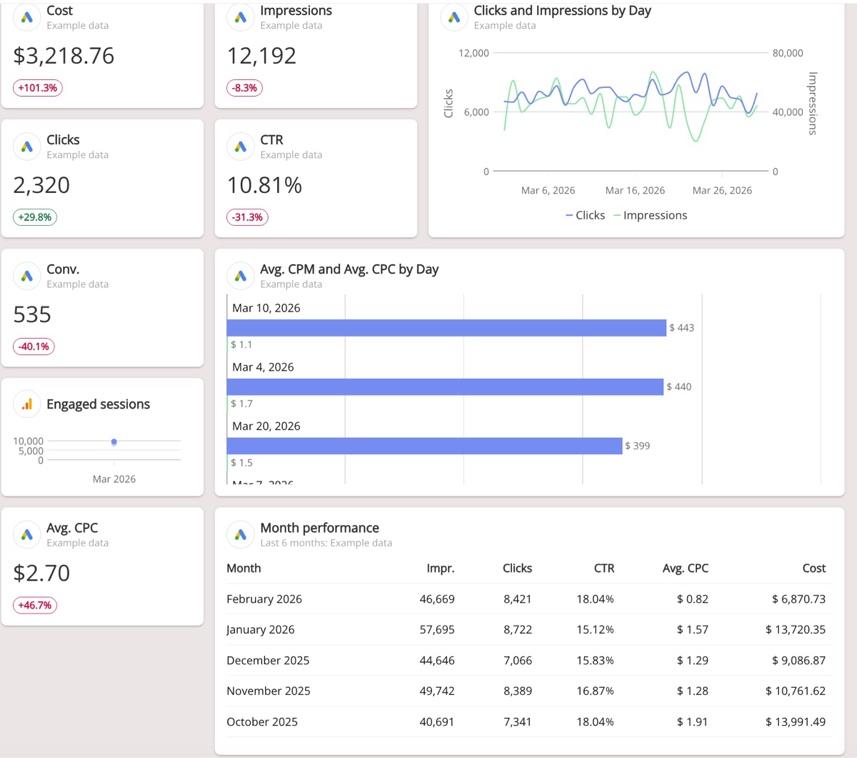
Image caption: Some widget types in Swydo
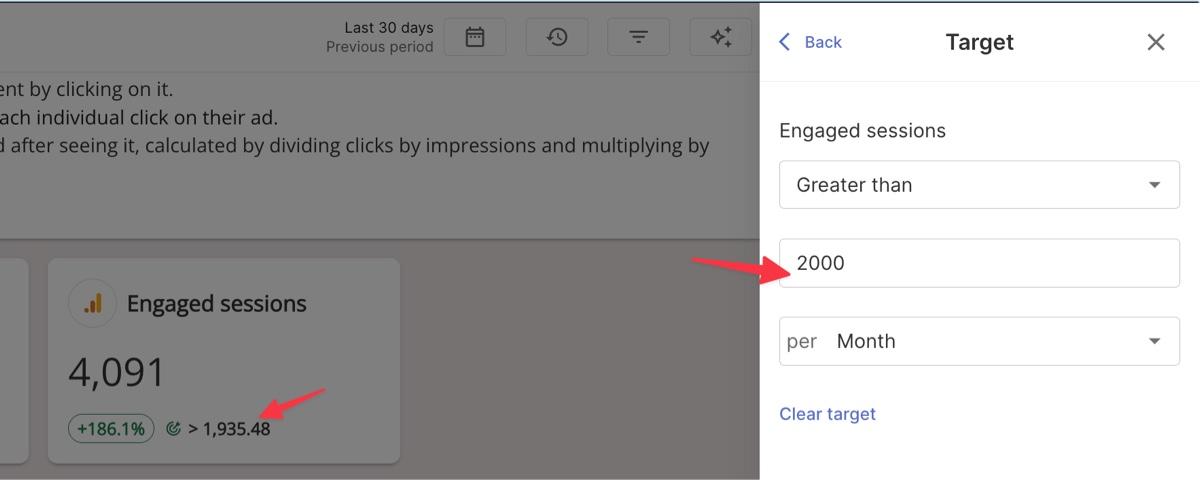
Swydo supports linked reports, which deliver genuine time savings if you run the same report structure across multiple clients. Update a template once, and every connected report updates automatically. Once you unlink a report from a template, it can't be re-linked, so decide upfront how much you want to standardize your reporting.
Our verdict: Swydo's widget editor is clean and functional. The hover menu puts the controls right where you need them, without requiring a technical background. Per-widget targets and linked templates cut repetitive setup across client reports. With 16 chart types, most small agencies will find everything they need. DashThis offers nine widget types. If data visualization variety matters to your reporting workflow, Swydo has a wider library.
3. Client communication features
A report is only useful if it helps your clients understand what's happening and what to do next. Here's how Swydo handles the communication side of reporting.
We looked at:
- Report sharing options to deliver reports to stakeholders and automate scheduling with clients
- White-label reports and custom branding to customize your reports with your agency's look
- Insights and analysis features to add commentary and insights to your report
- AI features for data analysis and automated insights
Report sharing and presentation options
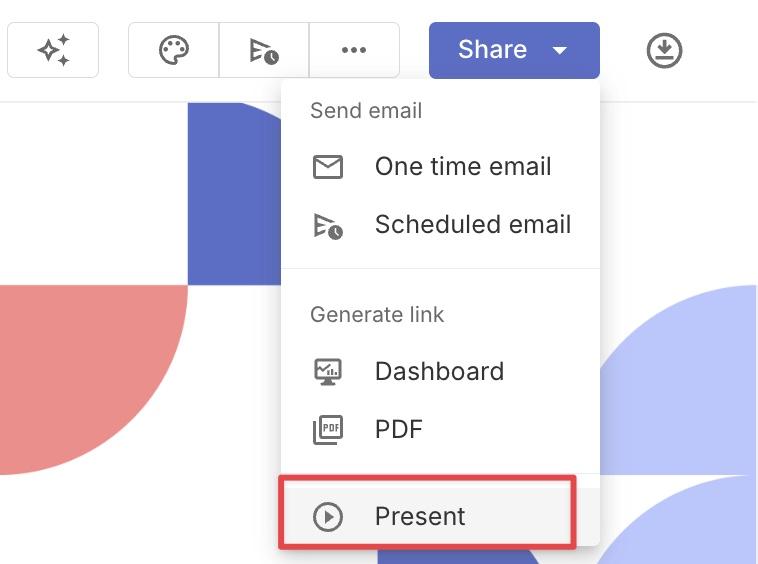
Swydo covers the report sharing basics: PDF export, one-time and scheduled email reports, along with a shareable dashboard URL. It also includes a full-screen presentation mode you can run directly from your browser, useful if you're walking a client through results on a call.
White-label and branding options
You get all white-labelling features on every plan, with no tier restrictions.
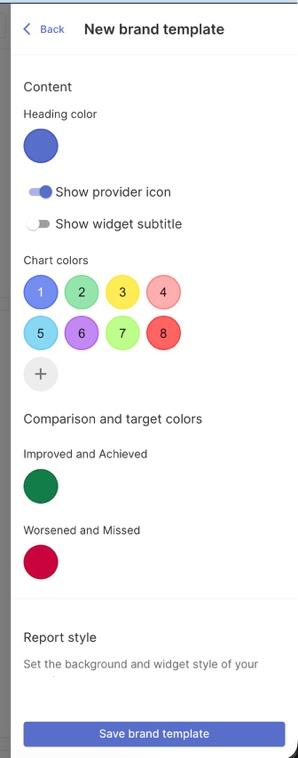
Brand templates: Create and save reusable brand templates with your agency's fonts, chart colors, and background colors. Apply them across multiple reports without rebuilding your setup each time. You can also adjust the default comparison and target colors to match a client's specific brand guidelines.
Logo: Replace Swydo's logo with your agency's logo or your client's logo directly in the report.
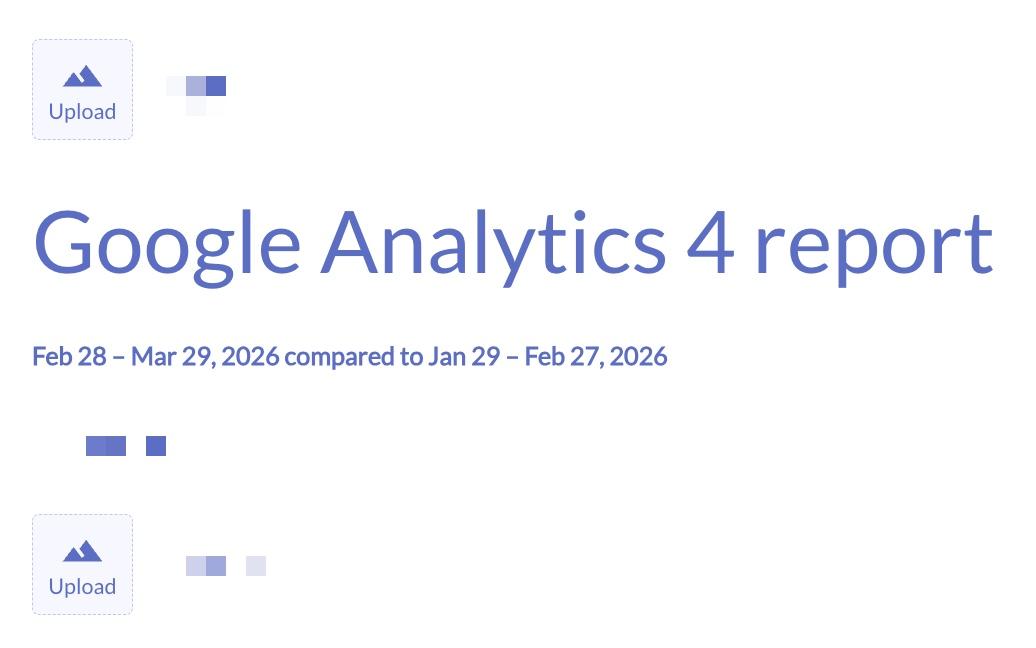
Report cover: Add a branded cover page before sending, useful for giving client-facing PDFs a more polished, presentation-ready look.
Custom domain: Serve reports from your own domain (like reporting.youragency.com) so clients never see a Swydo URL. It's worth knowing that the setup requires adding a CNAME record with your hosting provider. If you haven't done this before, your developer or hosting support team can help.
Custom email sender: Send scheduled reports from your own domain name and email address rather than a Swydo address.
Adding commentary and insights to your report in Swydo
Swydo doesn't let you attach a comment directly to a widget. To add targeted commentary, you place a text widget above or below it instead.
DashThis handles this differently. You can attach text annotations directly to a widget, which keeps commentary tied to the data without adding a separate element to the layout.
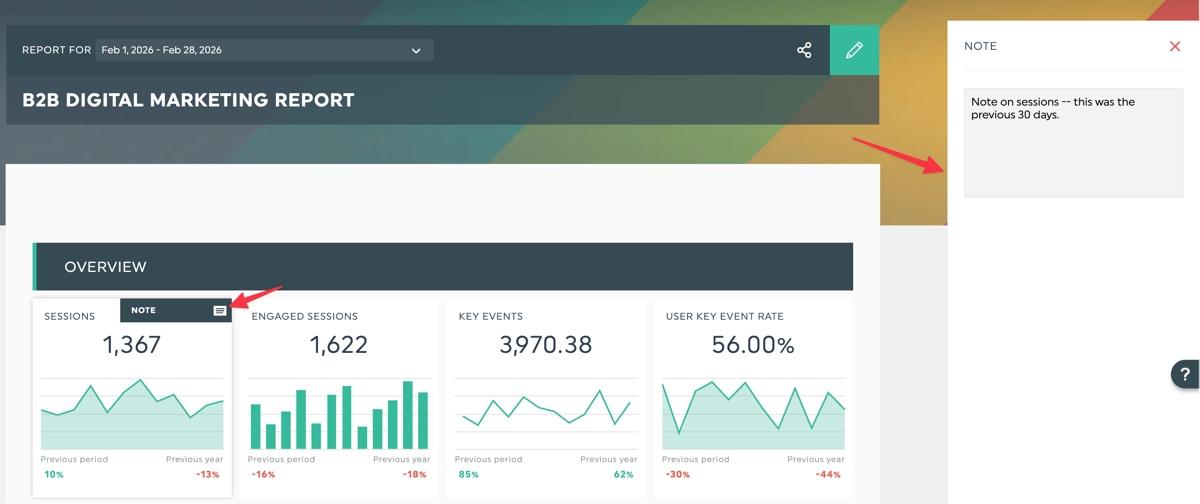
We also have a comment box widget for broader analysis when you want to flag a trend or explain a notable movement in your report.
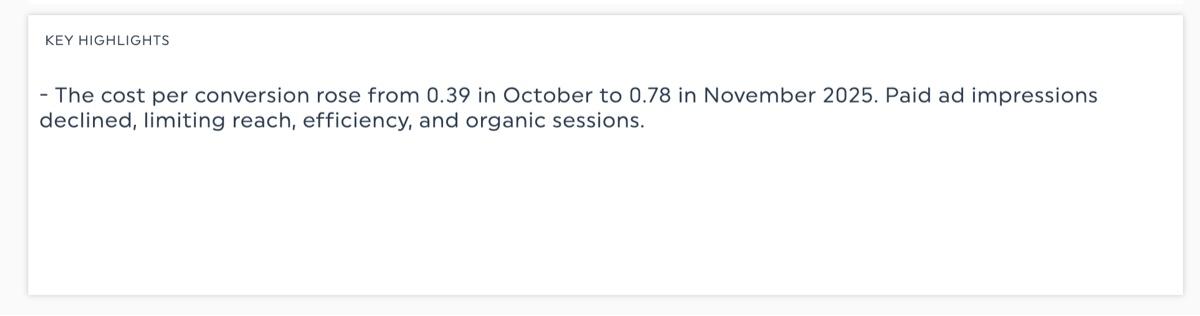
How Swydo's AI features compare with DashThis
Swydo's AI tools cover data summaries, recommendations, and conversational analysis to support campaign optimization. You can type a question directly into your report and get an answer based on your connected data. Each plan includes 4,000 AI credits per month, enough for roughly 42 report summaries, though follow-up prompts draw from the same pool.
DashThis includes 10 AI Insights per month on all plans, covering summaries, opportunities, wins, and issues. For heavier usage or conversational analysis, the AI Insights Pro add-on is available at $19/month.
4. Customer support quality
When something breaks in your reporting process, you need answers fast. A delayed response means a delayed report, and that affects how clients see your agency.
Swydo's support is one of its most consistently praised features. Here's how it holds up in practice.
- Self-support resources: Well-documented help centre with written articles and accompanying YouTube videos
- Support channels: 24/5 in-app live chat, email contact form, and a 30-minute onboarding call for new users
- Response time: Within minutes
- Response quality: Personalized — works in your actual report setup to address specific needs rather than pointing you to a generic help article
- Dedicated account managers: Not available
Both platforms give fast responses. The real difference is what happens when you get one.
Swydo's support is genuinely responsive. When we reached out about our reporting setup, we got a response within minutes. The support rep looked at our actual account and showed us exactly where to click using a screenshot of our own report.
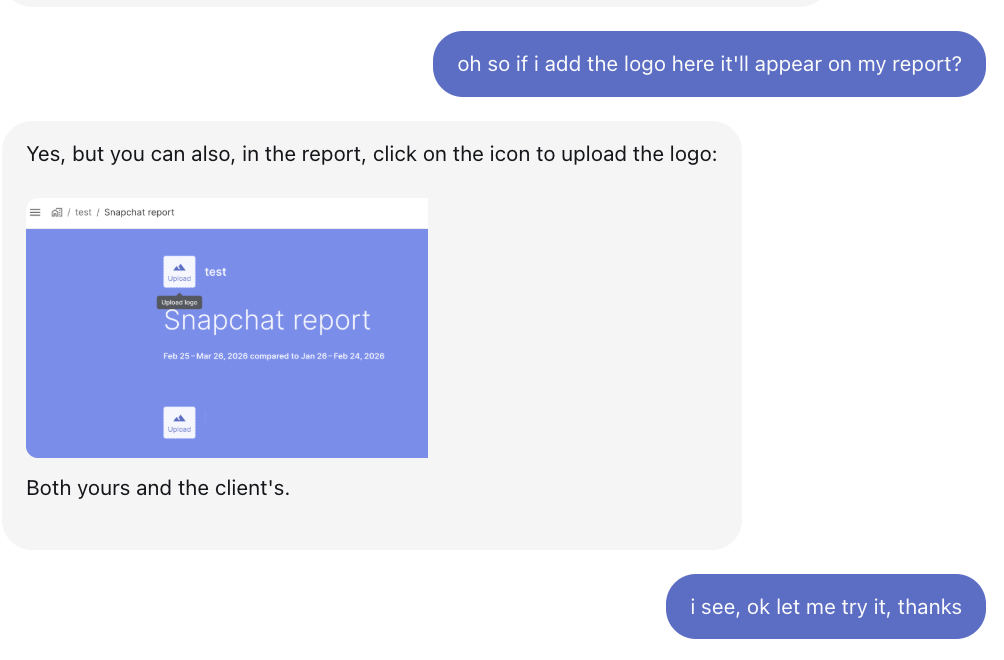
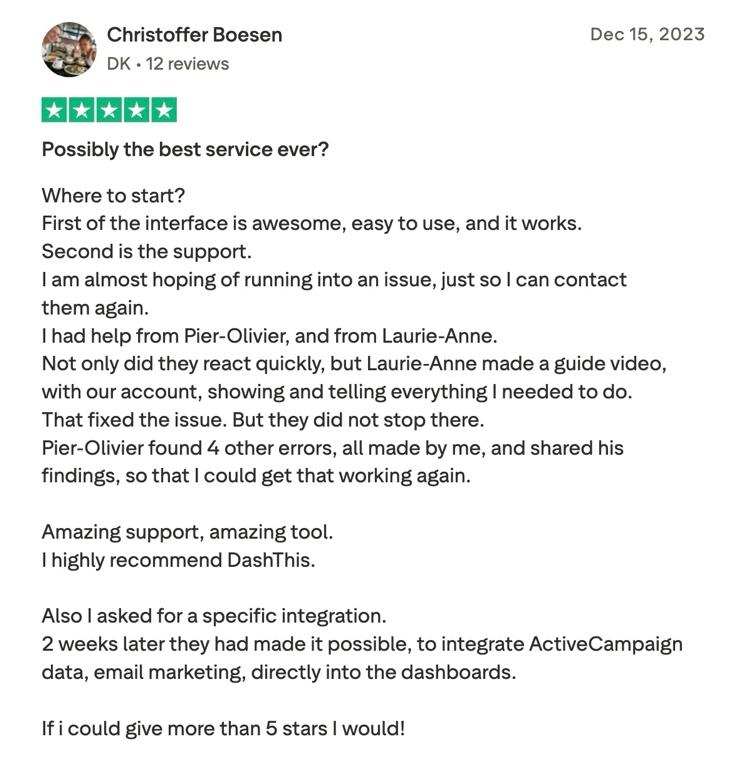
Where DashThis goes further is what happens after your question is answered. Beyond opening your actual dashboard, we work through your setup and flag issues you didn't ask about. As our customer Christoffer Boesen shared on Trustpilot:
"Not only did they react quickly, but Laurie-Anne made a guide video with our account, showing and telling everything I needed to do. That fixed the issue. But they did not stop there. Pier-Olivier found 4 other errors, all made by me, and shared his findings so that I could get that working again."
Our verdict: If you want fast answers to specific questions, Swydo's support covers that well. If you want a team that works through your setup with you and flags problems before they affect a client report, DashThis's approach is a better fit.
5. Pricing and scalability
You already know how Swydo bills. The more important question is what happens to that bill as your agency grows.
When we asked the support team how short-term campaign sources are billed, they were upfront: you're charged for the full billing cycle regardless of how long a source is active.
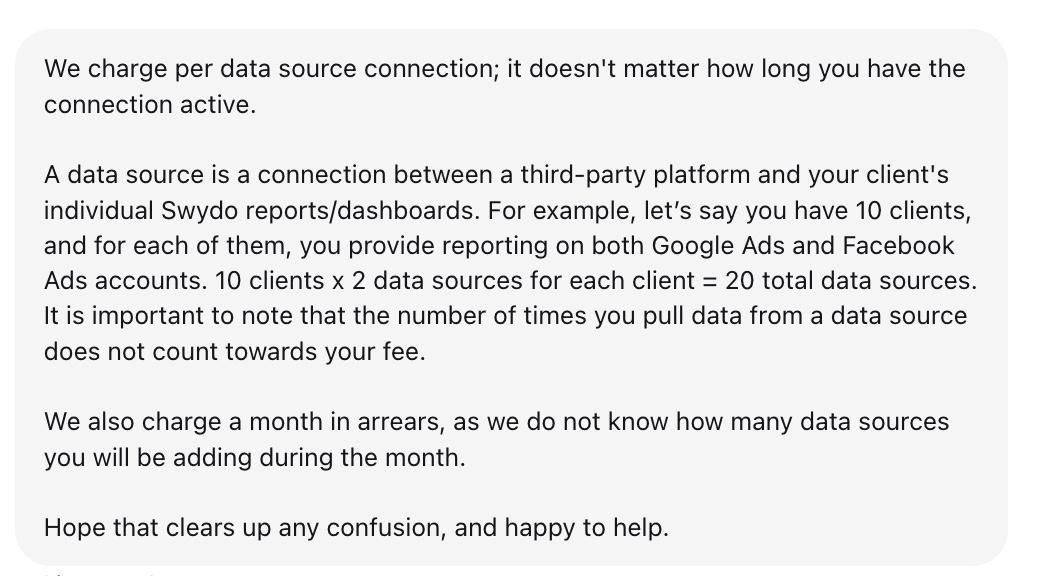
Note from the support team on how Swydo bills in March 2026
Whether that's a problem depends on how much your client mix changes month to month.
The real cost of Swydo's per-source billing
Expired or outdated connections still count as active data sources, running up your bill without delivering any data. As one verified user noted in a January 2026 Capterra review, this means costs can rise "unnecessarily" with no change to your actual reporting setup.
Let's take the example of a social media agency that needs to serve five different clients, connecting Google Analytics 4, Facebook, Instagram, TikTok, and X per client. That's five data sources per client, a total of 25 data sources.
At Swydo's rates, that's $69 for the first 10 sources, plus 15 additional sources at $4.50 each, which is $136.50/month. Take on five more clients running the same platforms and your bill jumps to $249/month. This pricing also doesn't account for any short-term campaigns, which makes costs more challenging to forecast.
DashThis costs stay flat within each tier's source limit.
Up to 10 clients and 50 sources, Swydo is more affordable. You'll pay up to $249 on Swydo versus $324 on DashThis Business. But the gap between pricing plans closes as you grow. At 20 clients and 100 sources, DashThis stays at $324 while Swydo climbs to $474.
DashThis uses tiered plans with a set source allocation per tier. Your bill stays flat unless you cross into the next tier. You can take on a new client or add a platform without triggering an immediate cost increase.
Swydo works well if you run a focused service roster, say PPC reporting across two or three platforms, and your client mix doesn't change much. But if you're growing, managing clients across five or more platforms, or running short-term campaigns, the per-source billing adds up faster than you'd expect.
Swydo's AI features cost
Swydo includes 4,000 AI credits per month on all plans. Once you hit the limit, AI features are unavailable until the next billing cycle. You can add a monthly spend cap to enable on-demand usage beyond your allocation, which adds a variable cost to monitor alongside your data source usage.
DashThis includes 10 AI Insights per month on all plans. Unlimited AI analysis is available via the AI Insights Pro add-on at $19/month per account. Swydo's base allocation is higher, but if your team members use AI features heavily, costs are harder to forecast than a flat add-on rate.
DashThis vs Swydo: Why agencies choose DashThis instead of Swydo
Swydo works well for smaller agencies with a stable client roster tracking a handful of platforms. But their pricing model introduces noticeable friction for small businesses and teams. As Robert L., COO at a small business, puts it on G2: "Billing can be a handful, as you pay per source and need to keep your employees trained on the costs as to not over spend."
Another G2 reviewer puts it plainly: "Billing per data source can get pricey depending on how many clients you have and services offered. If you are only tracking a few things then it can be a good value."
Once your client count grows, or clients run short campaigns across platforms they don't use year-round, billing becomes harder to forecast. Connect a platform for a two-week flash sale or a limited-time product launch, and you're still billed for it at month's end. Swydo charges per source, regardless of how long the connection is active, and bills in arrears, so the charge appears on your invoice after the campaign is already over.
DashThis is built for agencies that need predictable costs as they grow. Tiered plans with set source allocations mean your bill doesn't move until you cross into the next tier.
Choose DashThis if you...
- Want predictable monthly costs that don't shift with every data source you add
- Manage clients across multiple platforms and need costs to stay forecastable as you scale
- Want a proactive support team that opens your dashboards, works through your specific setup, and flags issues before you notice them
Choose Swydo if you...
- Have a stable, smaller client roster with straightforward per-platform reporting needs
- Serve clients who use a consistent set of marketing channels month to month with no seasonal variation
- Prefer paying only for the sources you use rather than committing to a fixed tier
If you're also evaluating alternatives like Whatagraph or AgencyAnalytics, both start at higher price points than Swydo or DashThis.
Frequently asked questions