Google Looker Studio (formerly Google Data Studio), referred to as Looker Studio in this review, is Google’s free tool for data visualization and business intelligence. It’s a popular choice for teams already using the Google Cloud ecosystem, and its free plan makes it a good fit for smaller data analytics teams or freelancers who need an affordable alternative to Tableau and Microsoft Power BI to make data-driven decisions.
But can free reporting tools handle the day-to-day needs of professional marketing teams, or will you hit limits that waste time and affect your credibility?
This in-depth review of Looker Studio tests whether Google's BI tool actually works for small marketing teams.
- Ease of use
- Pricing transparency
- Quick setup
- Reliable support
We'll show you where Looker Studio works best and when DashThis may be the better choice, helping you decide which tool fits your agency.
Why trust us on this Looker Studio review
We're DashThis, so yes, we're Looker Studio's competitor.
That means we actually understand what agencies need from their reporting tools. Since 2011, we've worked with more than 10,000 marketing agencies and solo marketers.
We tested Looker Studio ourselves, building reports, connecting data sources, and checking what help was available when we hit problems. We also read verified reviews from Capterra, G2, and Trustpilot from the past three years to see if you could connect clients' platforms easily, build your first report quickly, and get help when something breaks.
To help you pick the right reporting platform, like Looker Studio, DashThis, or something else, here's our review.
Quick verdict: TLDR - key takeaways
Google Looker Studio is free and comes with built-in Google connectors and plenty of visualization options. That makes it worth testing if you're testing tools. But it's a general-purpose data visualization tool built for BI, not marketing. Expect extra setup and connector work, with more troubleshooting when you pull KPI data from outside Google.
Looker Studio works well if you're mostly using Google tools. DashThis works better if you use non-Google platforms or prefer to skip the technical setup.
Who is Looker Studio best for?
- You need analytics beyond marketing reports
- You only report on Google's platforms and you're not pulling huge amounts of data.
- You don't mind piecing together data from different sources, dealing with connector setup, and troubleshooting on your own
If this sounds like you, you'll probably be fine with Looker Studio.
Who is Looker Studio not ideal for?
- If you need a tool built for marketing workflows, not a repurposed BI tool
- If you want real human support when you run into an issue
- If white-labeling and professional branding are essential to you
Looker Studio’s key features
Google Looker Studio pricing model
Most of Looker Studio is free. The free and add‑on plans offer the same features, so for most small agencies, the free option is enough.
Looker Studio’s Pro plan costs $9 per Pro user, per project, per month. Let’s see what this gets you.
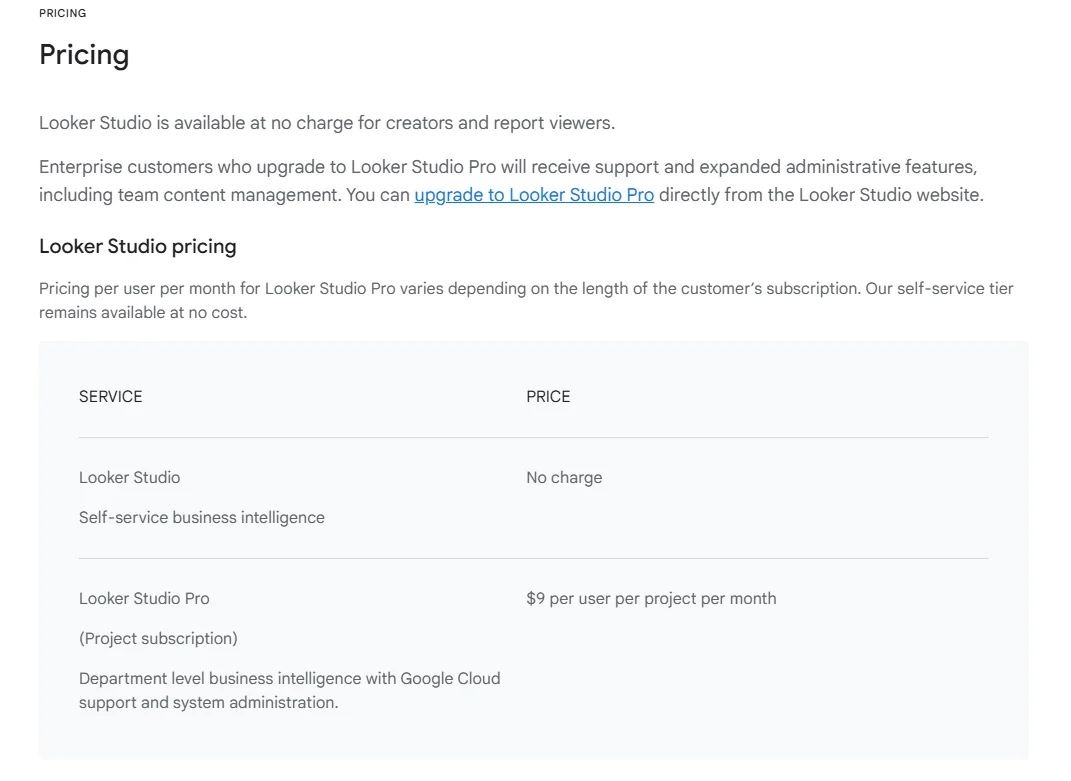 Table on Google Looker Studio’s pricing model accessed February 2026
- Enterprise team management: Shared workspaces with role-based permissions
- Expanded automated report delivery options: You’ll move from one schedule per report on the Free plan, with email or PDF, to multiple schedules and delivery via Google Chat and Slack.
- AI features: The Pro plan includes Google Gemini for analyzing your data and summarizing it. You can also create calculated fields with natural language and add Looker Studio content to Slides.
Is the Looker Studio paid plan worth it for small agencies?
Looker Studio Pro is designed for larger organizations, so it may not be worth it for a small agency. The Free tier already covers standard reporting. Upgrade only if you need AI-assisted analysis or advanced team management.
The free plan covers basic reporting, but you'll likely incur extra costs for the integrations and add-ons agencies actually need, like:
- Third-party connectors for non-Google platforms, which carry their own monthly fees
- Personalized customer support, starting at $29/month
Looker Studio pros: What are real customers saying about Looker Studio?
What are people actually saying about Looker Studio? We analyzed customer reviews from G2, GetApp, and Reddit to learn what real customers like about Google Looker Studio and where they've had problems.
G2 rating: 4.4/5 based on 453 reviews
It handles the basics well, especially if you're using Google tools.
Looker Studio stands out for reliably handling marketing data visualization, and users appreciate it.
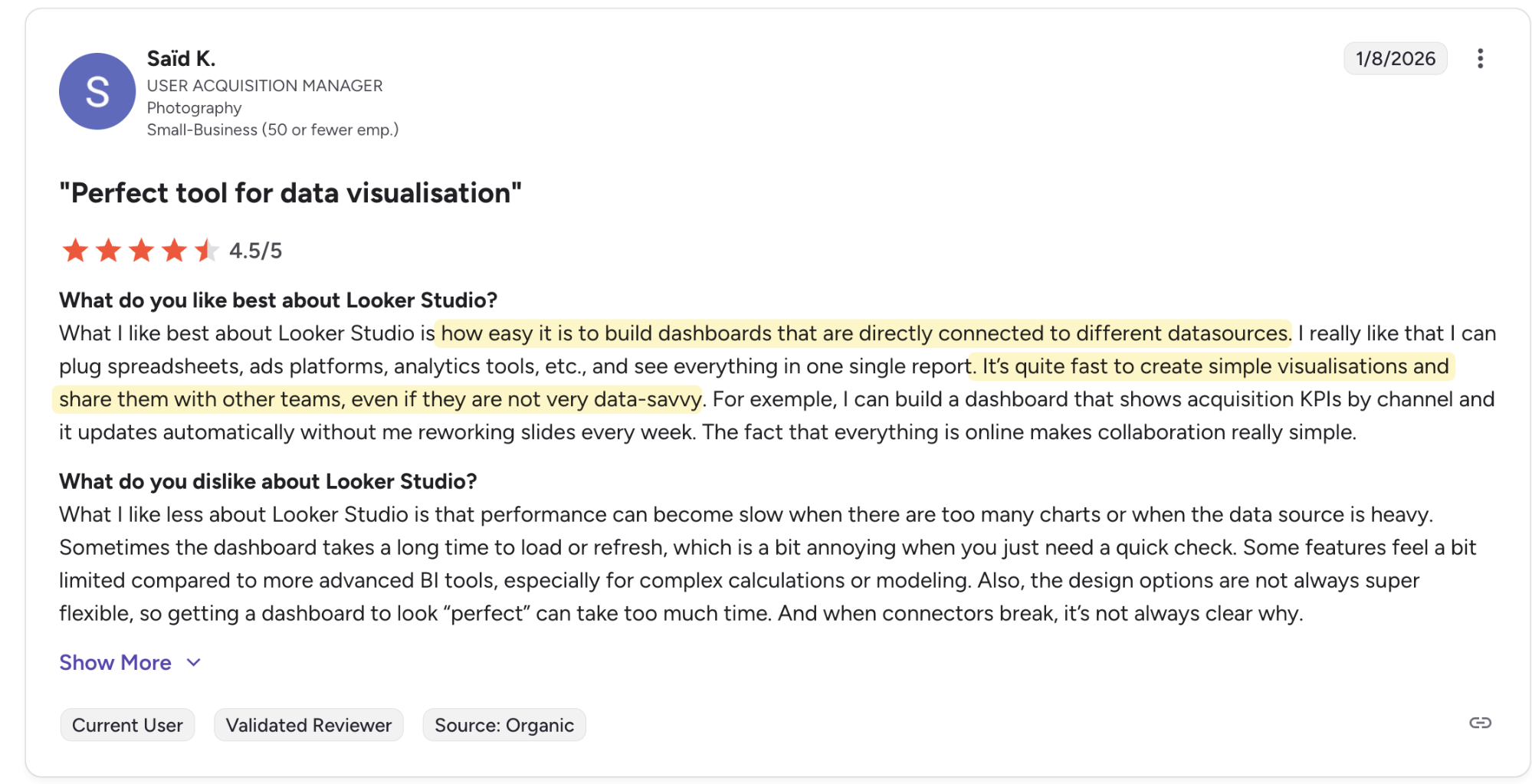
Another user noted its flexibility: “What I like best about Looker Studio is how flexible it is for turning data into visuals. You can pull in multiple sources, like Google Analytics, Ads or Sheets, and see everything in one dashboard. The drag-and-drop interface makes building reports faster, and it’s easy to share with clients or teams.”
This gets even better if you already use Google tools in your reporting. As SEO consultant Suayip Can O. says, “It’s a really great tool for reporting data quickly and easily from Google Analytics and Google Search Console and sharing it with our clients fast.”
It’s free to use
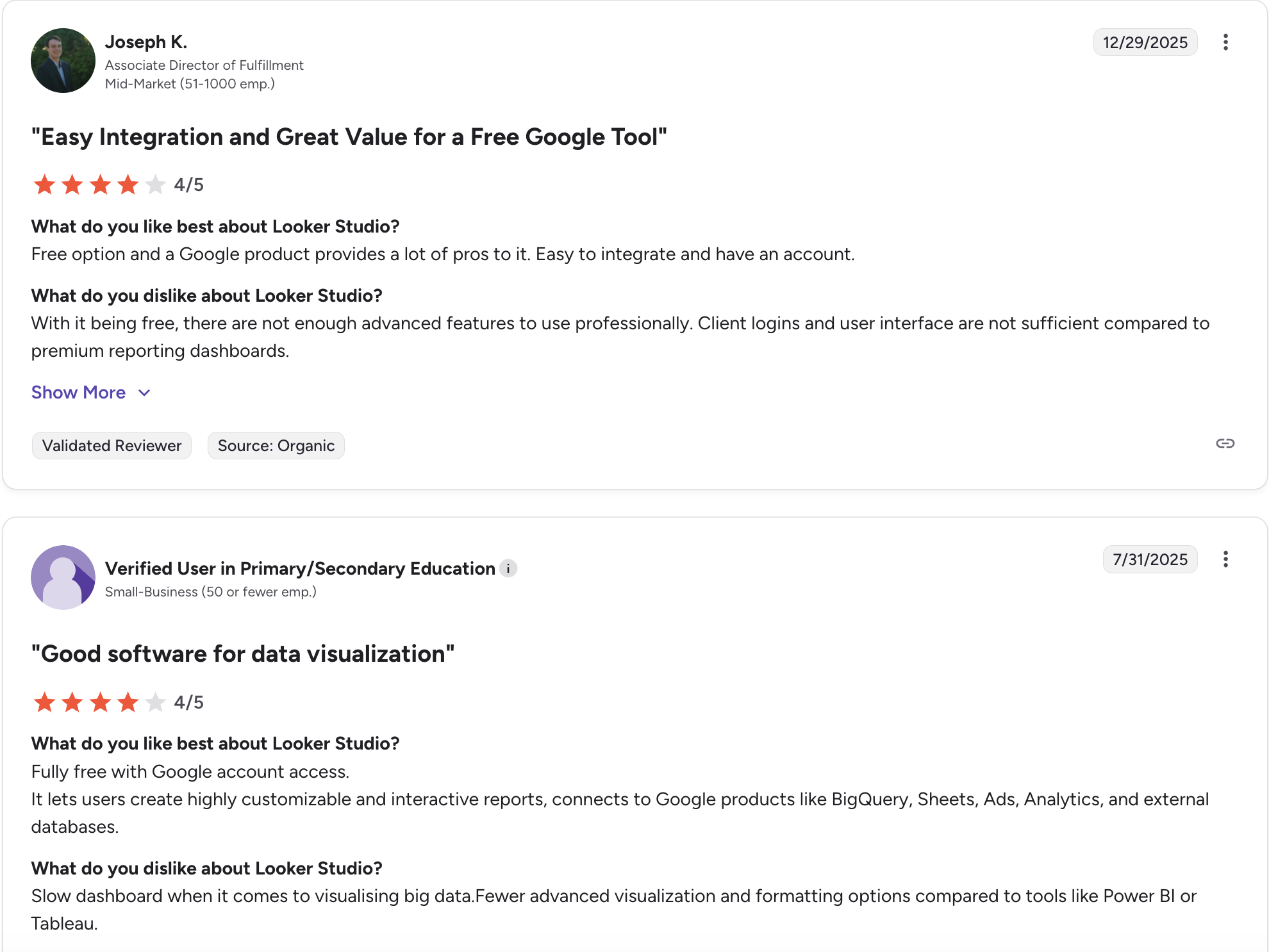
One of Looker Studio's biggest advantages is that it's completely free to use. If you already have a Google account, you can start building reports immediately, without sales calls or a credit card, or unnecessary approvals.
For small agencies testing reporting tools or working with tight budgets, you can build sample reports for prospects and run a handful of client reports before committing to a paid option.
Real Looker Studio users agree:
Google Looker Studio cons: Common frustrations faced by users
That said, free tools have their limits. Several recurring issues come up in user reviews, such as:
Can be unreliable and buggy to use
Looker Studio is easy to use, but many users report a clunky experience and shaky reliability. G2 reviews report crashes, frozen interfaces, and broken buttons.
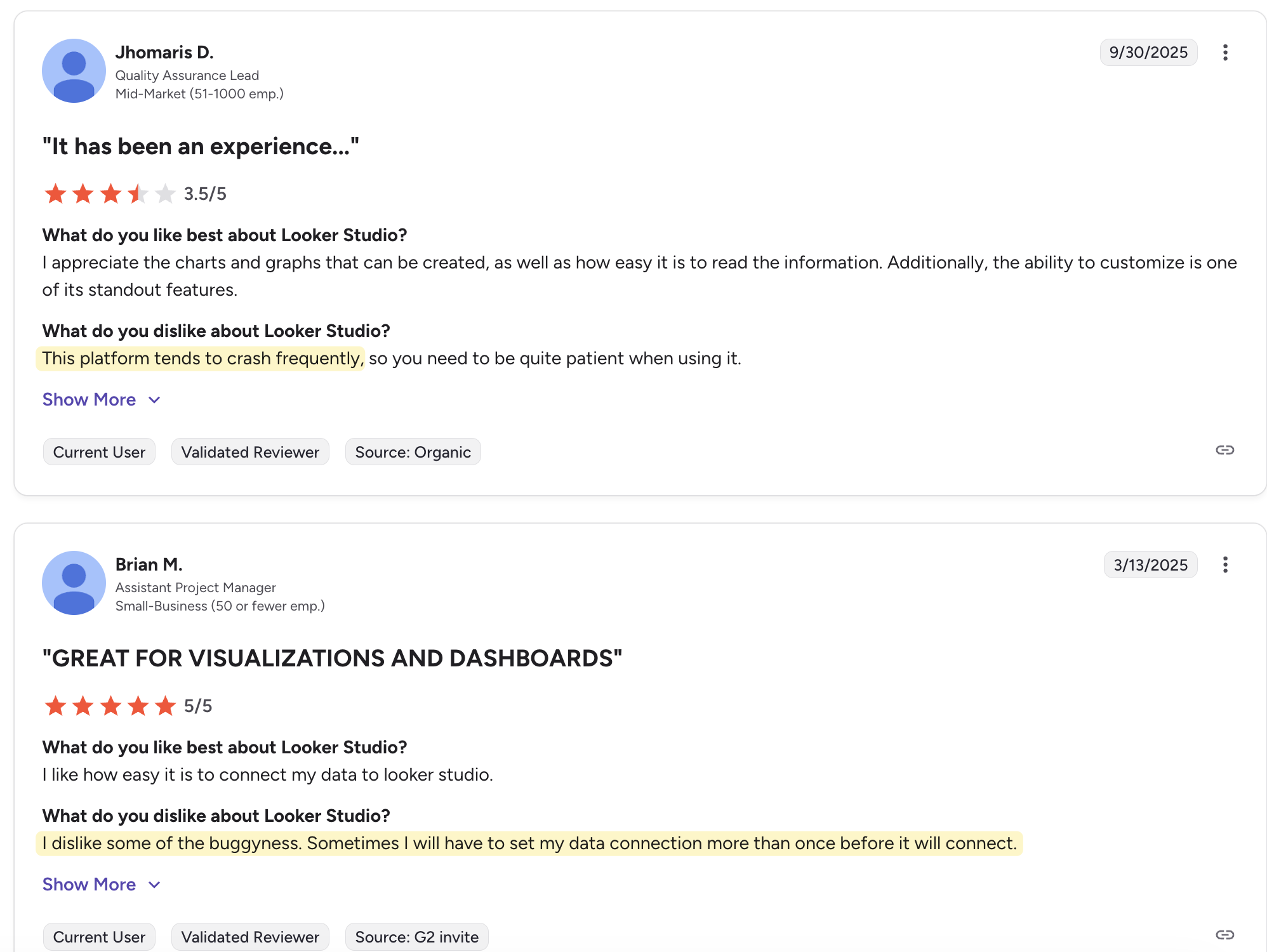
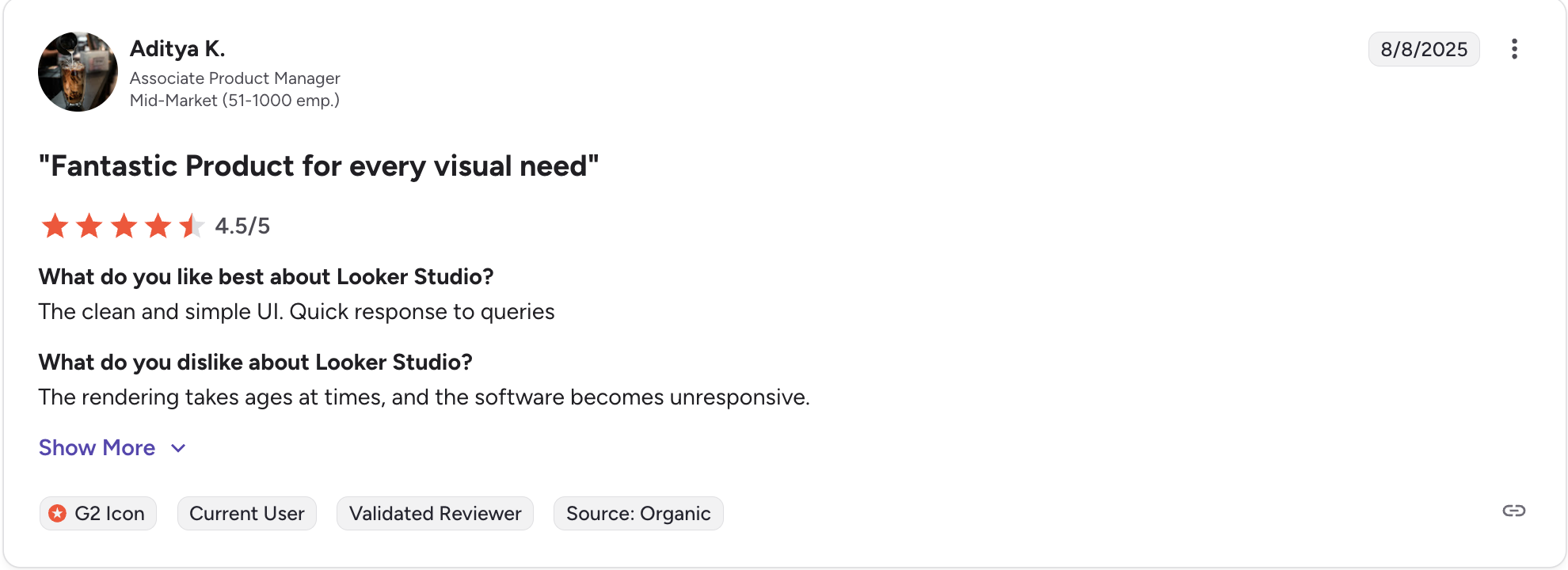
We see the same frustrations on Reddit, where users report broken features and a poor user experience in Looker Studio.
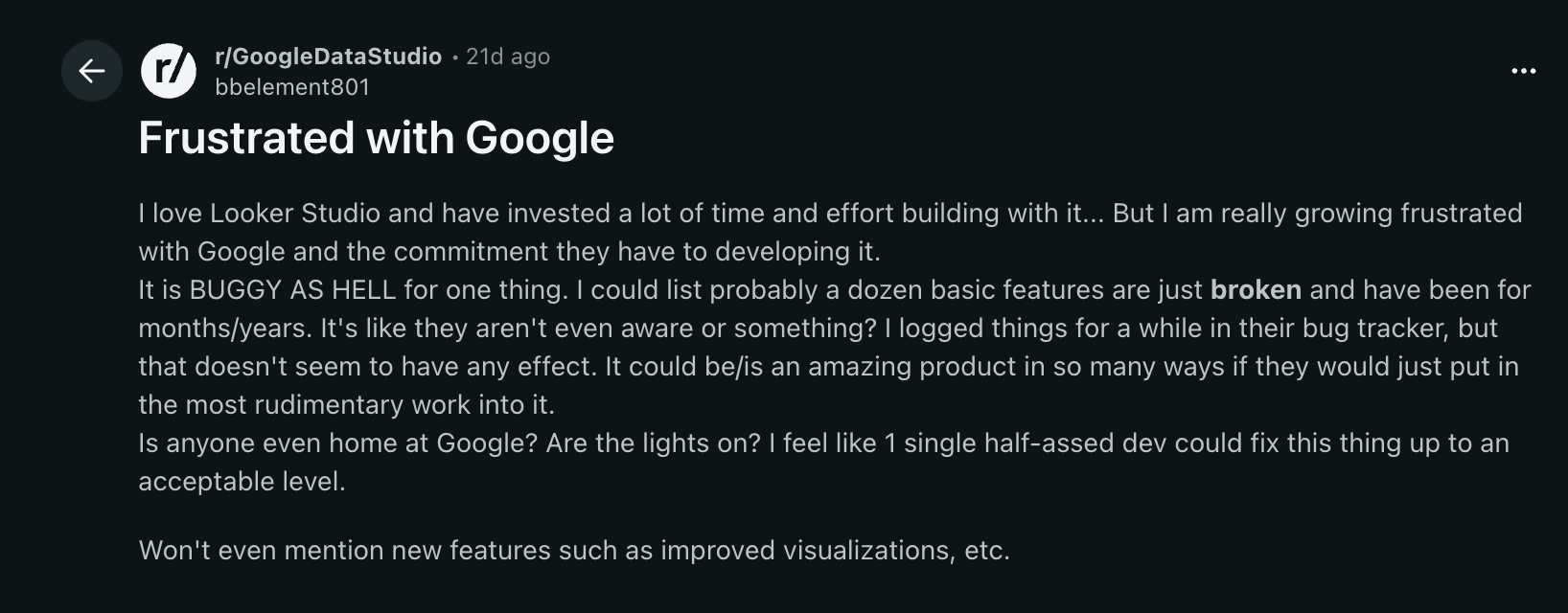
These small hassles add up to lost productivity and extra stress. As a small agency, you need a reporting tool that works reliably, not one that makes you worry it will crash again.
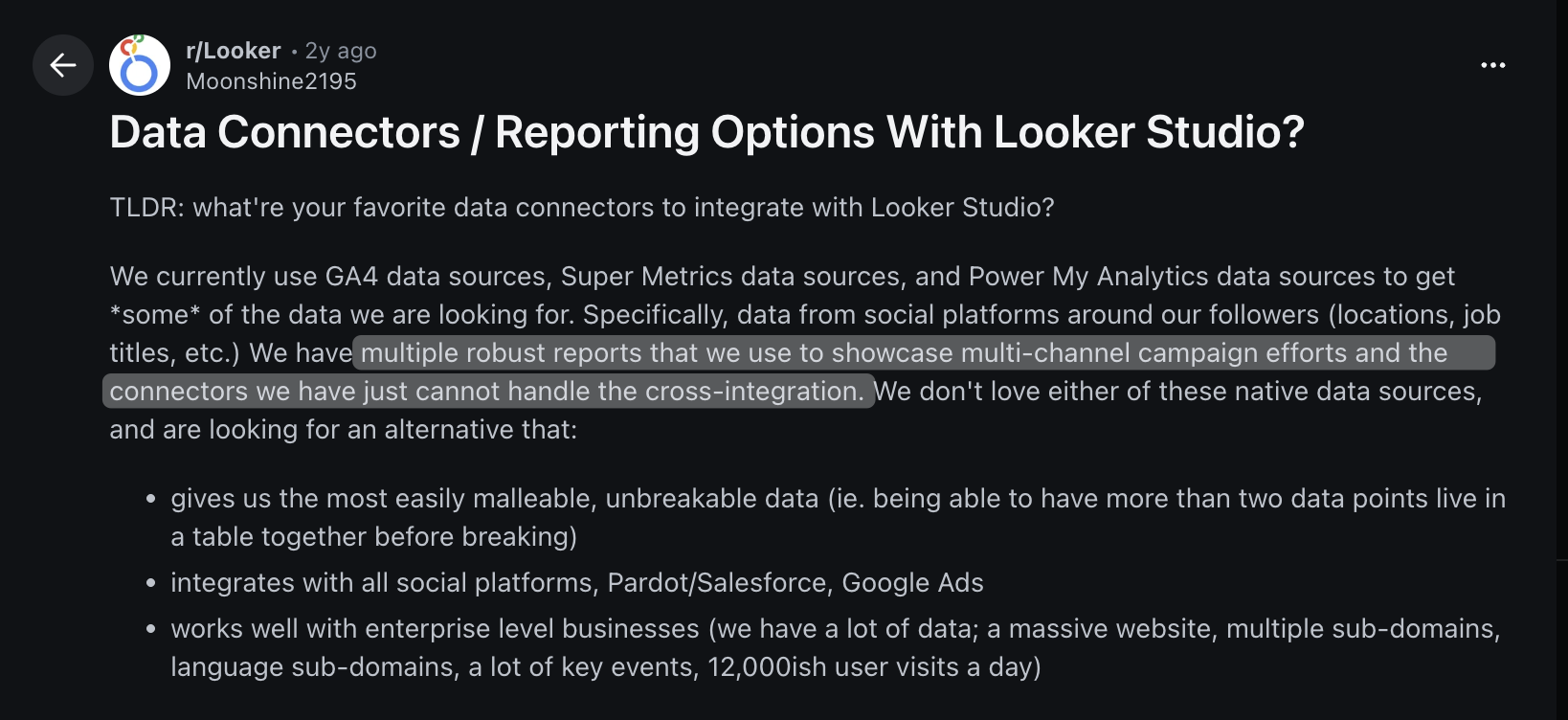
Beyond crashes, reliability problems affect data connectors, too. Another Reddit user found that their connectors cannot handle combining data from multiple platforms when blending metrics from different marketing tools, causing reports to break.
Slow performance, especially as your business grows.
Looker Studio is easy to use, yet the most common complaint is its slow performance with larger data sets. As user V K. noted, “Looker Studio is very useful, but there are a few things I dislike. The interface can sometimes feel a bit slow, especially when working with large or complex data sources.
Many users who report these slowdowns work with large datasets, and several reviewers call out performance drops with complex data sources. If you plan to expand your client base or add more platforms to your reports, test Looker Studio with your actual data volume to find out whether performance limits affect your experience.
DashThis Tests: How does Google Looker Studio compare with DashThis for small teams?
We dug into whether Google Looker Studio solves the real problems small agencies face, such as:
- Importing your data
- Building reports effectively
- Sharing insights with clients
- Getting help when needed
- Scaling without surprises
We’ll examine each factor one by one.
1. Data and integration coverage
Looker Studio claims over 1,000 data connectors. But for small agencies, the raw number matters less than three practical concerns.
That is:
- Does it work with your daily tools?
- How reliable are those connections over time?
- What you'll pay to keep them running.
We'll check whether Looker Studio supports the tools small agencies rely on and how those connections behave and what other options you have for importing data into the platform.
Integration coverage
Looker Studio features two types of connectors
- Connectors built and supported by Google: These apps are native to its services, such as Google Analytics 4, Google Ads, Google Search Console, and Google Sheets. When you stay within the Google ecosystem, you get a consistent experience without request quotas or the lengthy refresh delays common in third-party connectors.
- Partner connectors: These third-party integrations are maintained by partners and handle any data outside Google’s ecosystem. You’ll need a partner connector if you want to import data from email marketing tools, SEO suites, or social media networks like Instagram, Facebook, and TikTok for your marketing reports.
If you plan to use these third-party connectors, keep a few things in mind.
Connector subscriptions add hidden costs and other limitations
Google’s connectors are free. Many third-party connectors aren’t. For marketers who pull data from outside Google products, fees and extra admin work can add up fast.
Let’s say you want to pull Mailchimp email marketing data into Looker Studio. Using separate connectors means more accounts to create, subscriptions to manage, free trials to track, plus monthly fees to monitor for each data source.
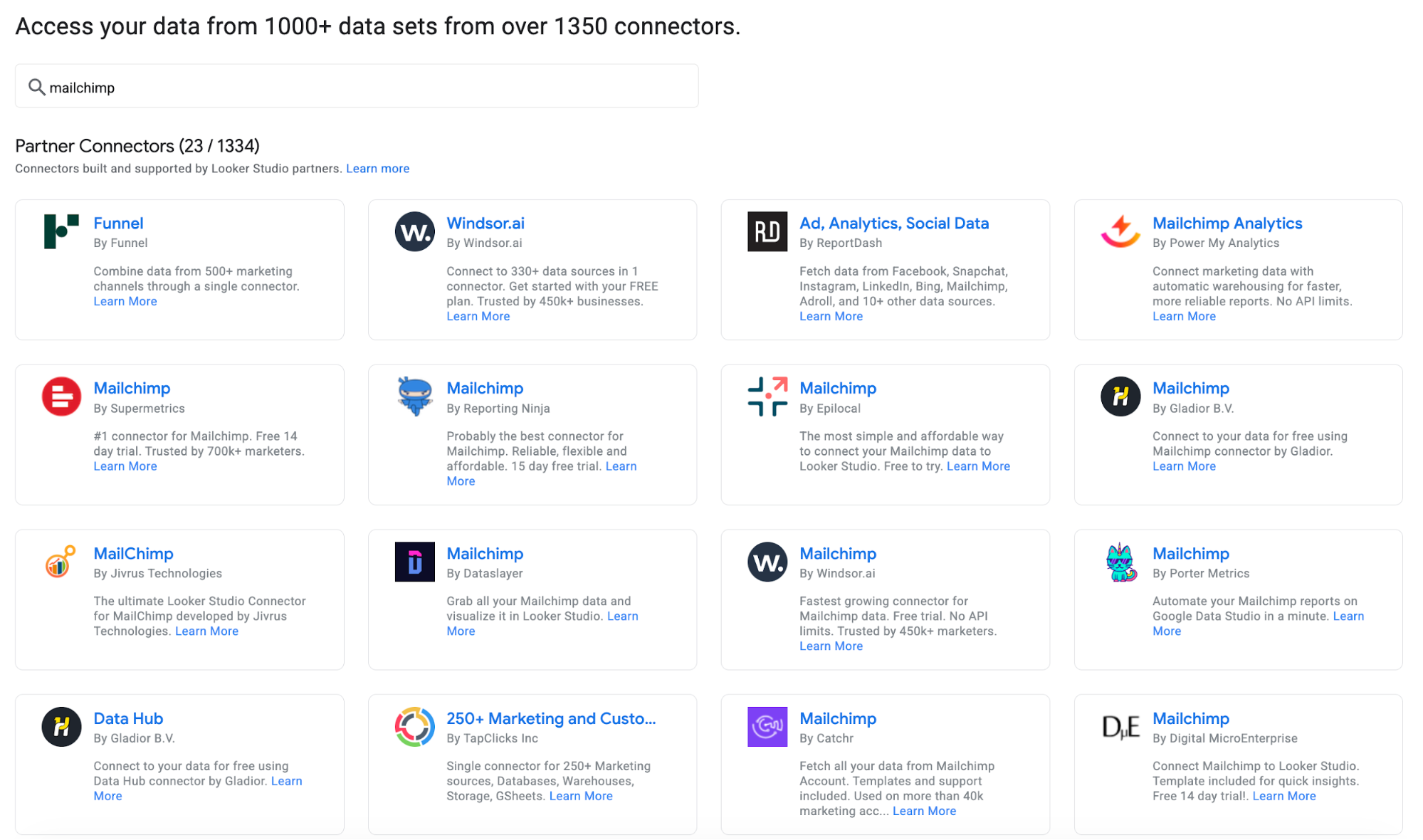
These hassles grow as you add channels beyond Google’s native connectors. Different connectors vary in features and in how often they refresh your data.
For example, Supermetrics is a popular Data Studio connector provider with 158 connectors for digital marketing tools.
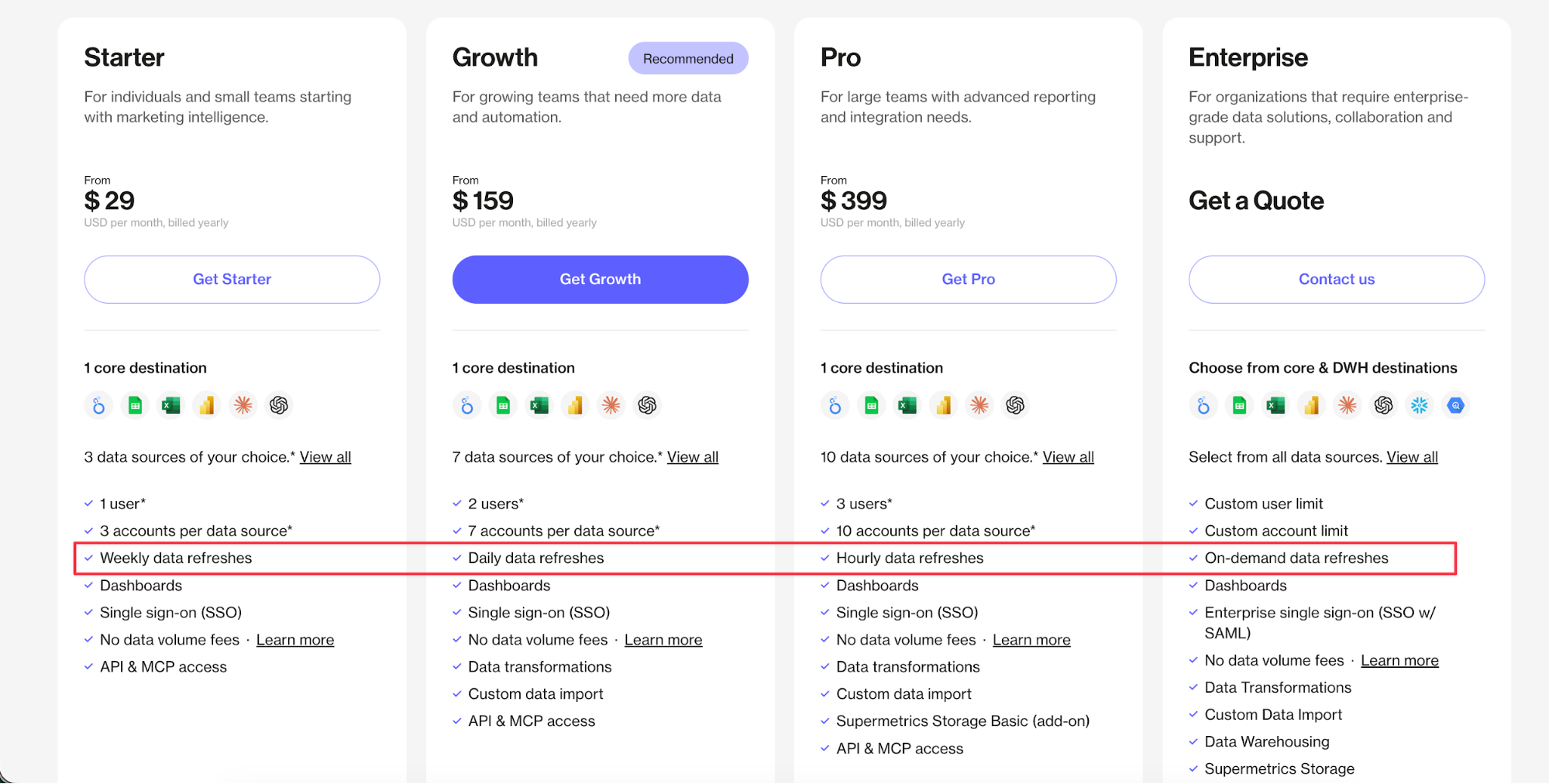
Pricing table from Supermetrics, accessed 2 March 2026
Besides limits on users, data sources, and accounts, there’s a key limit tied to your plan: how often third-party data refreshes automatically. Google’s official connectors refresh about every 12 hours. But it’s not as clear-cut when you look at the third-party connector ecosystem.
With the Supermetrics Starter plan, data refreshes run weekly. That lag can limit your reporting for fast-moving campaigns that require quick decision-making.
To be clear, Looker Studio doesn't set these limits, as the tool only displays the data that connectors bring in for your graphs and charts. Each connector (whether Supermetrics or another provider) sets its own refresh schedules and pricing. This means you'll need to check each connector's specific limitations and plan it around your reporting needs and budget when selecting which connector and subscription plan to use.
Rather than managing separate connectors with different limitations, DashThis takes an all-in-one approach. You can skip all these extra checking and evaluation steps. Our 30+ integrations focus on widely used marketing tools, covering your needs whether you need to report on SEO platforms, PPC tools and email marketing platforms.
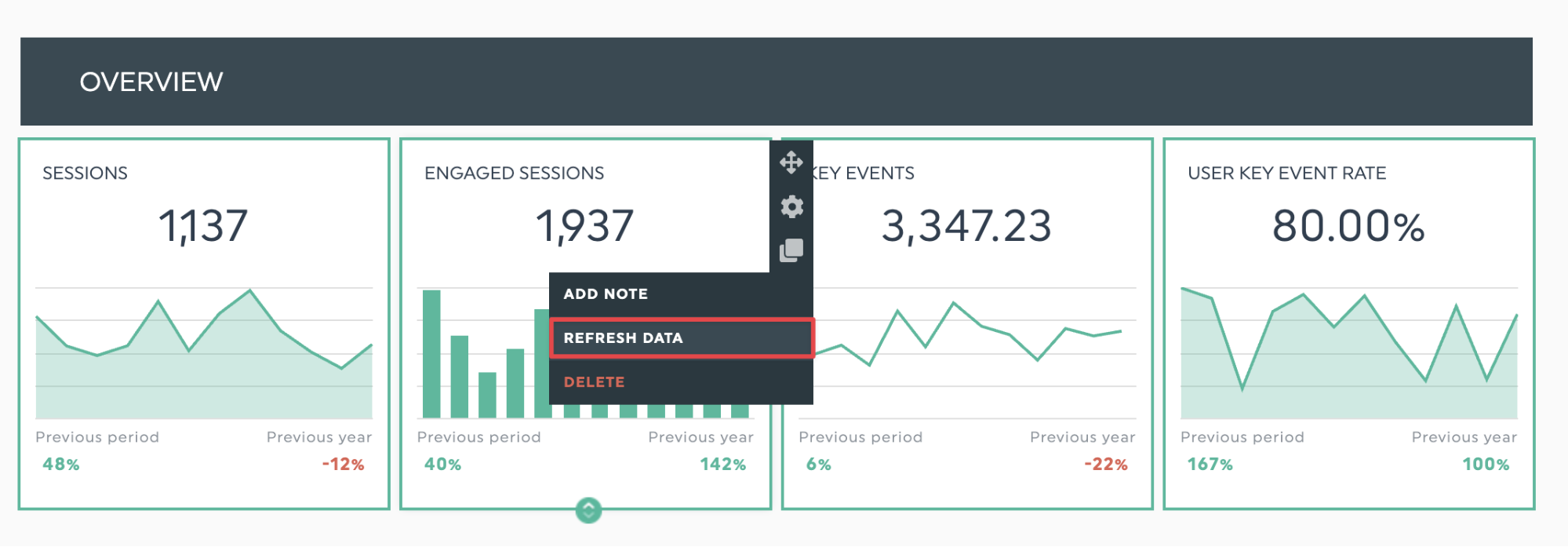
We automatically refresh your dashboard data daily. Each widget offers a manual refresh, so you can keep your data updated without waiting for subscription limits to renew.
2. Report building and ease of customization
How easy is it to build and customize a report in Looker Studio? For small teams, speed and ease of use matter. Your reporting experience should be smooth and fuss-free, especially when client reporting is just one thing on your plate.
Looker Studio gives you a blank canvas and multiple data visualization types, but this flexibility takes time and know-how, especially when you go beyond Google's native tools. To see whether these trade-offs suit small agencies, we tested:
- Overall ease of use for quickly creating working reports without extensive setup time
- Template availability to start with pre-built options or build from scratch based on your reporting needs
- Visual customization to control chart types and layout, for client-ready reports.
- How easy is the builder for people without a technical background to learn and use
Creating your first dashboard in Looker Studio and report template availability
Like other reporting platforms, Looker Studio lets you build reports from scratch or use a built-in template.
Add your data sources so you can drag and drop their widgets.
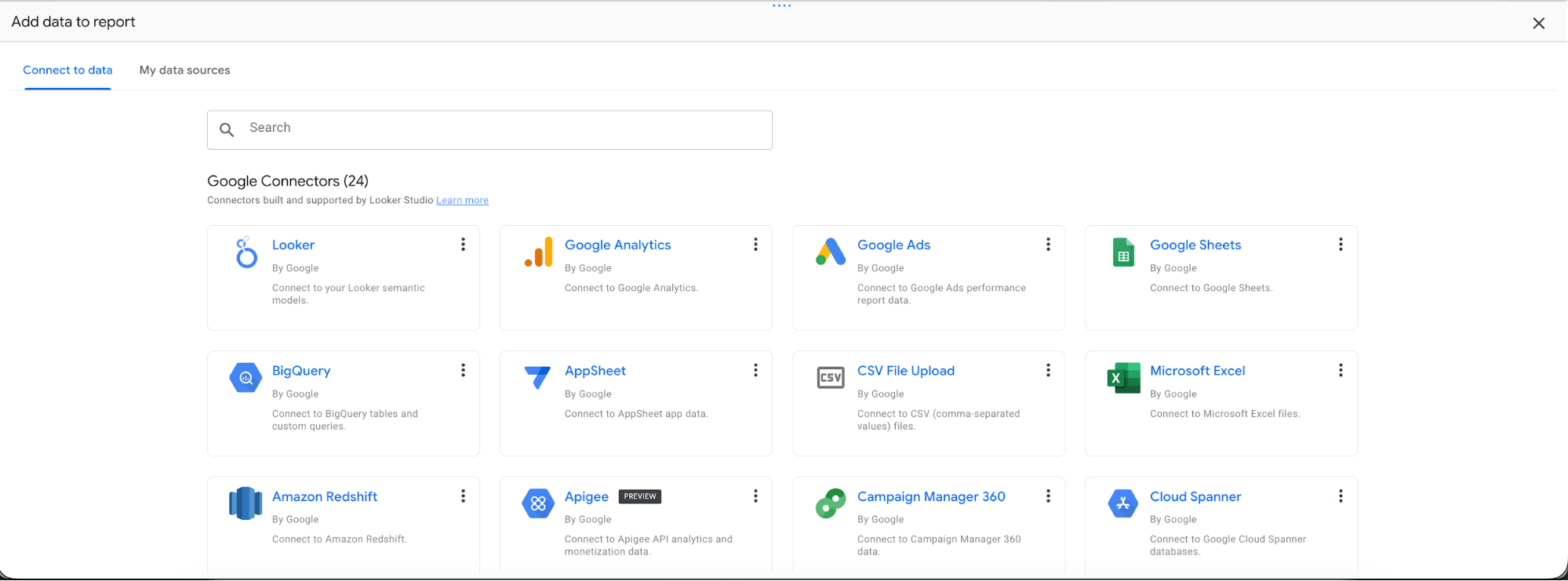
You decide the report’s structure and alignment, so you can design it as you like.
This blank-slate approach is flexible, but it also has a downside.
If you haven't built many reports, it's tough to decide how to organize the data and present it with a clear visual hierarchy so clients can scan and understand it. Here’s where report templates can help you skip the learning curve.
Unfortunately, Looker Studio's report template selection also falls short for small marketing agencies.
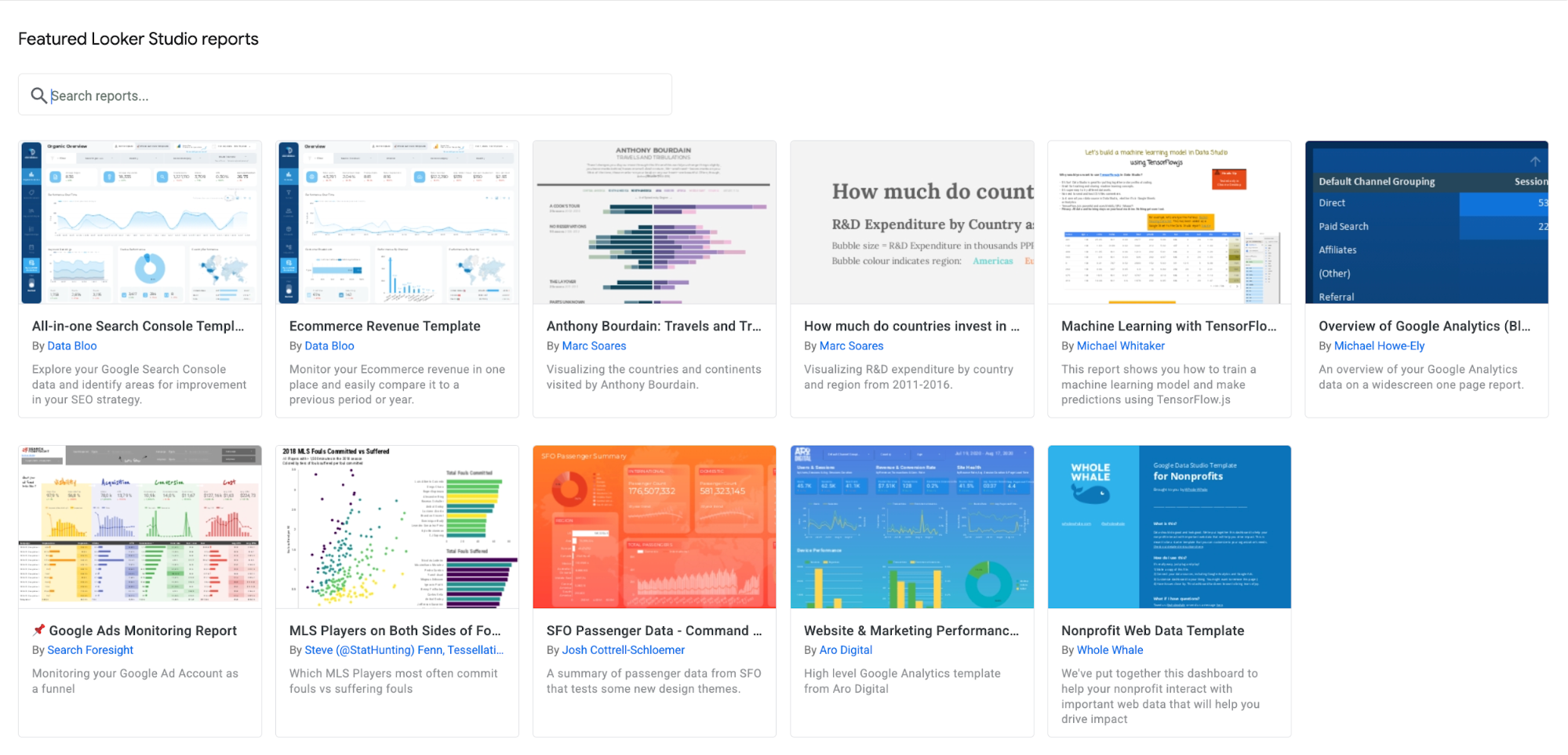
While the platform does offer official templates for Google marketing platforms, everything else comes from Looker Studio's Report Gallery—a collection of community-built templates.
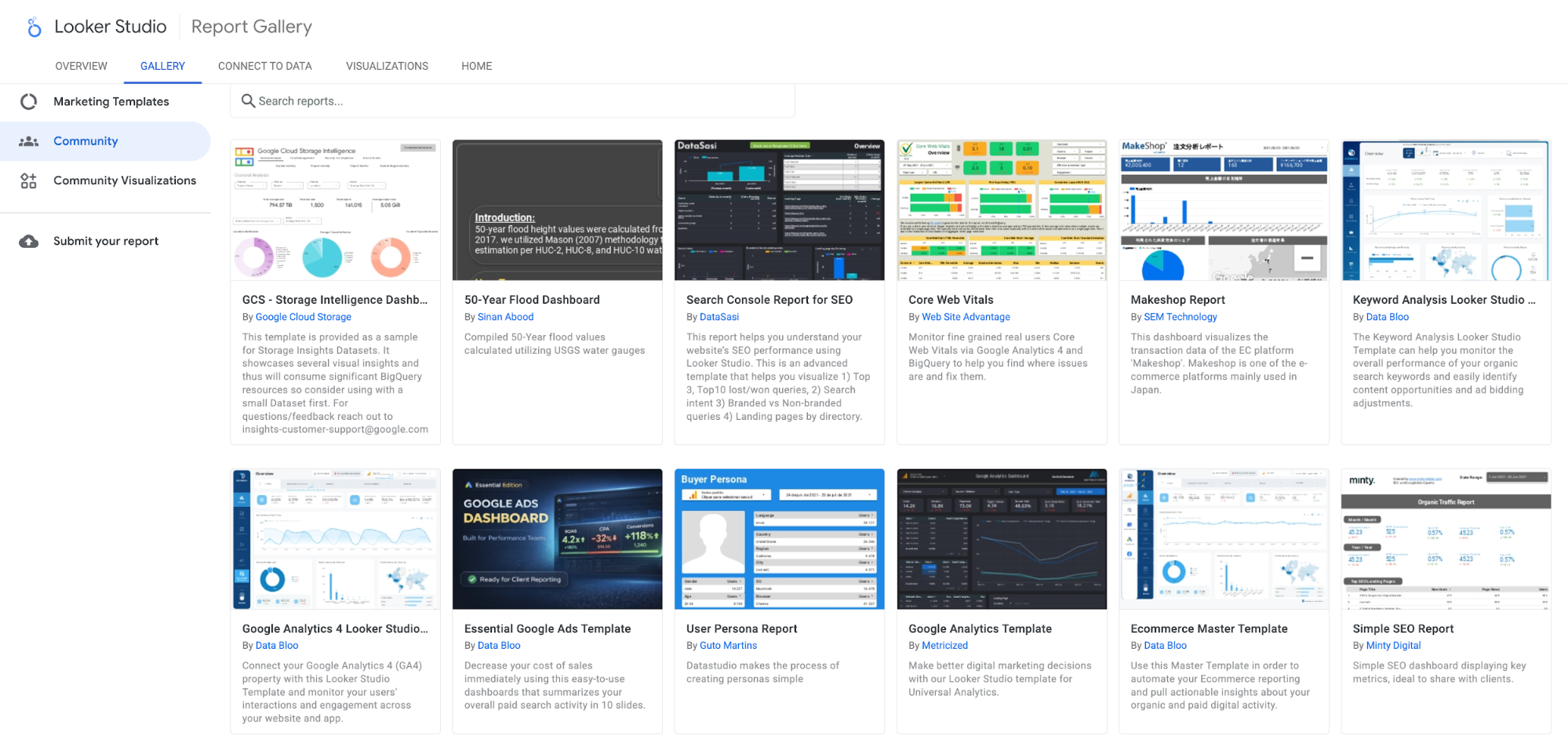
It's a wide range of templates with different design approaches and complexity levels - from basic data displays to fully customized layouts. So you’ll need to be discerning when testing out templates to see which ones work with your business and reporting style.
Our verdict: Looker Studio's flexibility can help or hinder non-technical marketers. Experienced users are free to build highly customized reports. But there's little built-in guidance on how to structure marketing reports, so you'll need your own know-how or outside resources to create layouts that work.
Templates are available, but they’re limited for marketers. Google provides templates for its own platforms, while everything else lives in the Report Gallery—an unorganized collection where marketing templates are mixed with website analytics dashboards and other data visualization templates. You'll need to evaluate each template to see if it actually fits your marketing reporting workflows.
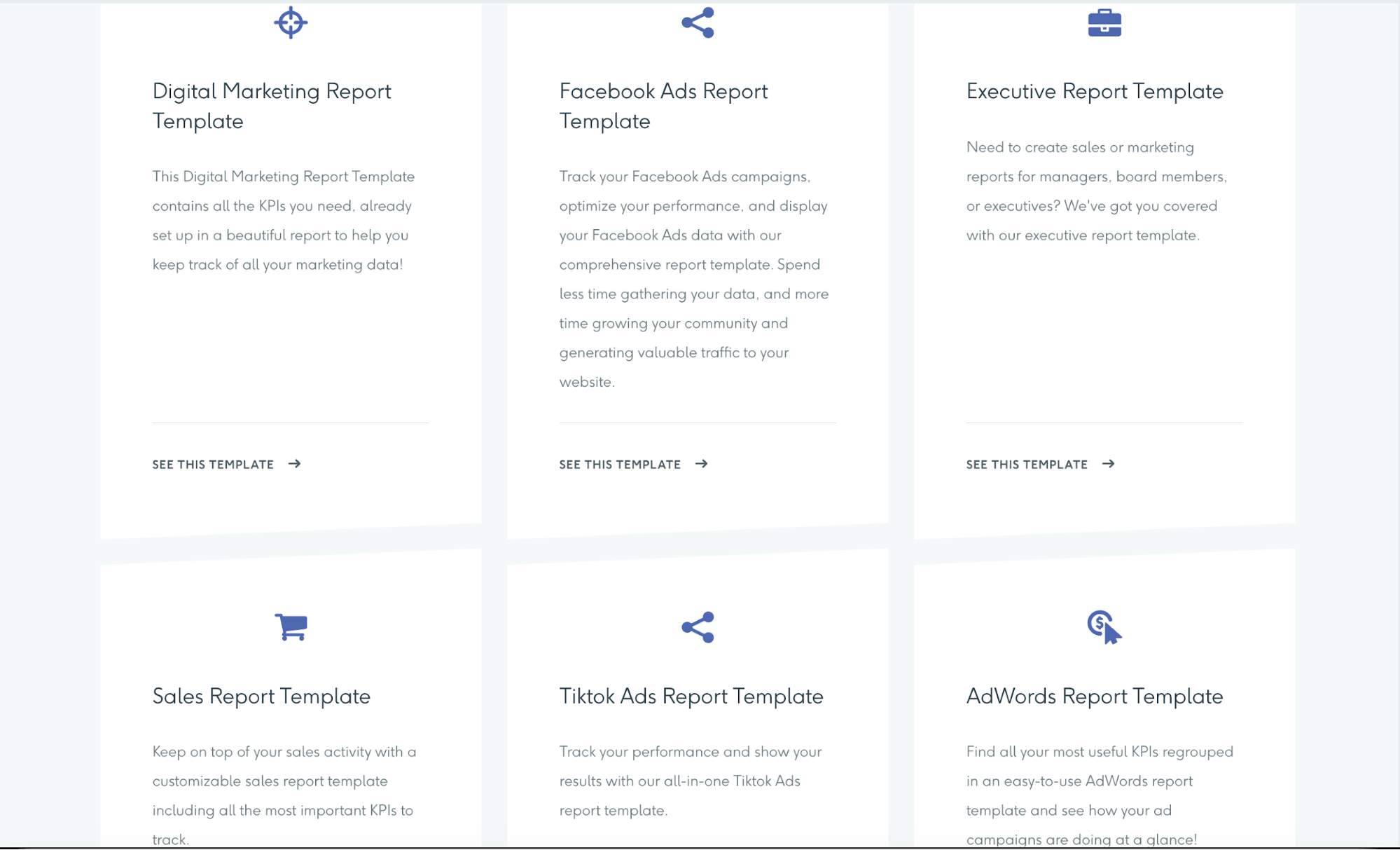
DashThis takes a different approach. We offer ready-made templates for common marketing reports like monthly summaries, weekly updates, and other reporting scenarios, with pre-built widgets for key marketing metrics. This helps you build your first client report in minutes rather than starting from scratch.
That flexibility extends to widgets, too. The platform gives you plenty of options to create and edit them, with a flexible report layout and a wide range of widget styles, so you can shape your report the way you want.
You can create multi-page reports, making it easier to break up client data and walk through the numbers in a presentation.
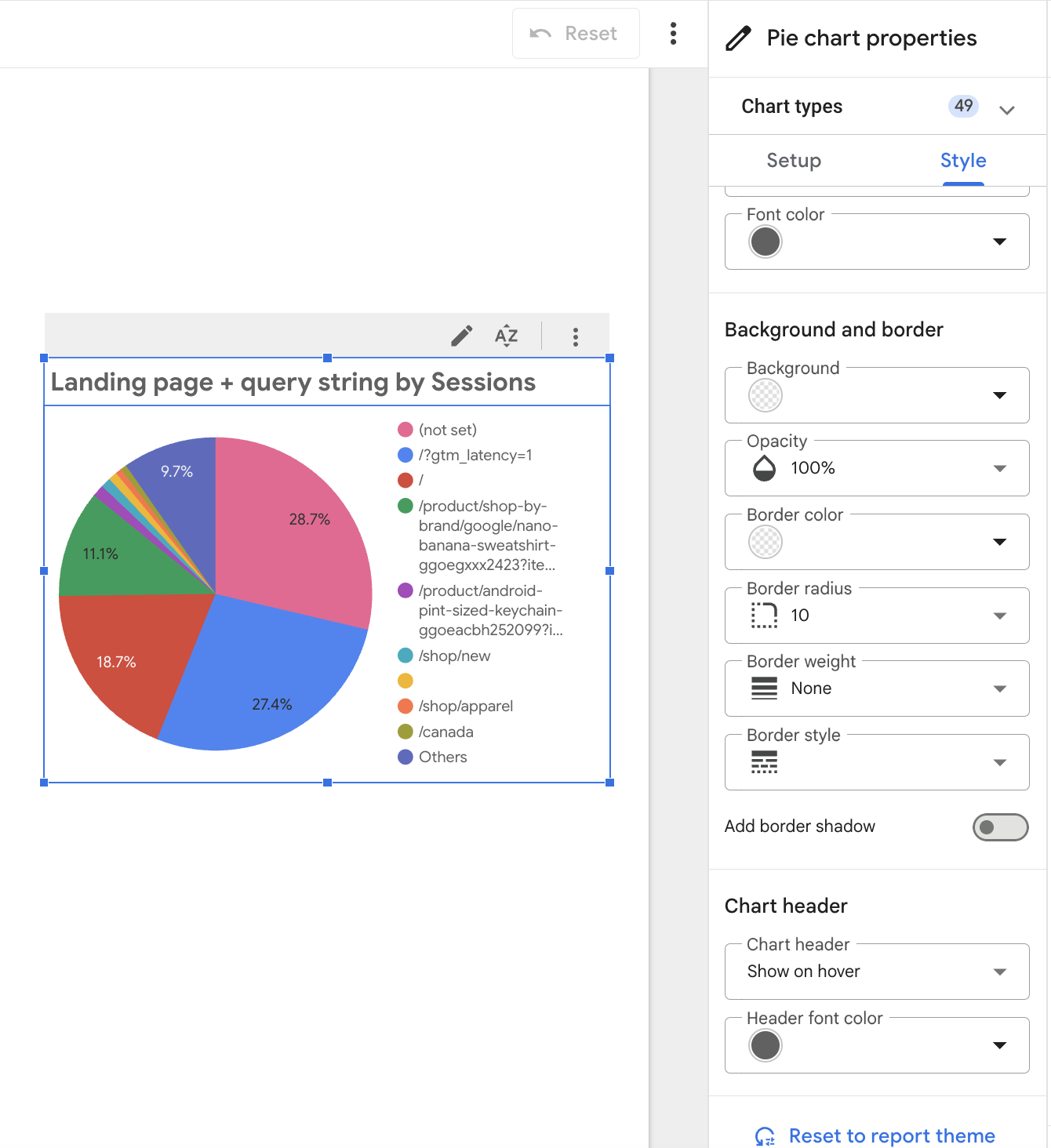
The platform's widget styling features let you customize individual widgets to emphasize key metrics or match your client's branding
Overall verdict: Looker Studio offers a flexible report editor with options to style widgets and build custom layouts on a blank canvas. That flexibility can feel overwhelming if you aren’t familiar with report-building principles. The tool has a small set of marketing report templates, so you’ll likely need to create and customize your own from templates for specific uses.
Unlike Looker Studio's blank canvas, DashThis offers a guided builder that removes guesswork and sets up a clear layout, with over 50 ready-made marketing report templates.
3. Client communication features
Strong client relationships come from clear, honest communication and showing you understand their business. Your reporting tool matters because it's how you share useful findings that clients can act on, and it shapes how polished your reports look.
We looked at:
- Options to share reports with team members and clients, and to set up automated delivery schedules.
- White-label reports with your agency's branding
- Features for adding notes and commentary to your report
Report sharing options
If you’re familiar with sharing files in Google Docs or Google Drive, Looker Studio will be familiar to you.
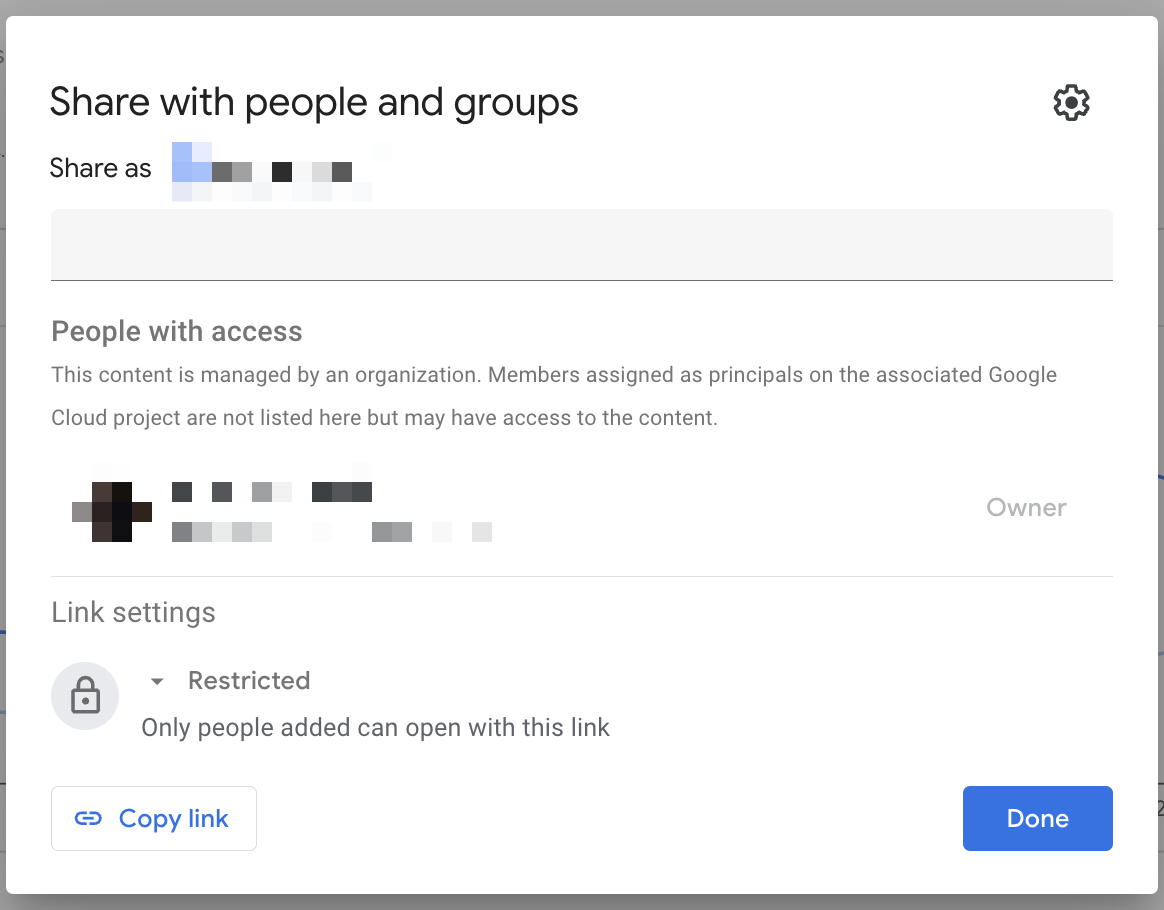
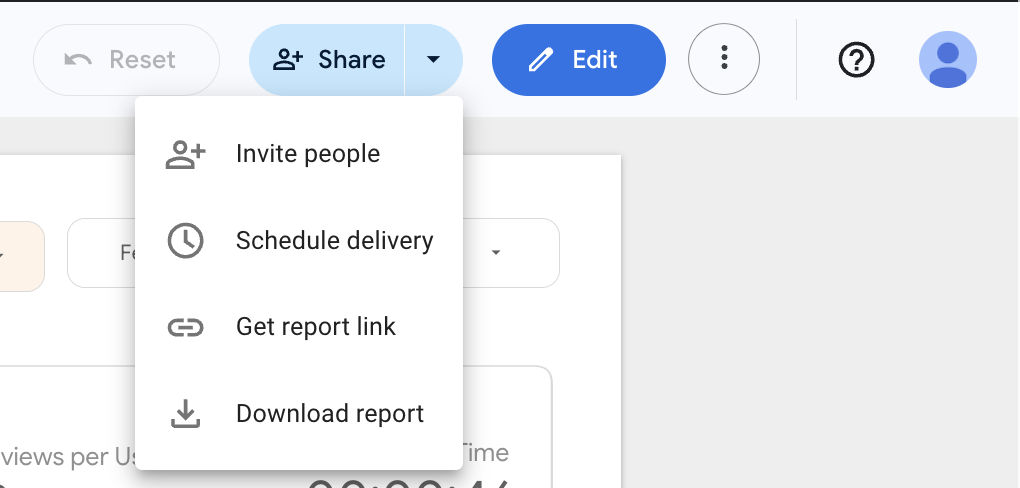
Looker Studio includes the usual sharing options: create a shareable link, give specific teammates view or edit access, export to PDF, and schedule emails. If you work with sensitive client data, you can add a password to keep others out.
Do Looker Studio dashboards include AI-powered insights?
Looker Studio's free plan doesn't include AI insights. To get automated data analysis, you'll need to upgrade to the Pro plan for Google Gemini integration.
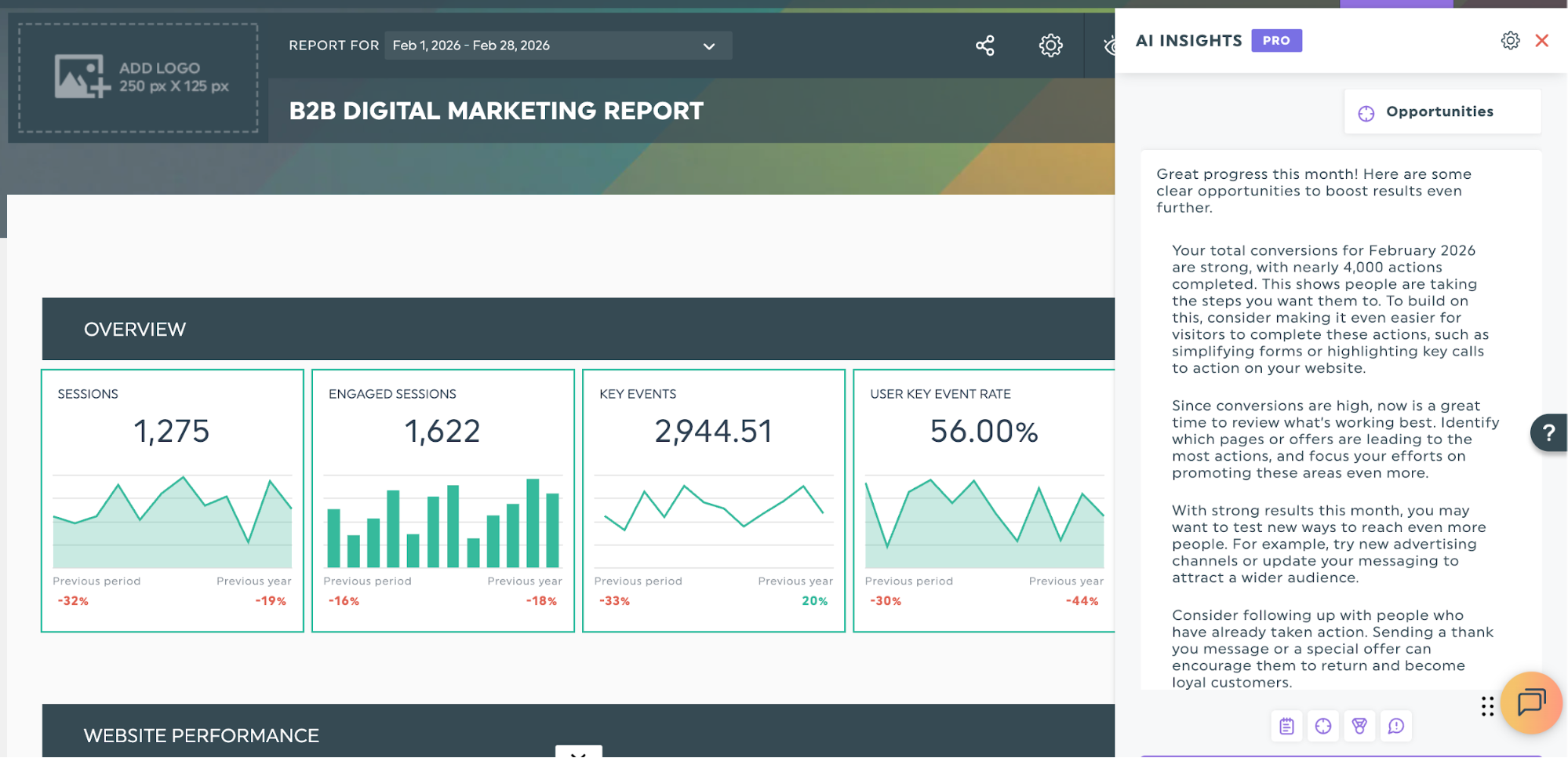
Not so with DashThis. We include AI insights on all plans with conversational analysis as an optional add-on. Our AI is purpose-built for marketing reports and delivers instant summaries and recommendations without extra fees or setup.
It’s also super easy to learn and set up, according to our user Philip Ilic on LinkedIn:
“Dashthis is just super simple and really quick to get up and running. It works with LinkedIn Ads, Google, Meta, CRM... everything basically.
What got me started with them was how low of learning curve it was to learn and get up and running (literally minutes). Literally clicking a few buttons, connecting your data sources, and you're good to go.
One thing that’s been super useful is the new AI Insights feature. It doesn’t just dump metrics; it actually tells you what’s going on in a simple way, like:”
- What campaigns or channels are doing well right now,
- Where you could spend more or double down for better results,
- What’s underperforming or trending in the wrong direction.
- A quick, client-friendly overview that connects the dots.
Looker Studio design and branding customization options
Looker Studio doesn’t support white-labeling features like custom domains and email addresses. Normally, any public link will need you to go to the Looker Studio site to view the full report. When clients click your report link, they'll see Google's Looker Studio interface and branding instead of your agency's.
To reflect your own branding, you’ll need to embed your reports as an HTML iframe hosted on your website domain. That said, you can still customize your report's look and feel using the platform’s built-in theme options.
Looker Studio's multi-step process for adding report annotations
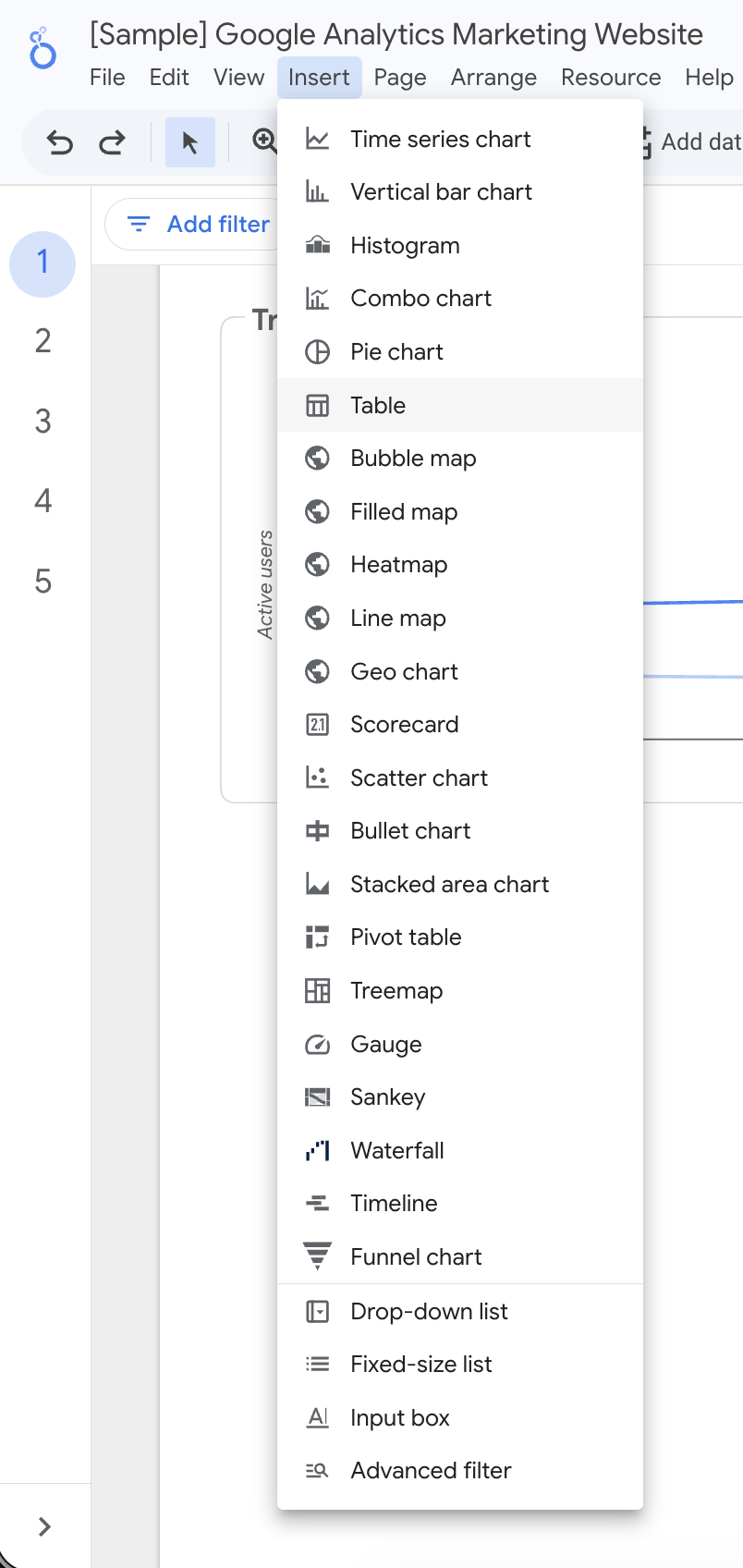
Looker Studio has basic annotation features. You can insert text and callouts from the Insert menu, but the process feels needlessly clunky.
For example, to add a simple annotation explaining a data point to your client, you need to:
- Insert a callout shape from the menu
- Position and resize the callout
- Add a separate text box
- Type your annotation
- Position the text box to align with your callout
- Adjust both elements if anything doesn't line up
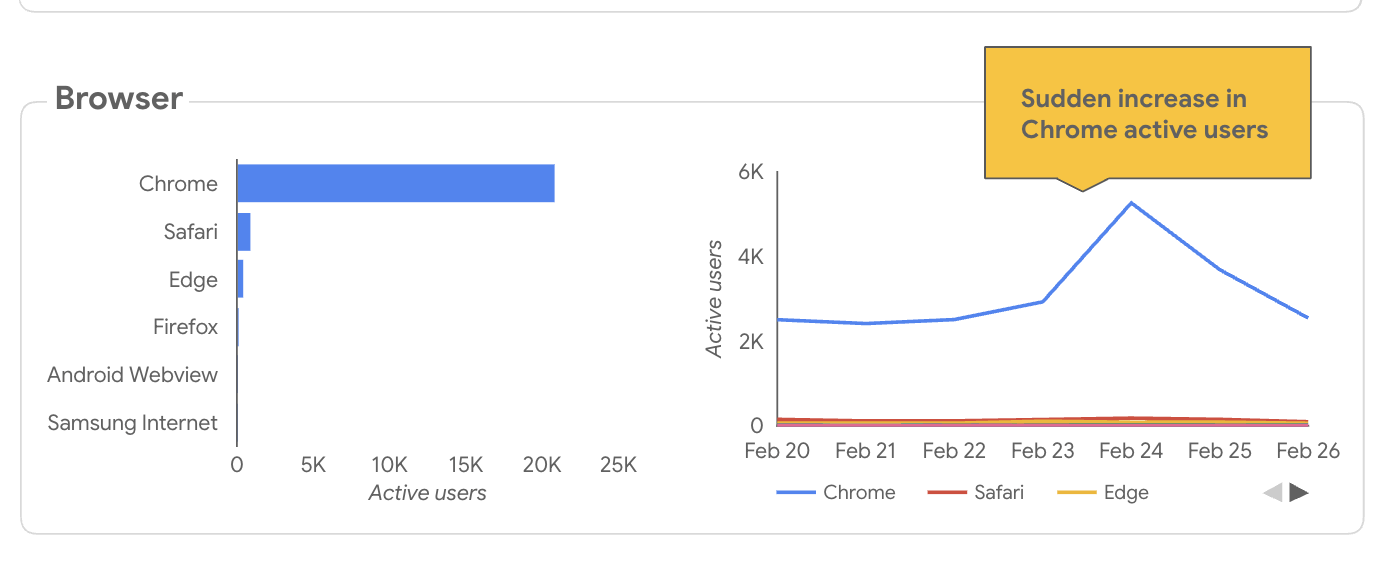
When you’re preparing reports and data analysis for multiple clients, the time spent on these tedious multi-step processes adds up.
By comparison, DashThis makes the process smoother. Add an annotation to a widget or use a comment box widget to include your analysis with a single click.
Overall verdict: Looker Studio excels at data visualization and flexibility, but lacks features designed specifically for client communication.
Adding text or annotating widgets to explain data is often too complicated, or forces you to hack the platform just to get something that fits your needs. That can be okay with a few clients, but the manual steps don’t scale.
DashThis is built for non-technical marketers who need clear, fast client communication. Unlike Looker Studio's manual annotations and DIY design, DashThis lets you add annotations in one click. Our AI finds patterns and adds context, and white labeling keeps reports on-brand.
4. Customer support quality
Fast answers save small teams time and stress when technical issues pop up. As a free tool, Looker Studio's support is primarily self-service through documentation and community forums, with paid support available as an add-on. Are these resources sufficient for your needs?
What’s Looker Studio’s customer support actually like?
- Support channels: self-service help centre, automated suggestions, Looker Studio community forum, optional paid one-to-one support
- Response time: varies by paid plan tier and case priority, with support ranging from 15 minutes to 8 hours.
- Dedicated account managers: Not available
On the free plan, you have access to self-service support only. For personalized support, upgrade to Looker Pro or purchase it as a paid add-on through Google’s Customer Care portfolio.
Here’s where it gets a bit confusing. Let’s break down what you get if you decide to add on support for your Looker Studio account.
What you'll pay for customer support in Looker Studio
See the full breakdown of what’s included in each support tier here
Our verdict: Looker Studio’s customer support is limited, especially for non-technical marketers with limited experience using reporting tools. Support is mostly self-service, so you’ll need to find answers on your own when issues come up.
When user reports point to buggy software and too many third-party connectors, you’re more likely to have issues while using the software. That puts your agency’s business at risk by disrupting operations. If time is tight, you need customer support that has your back, with fast replies and clear guidance to get you moving again.
Unlike Looker Studio's self‑serve model that leaves you on your own, DashThis works with you directly. We offer clear guidance and personal help. Here's how we help:
- Open your dashboards to see your setup
- Validate questions against your actual data
- Give tailored support with step-by-step guides and Loom or Scribe videos
- Actively flag data inconsistencies or areas for improvement you might have missed
If you're comfortable using self-serve help articles and community forums to troubleshoot reports, or willing to pay extra for one-to-one support, Looker Studio's minimal support model can be enough.
If you want a support team that works as an extension of your team, digs into your specific setup, and offers proactive guidance without extra fees, DashThis may be a better fit.
5. Pricing and scalability
As a small agency owner, you can't afford surprises in your software costs. Unpredictable cash flow already affects 63% of U.S. marketing agencies, according to Ignition's 2025 Agency Pricing & Cashflow Report. The last thing you need is a free tool that hits you with hidden costs as you scale. So how does Looker Studio approach its pricing?
How much does Looker Studio really cost?
In the integrations section of our review, we noted that as your agency grows or takes on different types of client campaigns, it’s helpful to forecast total costs against revenue.
Looker Studio itself doesn’t cost anything, that is true.
But there’s a catch. If you need to pull data from outside Google’s ecosystem for your marketing reports, you’ll typically rely on third-party connectors, and each may come with a cost. Depending on how many data sources or connectors you use, those fees add up and can push you toward a pricier plan with features you don’t need.
Looker Studio’s direct costs come from a few places:
- Third-party connectors for importing data from non-Google platforms; pricing varies by provider.
- Customer support plans starting at $29/month if you need personalized help beyond self-service resources
- Looker Studio Pro: $9 per user per month, including AI tools, advanced scheduling, and team management
To serve five clients using common digital marketing platforms such as Facebook Ads, Instagram, Mailchimp, TikTok, and a Facebook Page, you'd pay:
- DashThis Professional: $164/month; includes 10 dashboards, 40 data sources, all 30+ integrations unlocked, AI insights and personalized customer support
- Third-party Looker Studio: Connectors cost $33.35 to $159 per month, depending on the provider, for data sources alone. For example, Supermetrics starts at $159/month for its Growth plan covering 7 data sources, while Portermetrics charges $33.35/month for 5 data source accounts.
Why DashThis's pricing model works better for small agencies:
Looker Studio's pricing adds hidden costs and extra admin work. Beyond making customer support and AI a paid add-on, using external connectors means you must:
- Track multiple subscriptions and renewal dates
- Deal with unpredictable costs as you scale
- Manage each connector relationship separately
- Hope nothing breaks, and troubleshoot on your own if it does.
These hidden costs add up fast, not just in money but in time spent managing systems instead of serving clients. DashThis's clear pricing and single-platform setup means you always know what you're paying for.
Our verdict: Looker Studio may seem free at first glance, but costs add up through fragmented subscriptions, hidden fees, and admin overhead. DashThis shows the full price upfront and bundles what you need, which makes it a more transparent and often more affordable choice for small agencies.
DashThis vs Looker Studio: Why agencies choose DashThis instead of Looker Studio
Looker Studio makes sense if you're running campaigns mostly on Google products like Analytics, Ads, and Search Console. It’s also useful if you’re new to reporting tools and want to try out a free solution before committing.
To report on external marketing tools beyond Google's platforms, you'll want a data analyst or someone with technical experience on your team, since you'll be managing third‑party connectors and handling troubleshooting on your own.
If you want a free tool for marketing reports and don’t mind digging through forums and docs when problems come up, Looker Studio might suit you.
However, your time is limited and better spent elsewhere. DashThis is a better choice if you're tired of juggling multiple connector subscriptions and surprise fees. We built DashThis for marketing agencies, so we know what marketers need.
With DashThis, you can automate professional reports that pull from all your platforms and can be set up in minutes, without worrying about external connectors acting up. When something crops up (and it will!), you’ll have self-service resources and a real human support team ready to help you get unstuck fast.
Our customer Rani explains why her team switched from Looker Studio to DashThis:
"The difference was immediate. DashThis’s platform is so much more intuitive—our clients found the interface cleaner and easier to navigate, which completely changed how they perceived our reports. We also stopped dealing with the constant connection issues and broken data sources that plagued us in Looker Studio. It just works.
We saved hours by no longer having to perform complex manual calculations for reports in DashThis. Everything we needed, from engagement rates, interaction percentages, and follower counts, was available right from the beginning. Managing date ranges and calendars became effortless, and the automated email dispatch system for sending reports to clients was both easy to set up and incredibly reliable.
Having access to 24/7 support via chat, email, or online made a huge difference. We never felt stuck like we did with the do-it-yourself nature of Looker Studio.”
Frequently asked questions