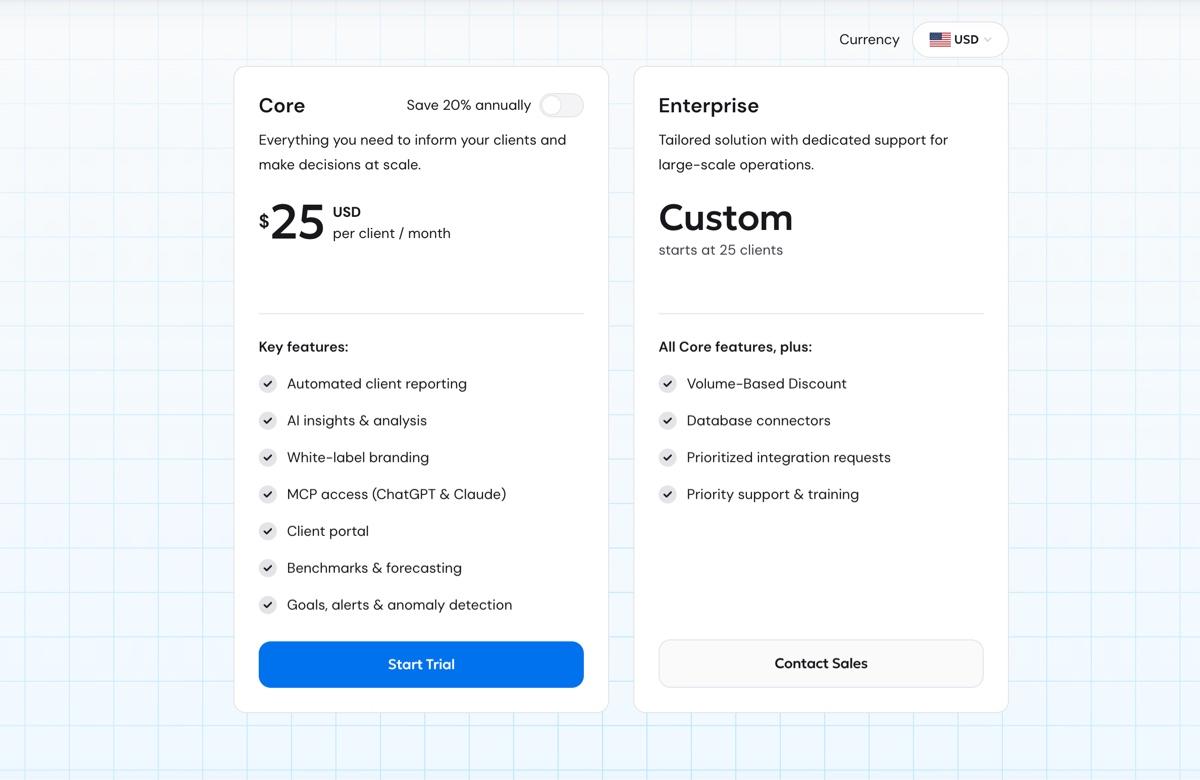
Table based on AgencyAnalytics pricing page, accessed June 2026. Prices in USD.
AgencyAnalytics pros: What are real customers saying?
AgencyAnalytics scores well across review platforms. Here's what verified users on G2 and Capterra are saying.
G2 rating: 4.7/5 from 433 reviews
Capterra rating: 4.8/5 from 115 reviews
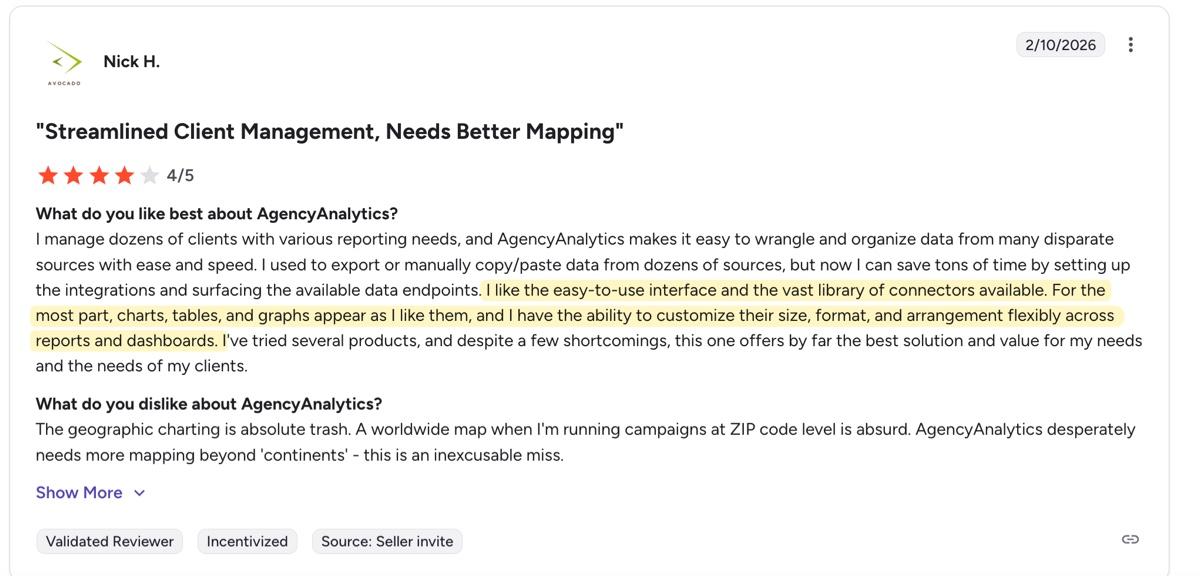
85+ integrations make it easy for clients to get all their data into the platform
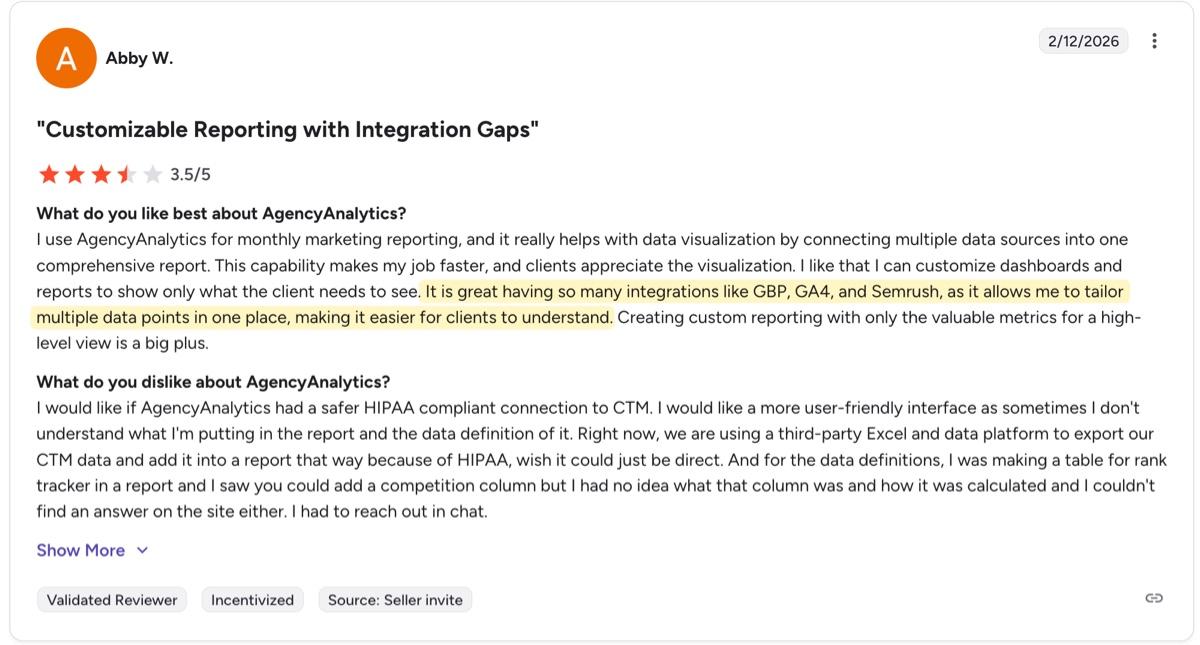
AgencyAnalytics offers 85+ integrations, the highest in this competitor review series. Most reviewers find the integration library more than sufficient. While there are complaints around integration limitations, they involve more specific use cases, like importing proprietary data or connecting SaaS platforms like Squarespace that fall outside AgencyAnalytics's core coverage. As Abby W on G2 mentions: "It is great having so many integrations like Google Business Profile (GBP), Google Analytics 4 and SEMRush, as it allows me to tailor multiple data points in one place, making it easier for clients to understand."
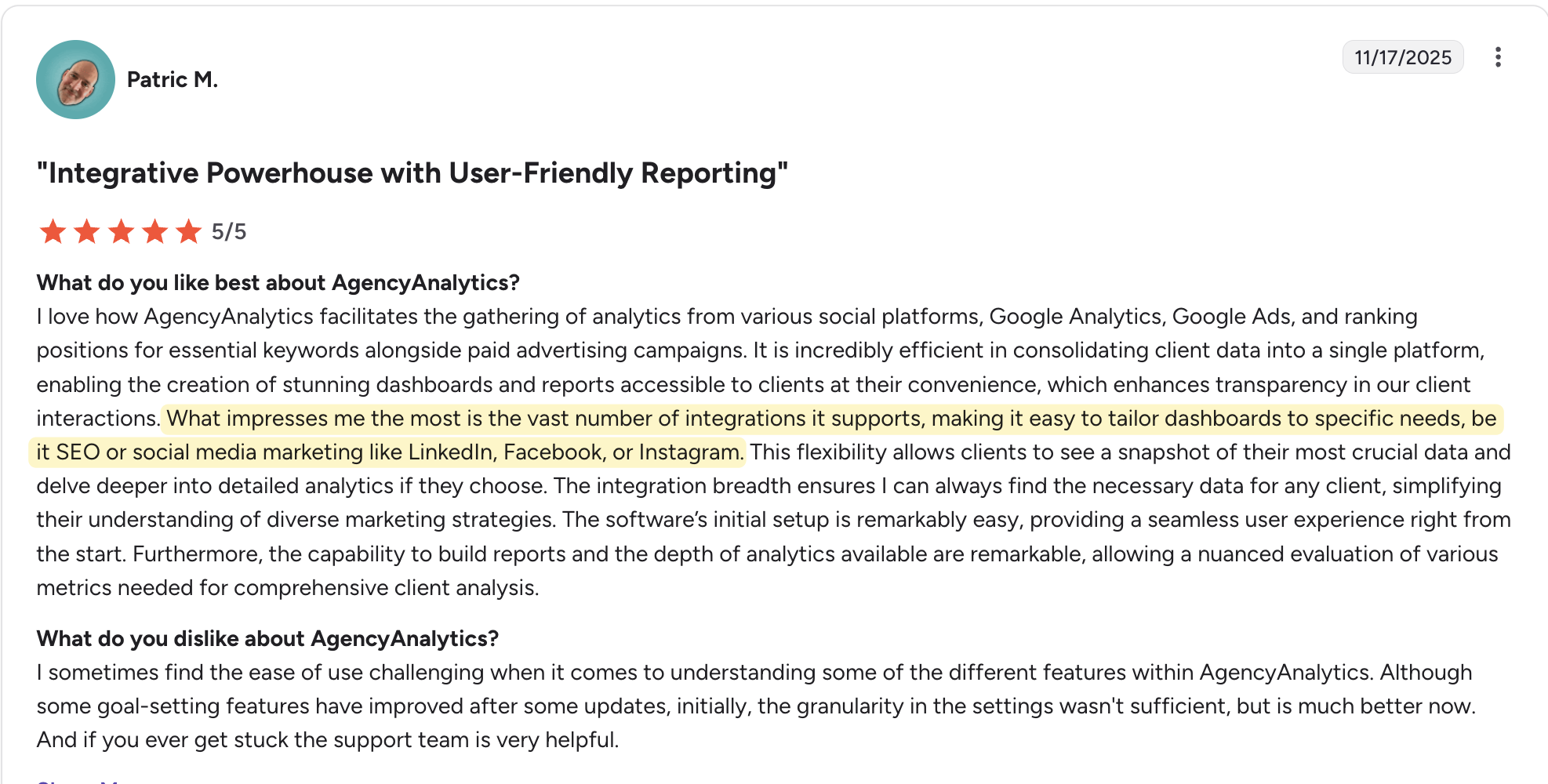
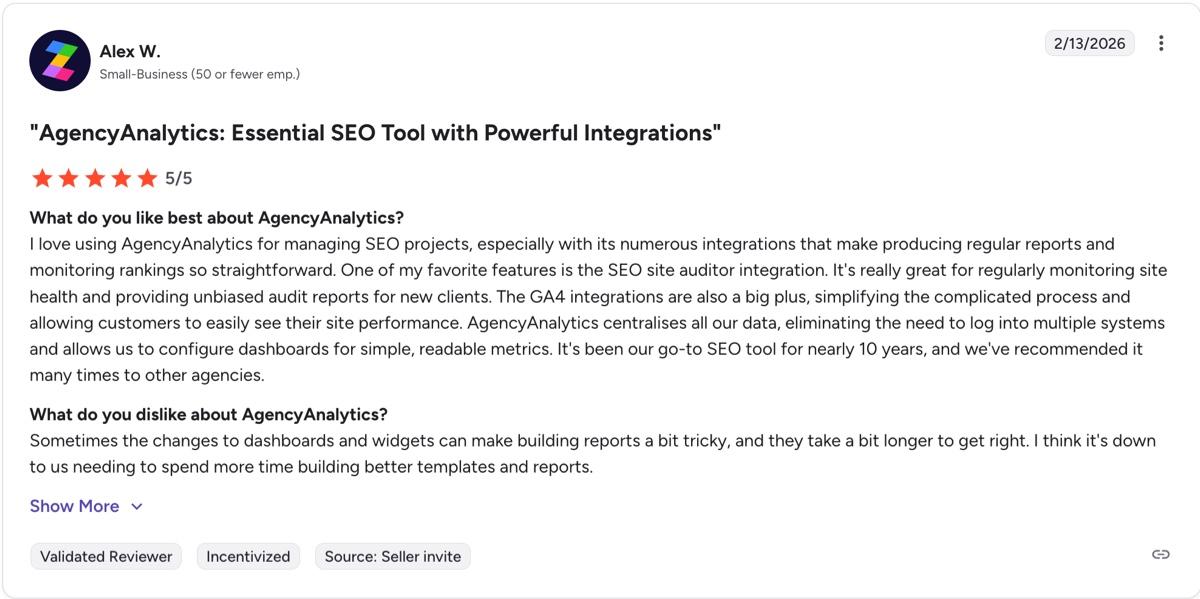
Reviewers also call out AgencyAnalytics's features for managing SEO projects. Alex W. on G2 describes them as helping make "producing regular reports and monitoring rankings so straightforward." for SEO audits.
Fast to set up, easy to use
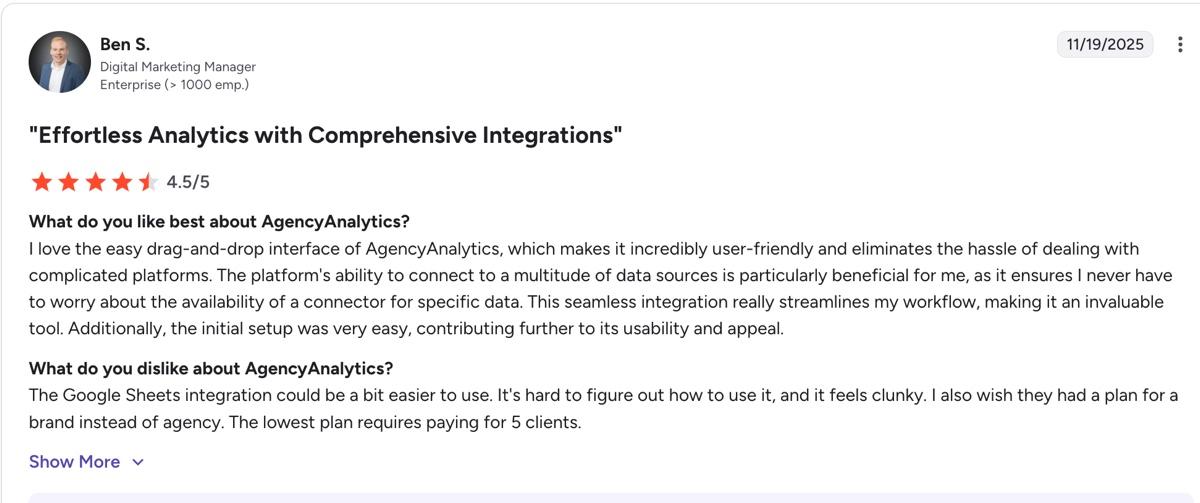
What really stands out to customers is how straightforward AgencyAnalytics is to get started with. Reviewers love the drag-and-drop interface that lets you quickly build reports and dashboards exactly the way you want them, whether that's resizing charts, changing layouts, or tweaking data visualization formats on the fly.
As Kendra S on a G2 review says: "Saved us so much time on the first of the month when we need to pull reports for clients. Love that there are templates as well that are already set up for us to use for the various services we provide our clients. It is so easy to use and we reference it daily/weekly for our clients' progress. I will never not use this platform!!"
AgencyAnalytics cons: Common frustrations faced by users
What do customers find frustrating in AgencyAnalytics? Here's what we found.
Inconsistent integration reliability
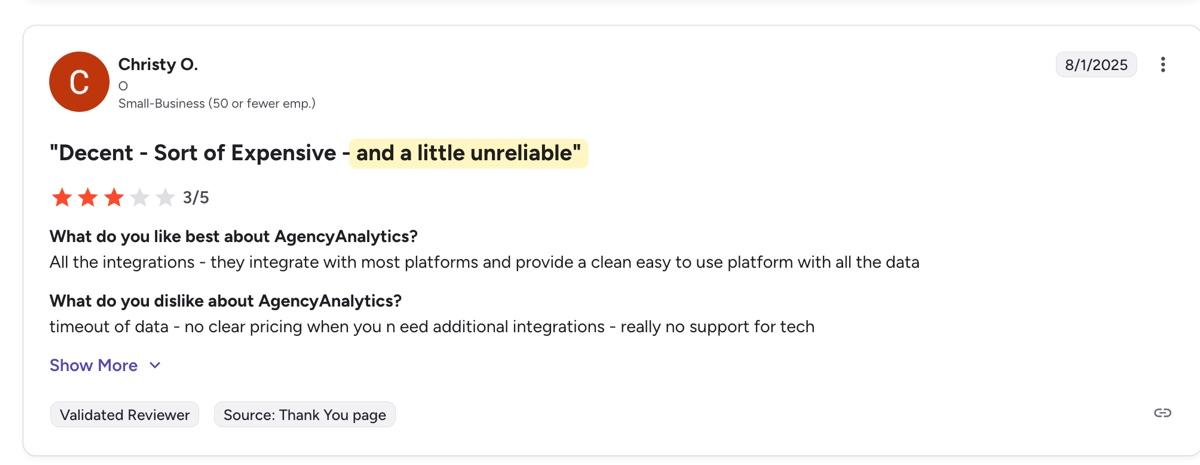
Integration reliability is the most common complaint in AgencyAnalytics reviews, and it's worth knowing about before you commit.
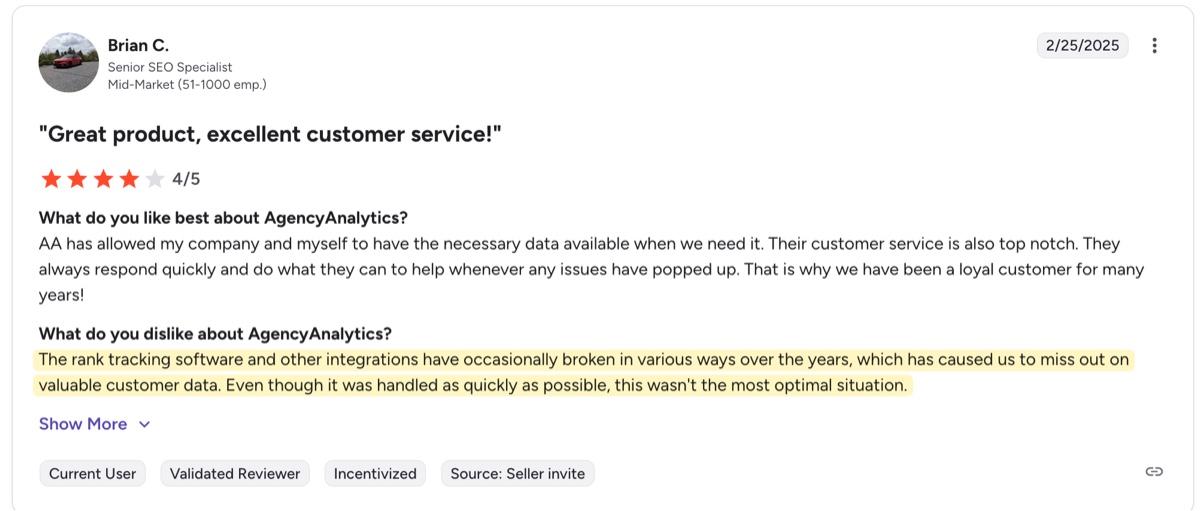
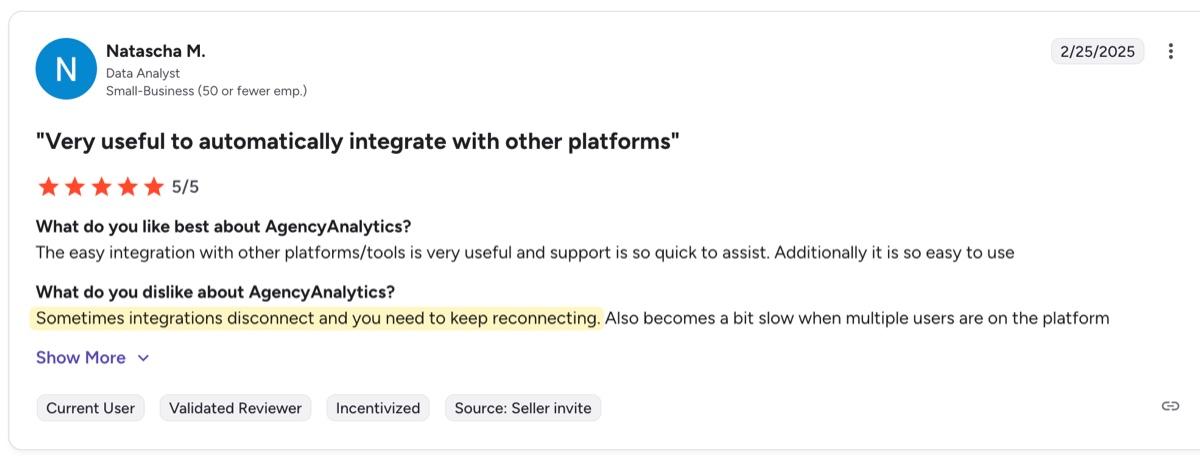
The most common version of this complaint is integrations disconnecting and needing manual reconnection. As Brian C., a Senior SEO Specialist, noted on G2: "The rank tracking software and other integrations have occasionally broken in various ways over the years, which has caused us to miss out on valuable customer data."
Amanda C. described a LinkedIn integration that stayed broken for over a week and received no resolution from customer support.
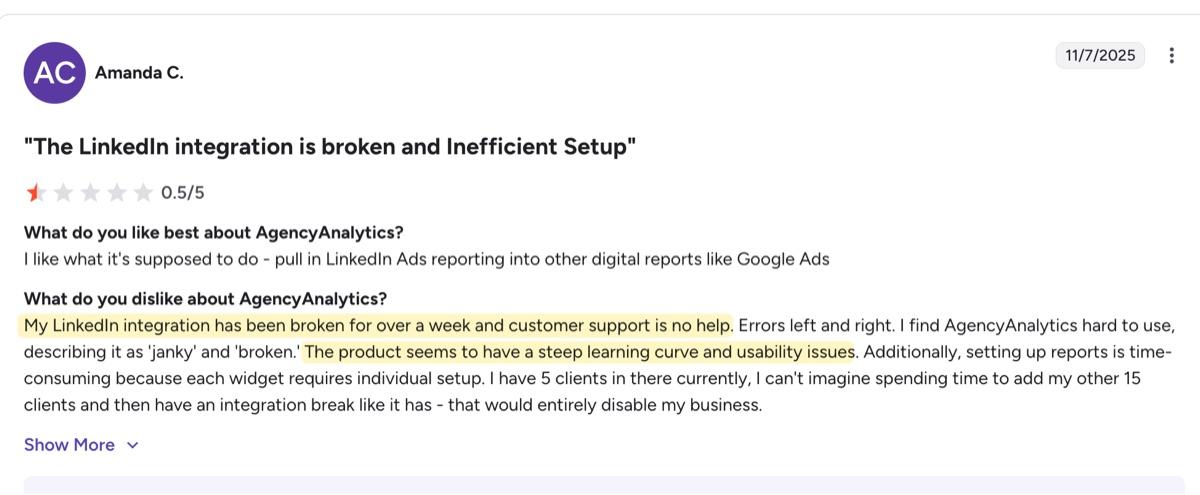
Some users report quick resolutions. Others, like Amanda, describe being left without a fix. If you're managing a growing client roster, it's worth testing the platform against your specific tools before deciding.
Expect a learning curve before the platform clicks
Getting up and running on AgencyAnalytics takes time, and it shows up consistently in reviews.
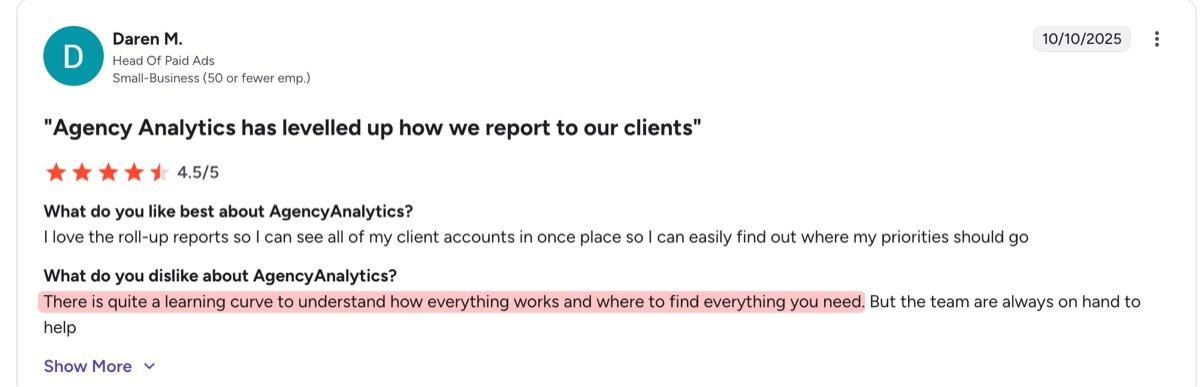
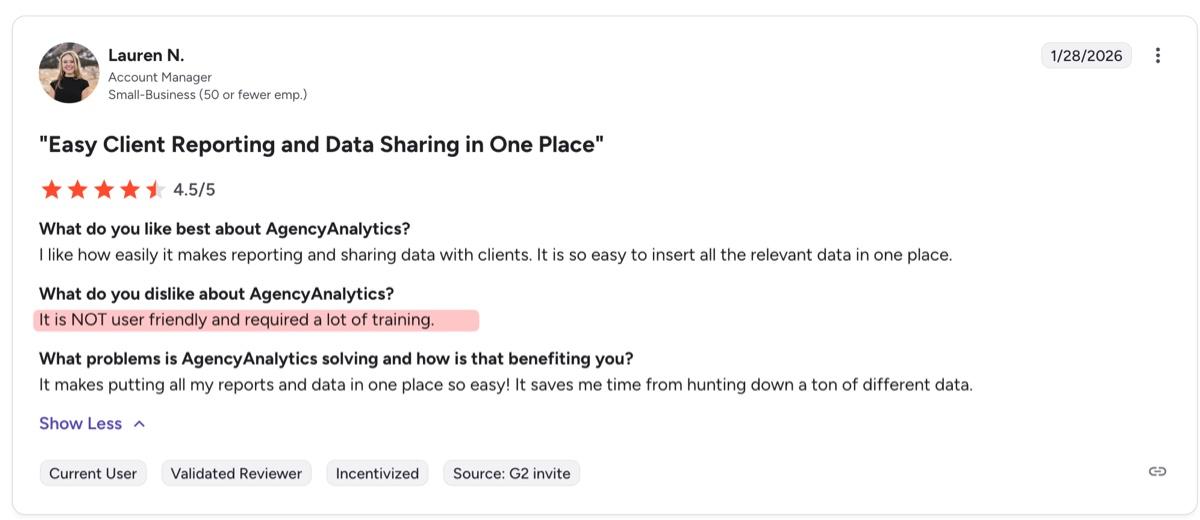
Daren M., Head of Paid Ads at a small business, noted on G2: "There is quite a learning curve to understand how everything works and where to find everything you need." Lauren N., an Account Manager also at a small business, agreed: "It is NOT user friendly and required a lot of training."
The first account set up and connecting your digital marketing platforms to AgencyAnalytics is where this shows up most. Curran M., an Integrated Marketing Product Specialist, described integrating platforms like Facebook and Google as "particularly challenging, with each integration requiring significant manual entry and sometimes taking an entire day to complete."
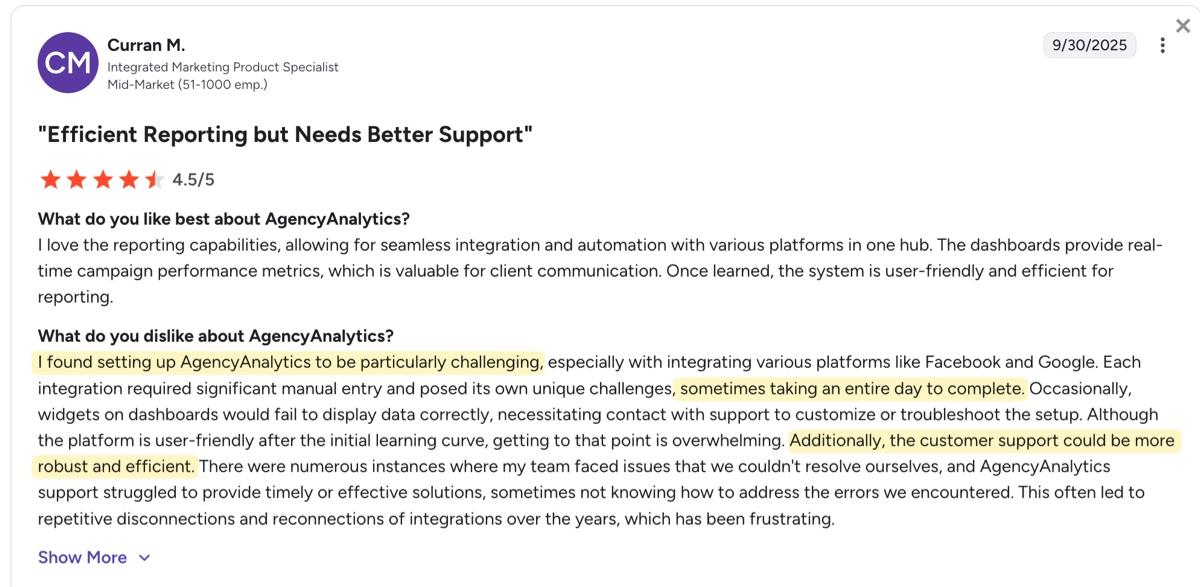
That said, reviewers who push through the setup phase come out the other side satisfied. Curran noted that "once learned, the system is user-friendly and efficient for reporting." But getting there requires a significant time investment, which matters when you're running a lean team.
DashThis Tests: How does AgencyAnalytics compare with DashThis for small teams?
We tested AgencyAnalytics against what small agencies actually need:
- Importing your data
- Building reports effectively
- Sharing insights with clients
- Getting help when needed
- Scaling without cost surprises
1. Data and integration coverage
AgencyAnalytics has 85+ integrations across multiple categories. Beyond the standard digital marketing integrations like pay-per-click (PPC) tools, email marketing, and social media platforms, it also offers integrations with call tracking, local business marketing tools and e-commerce marketing tools like BigCommerce, Shopify and WooCommerce.
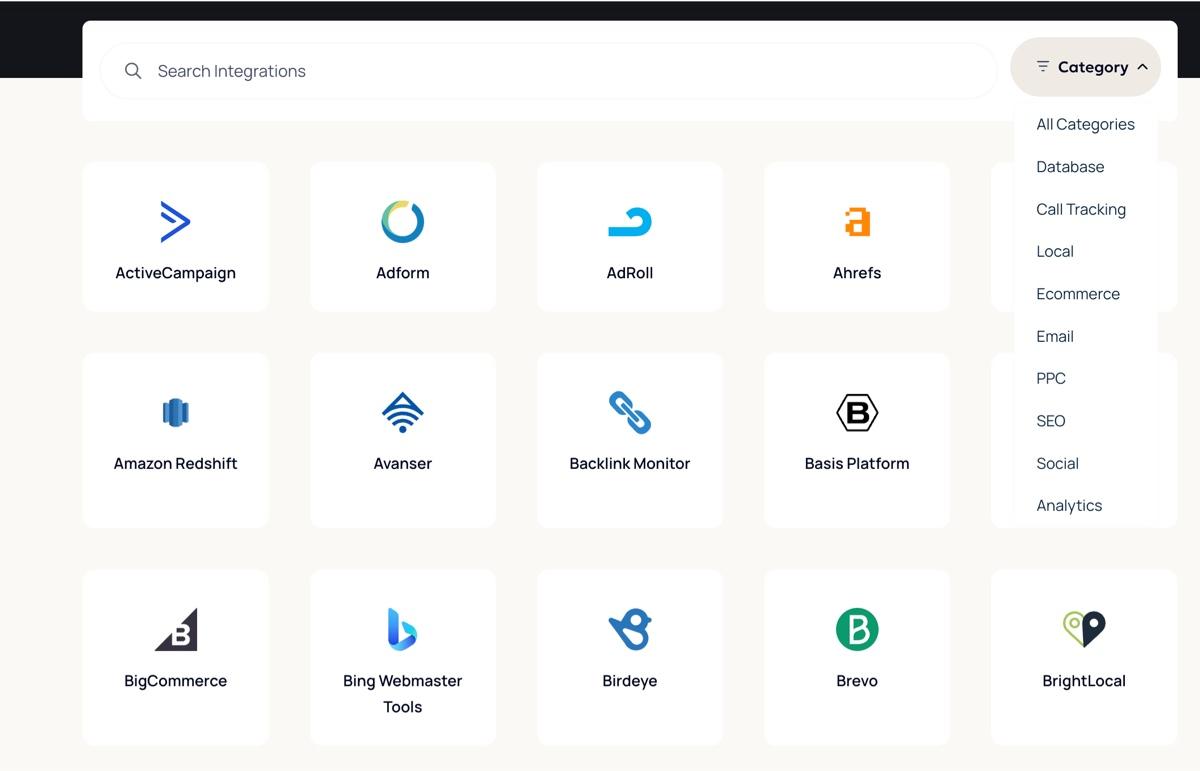
A sample of AgencyAnalytics integrations offered
These integrations are plug-and-play and work natively, which means you won't need any coding or extra setup to get them working. Just open your dashboard, connect your data source with a click, and they import data into your dashboard.
This wide variety suits agencies serving different clients. If you work across e-commerce, local businesses, and multiple verticals, AgencyAnalytics has integrations to match. Agencies that need to connect data warehouses like Google BigQuery and Amazon Redshift will also find native support here.
Unlike other platforms, AgencyAnalytics doesn't gate integrations by subscription plan. You get all the integrations available to you across all plans.
However, AgencyAnalytics plans limit the number of accounts you can connect per integration, depending on the plan you're on. If you're on the lowest Freelancer plan, you can only connect one account, which might force you to upgrade to the Agency tier if you have clients who need to connect multiple campaign types.
When a native integration isn't available, AgencyAnalytics's Google Sheets integration lets you display custom data in your dashboards and reports. While the platform also offers custom API support on the Agency Pro plan, it isn't intended for pulling data from a third-party platform, according to its technical documentation. Rather, the API focuses on helping with platform management and onboarding clients at scale, or automating SEO reporting.
Our verdict: AgencyAnalytics's 85+ integrations are a genuine advantage if you serve clients in niche verticals or with specific needs like call tracking, local business tools, or e-commerce. For most small agencies, DashThis's 30+ integrations cover the platforms you actually use. Unlike AgencyAnalytics, which limits how many accounts you can connect per integration by plan tier, DashThis sets no per-integration account cap.
2. Report building and ease of customization
What we looked at:
- Speed to first dashboard
- Template availability
- Visual customization
- Learning curve for non-technical users
Getting started with AgencyAnalytics is pretty straightforward. Fill in your details, work email, and you're ready.
Its onboarding flow starts with a profiling question, after which you fill in your company name and website URL. AgencyAnalytics also automatically pulls your logo and main company color, which helps you personalize your reports further.
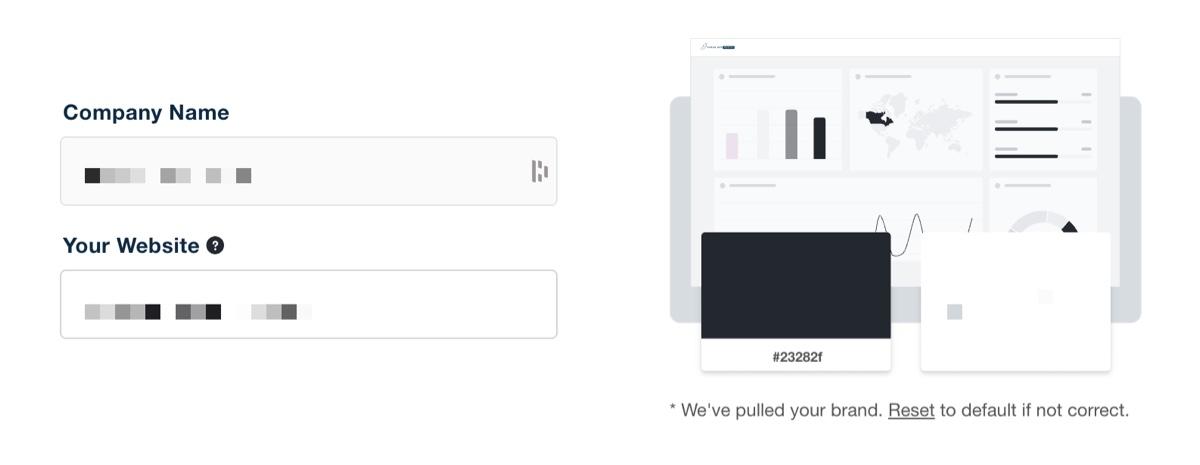
AgencyAnalytics then asks for your company size and your most used data sources as part of onboarding. We built our first dashboard in under a minute. The automatic color picker was accurate, and the process was smooth.
Once you connect a data source, however, it appears under a dedicated Data Sources tab, where you can browse your raw data broken down by sub-category before adding it to a dashboard. It's useful for exploring what's available, but it adds a step between connecting your data and getting it into a report.
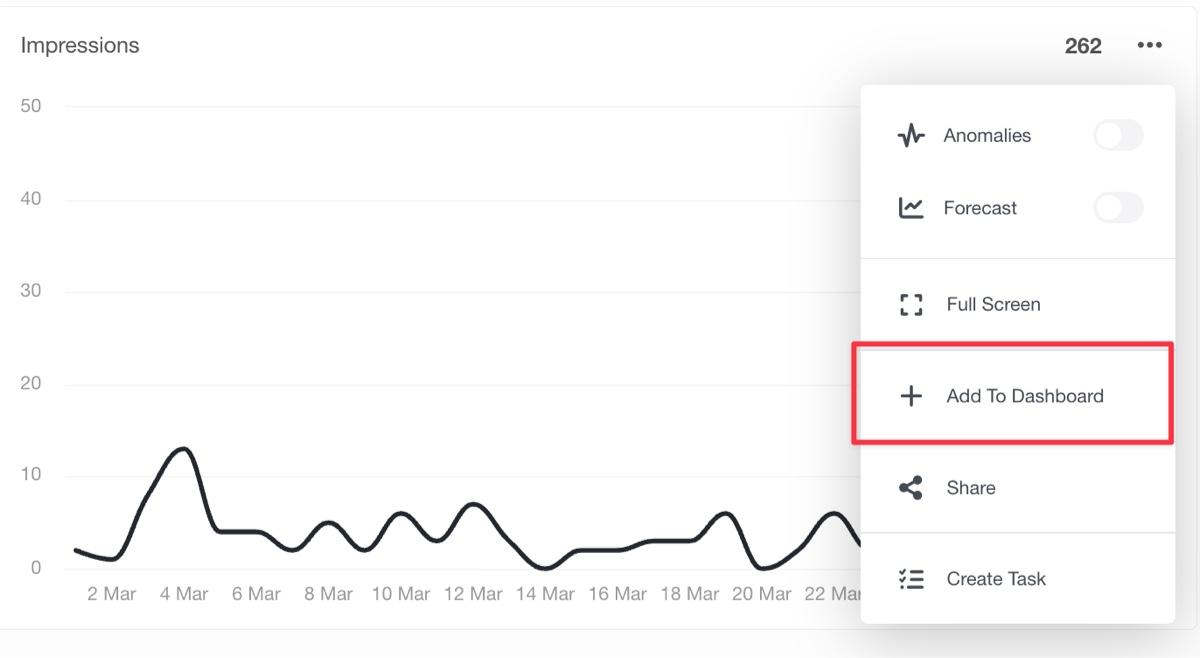
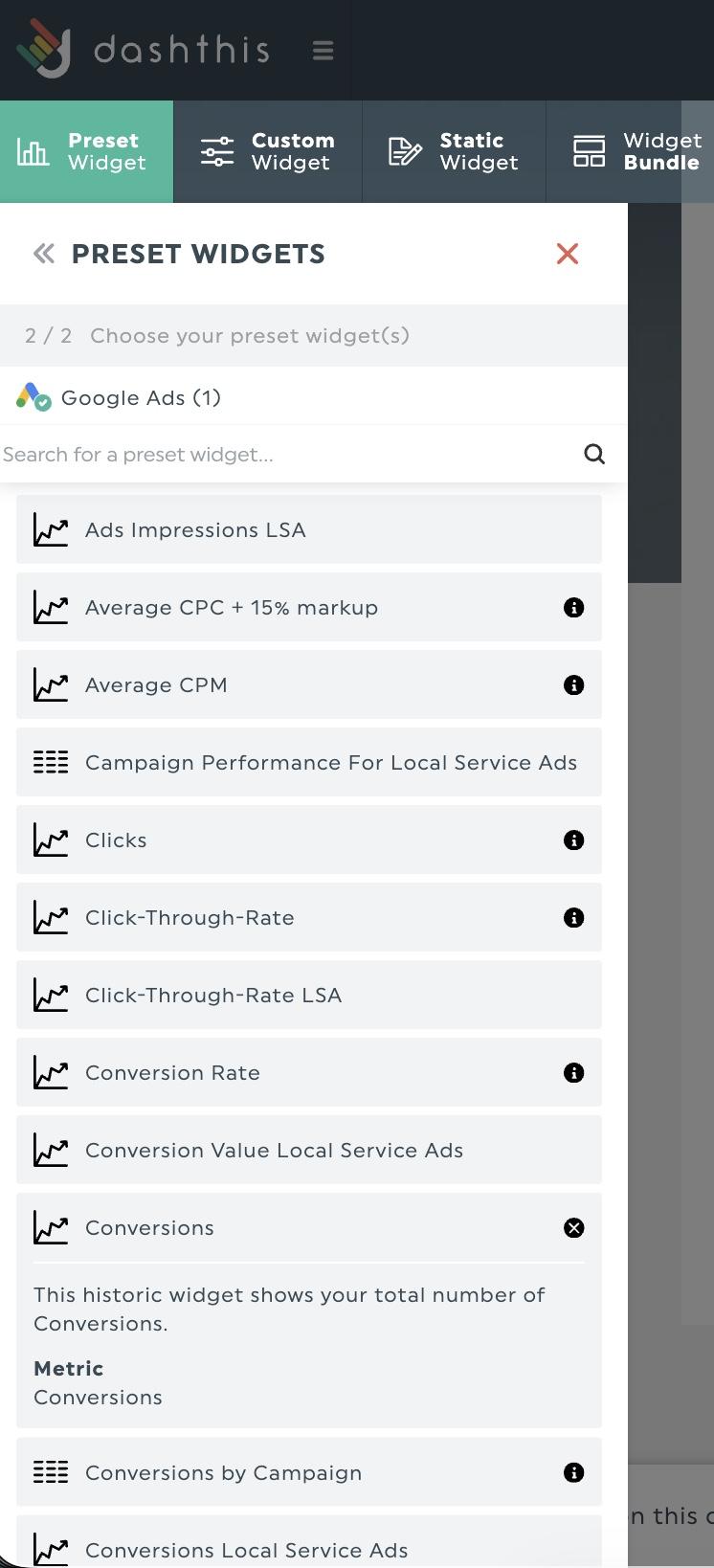
In DashThis, connected data sources show up directly in the widget selector. Select your platform, pick your data source, choose your widget, and you're done.
How AgencyAnalytics handles report creation
Let's say you want to build a new report in AgencyAnalytics. You get a few options based on how much automation you want to have in the report creation process.
- Start from scratch
- Use a report template or clone an existing report
- Create a smart dashboard.
Smart dashboards are unique to AgencyAnalytics. This option generates a dashboard pre-loaded with performance metrics and KPIs based on your connected integrations. It's useful if you already have a clear picture of what you want to build, less so if you're still figuring out your reporting structure.
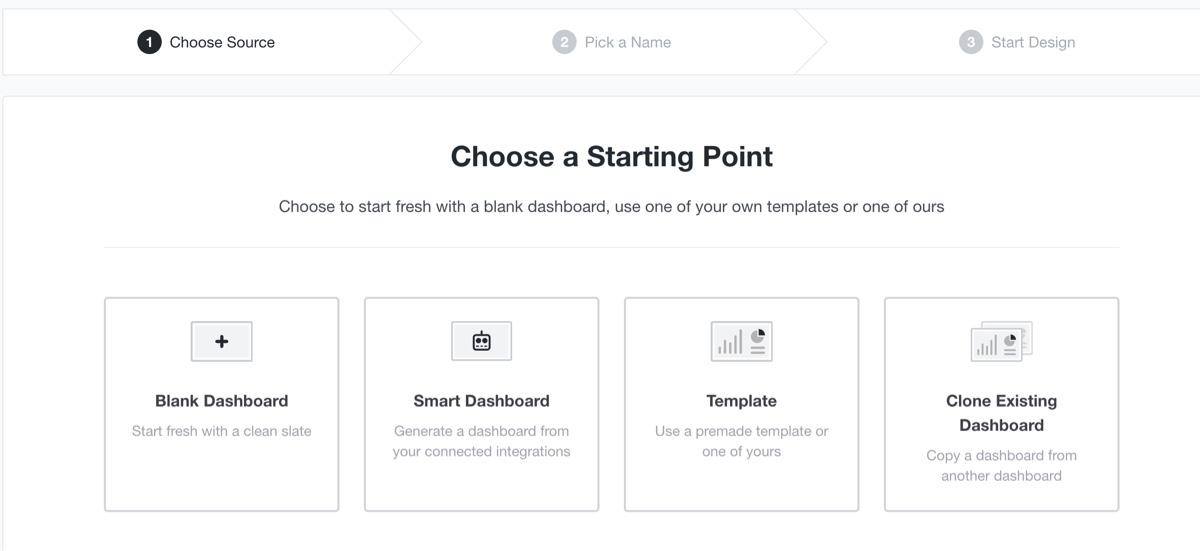
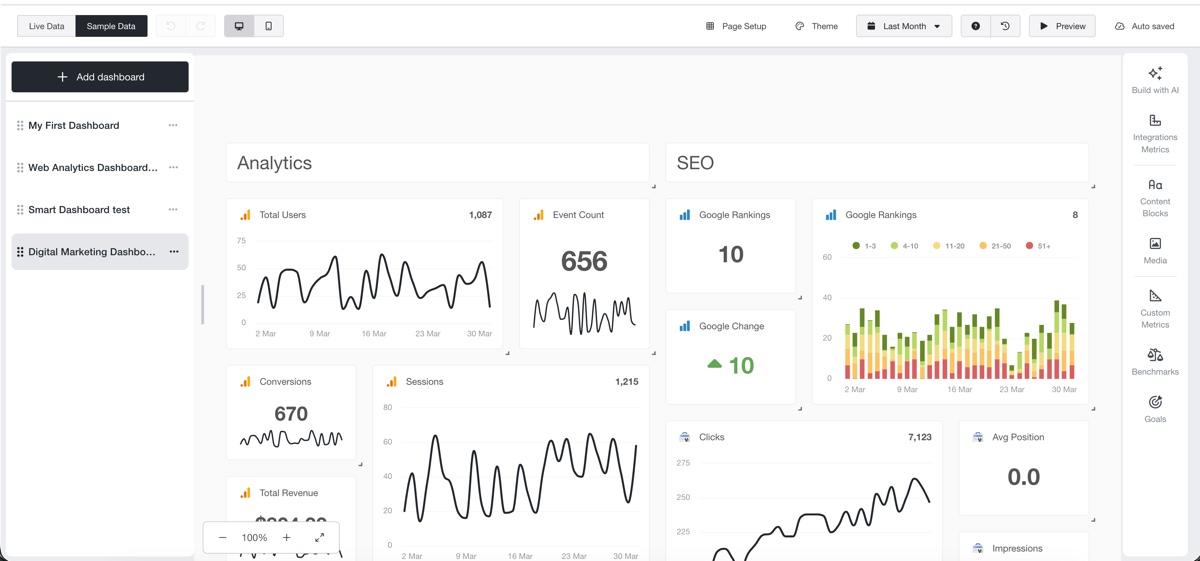
Report building is where we got a bit confused at first impression. A report and a dashboard are two separate components in AgencyAnalytics that you'll need to build.
Dashboards help show clients an overview of your KPIs, like the one below for email marketing and GA4 data.
Reports are documents or slide decks that you send to your clients at regular intervals, similar to sending a scheduled report via email. These can go into as much detail as you want and pull data directly from your live dashboards. Here's an example using one of AgencyAnalytics' report templates.
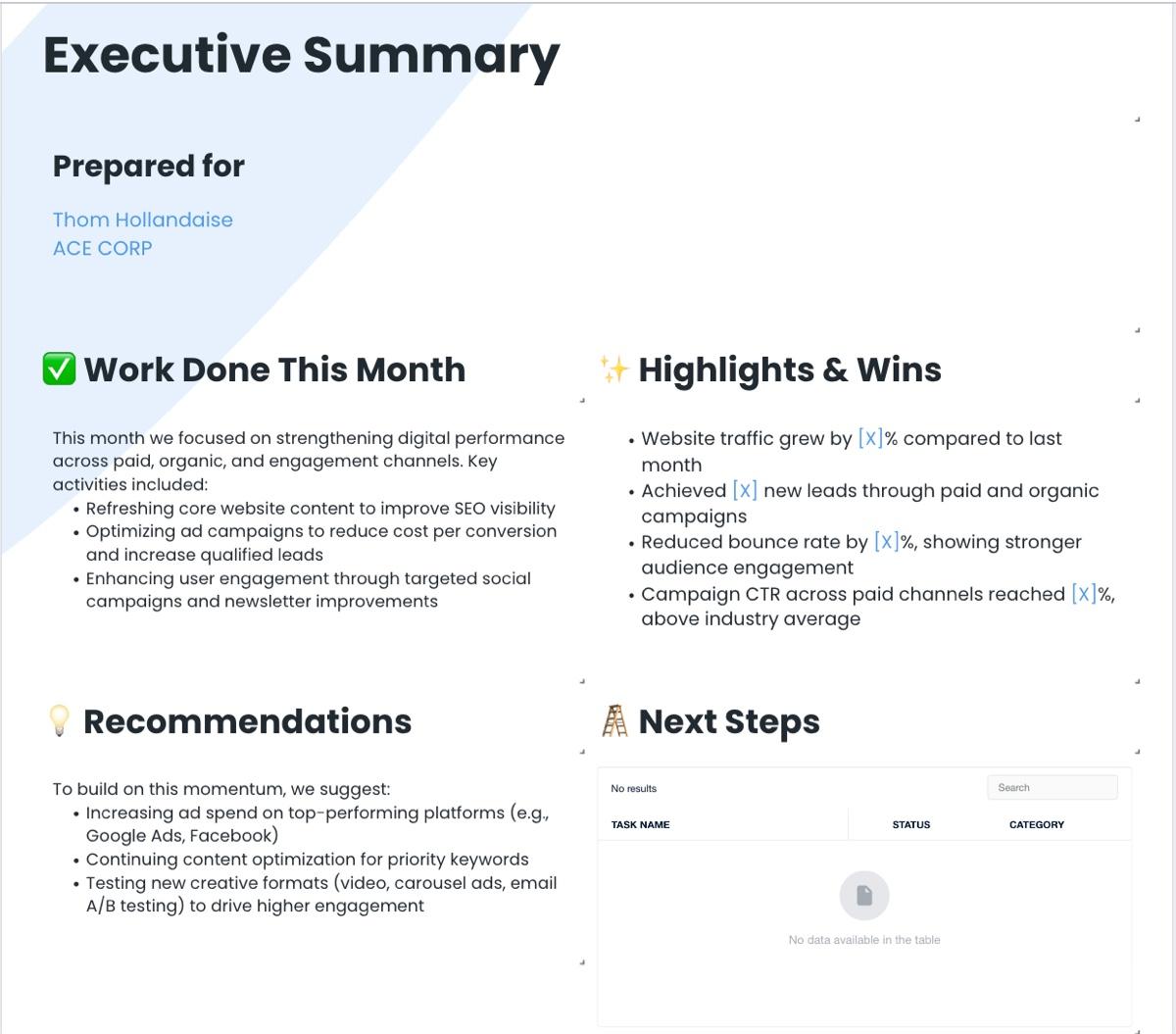
New users might find this distinction confusing at first impression, especially when Reports and Dashboards are placed next to each other in the navigation bar in the AgencyAnalytics interface and they serve similar purposes.
For reports, you get two options as well. You can output your report as a slide deck to present on a screen or as a document report. It adds flexibility if you know what you're doing in the report builder, but new users might feel overwhelmed with the number of options they have on the screen at first.
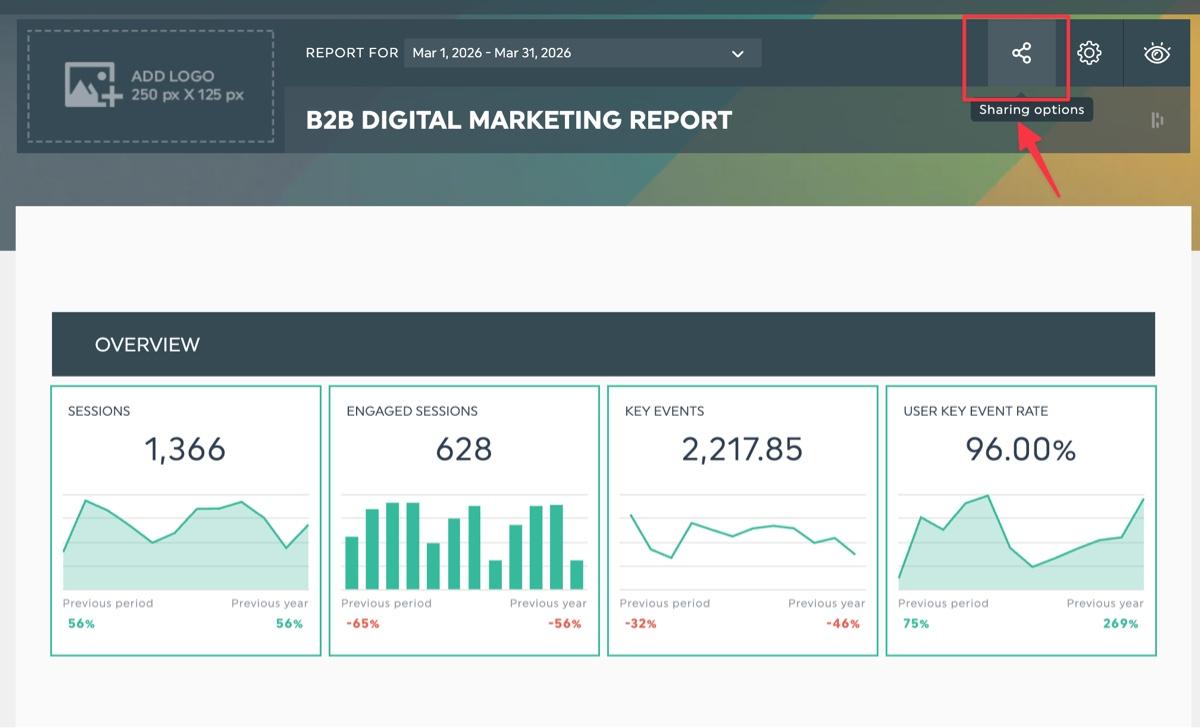
DashThis features a much simpler workflow. You start with a dashboard, click on the share button, then share your report by email, PDF export, or a direct link to your dashboard, no duplication of terminology necessary.
How does AgencyAnalytics fare on report templates?
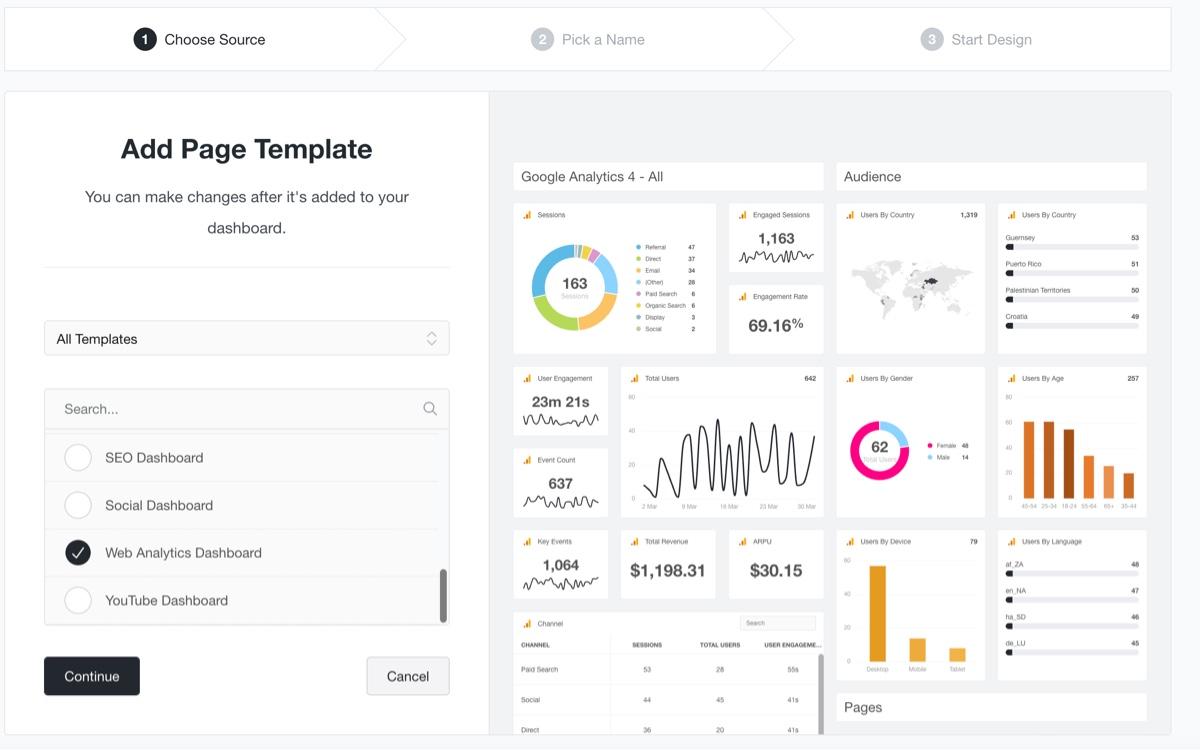
AgencyAnalytics offers 14 dashboard templates. They cover the channels most small agencies report on: call tracking, digital marketing, e-commerce, Google Ads, Facebook, Instagram, local SEO, PPC, SEO, social media, web analytics, and YouTube. You can choose from these presets or build a template from your existing report pages. For most small agencies, the library is enough.
Editing dashboards and widgets in AgencyAnalytics
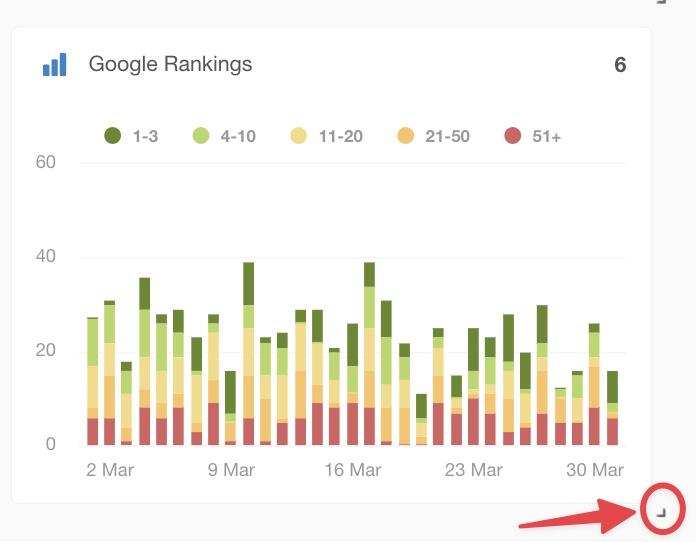
AgencyAnalytics offers a drag-and-drop interface to edit your dashboards and widgets. You can click and drag widgets around the dashboard. Surrounding widgets automatically snap into place as you move a widget. Resizing is similarly straightforward, with charts and graphs adjusting automatically as you drag, although the resize handle is easy to miss.
If you're on the Agency plan and up, the platform also offers AI features to help you generate widgets from a text prompt or shortlist the correct widget to include - useful if you think better in conversational language rather than scrolling through different menus for the right widget. Once you've generated the widget, you can drag and drop the widget from the AI chat window to your dashboard.
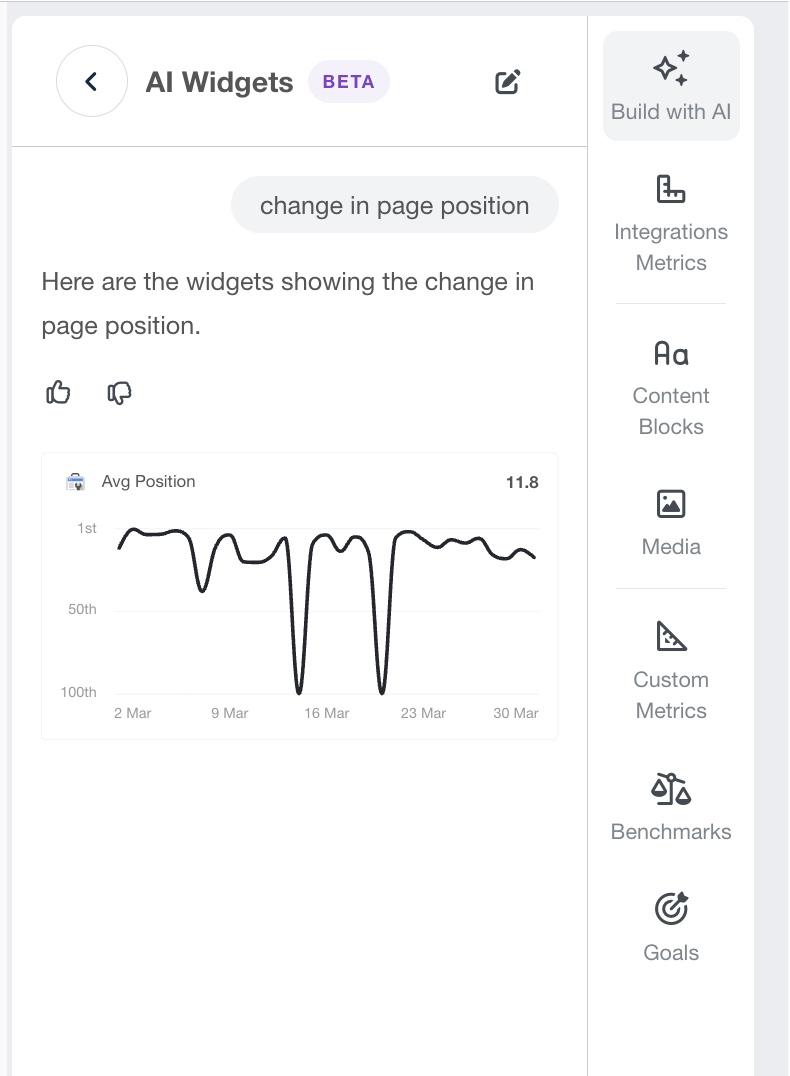
Caption: AgencyAnalytics includes AI features to add your desired widget to your dashboard
AgencyAnalytics gives you a lot of control over how each widget looks and behaves. When you open the widget editor, you're working across multiple tabs: Data, Display, and Annotations, each with its own set of controls.
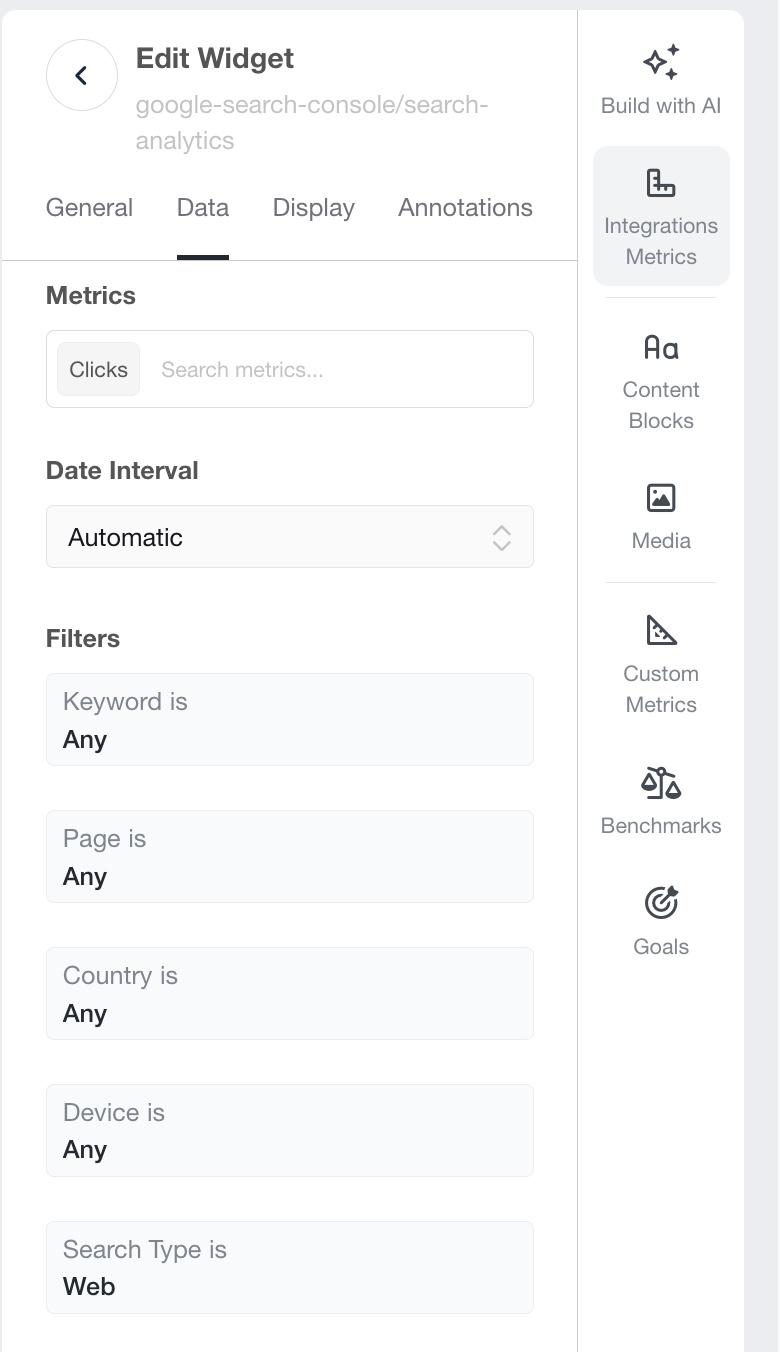
On the Data tab alone, you're choosing your account, selecting metrics from a search field, setting a date interval, and working through multiple pre-set filter fields. Switch to Display, and you get a range of controls to fine-tune how your data appears visually: chart styles, trend lines, axis values, and color settings.
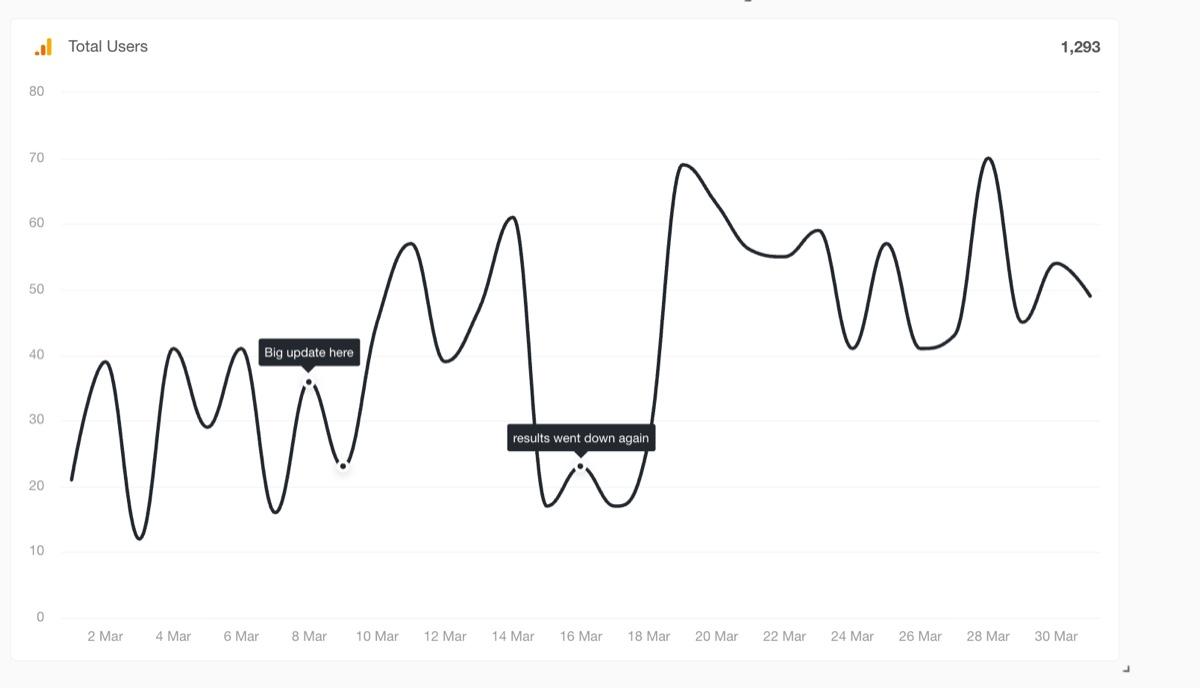
We found the Annotations feature useful as well, which allows you to attach context directly to a data point in a widget, making it easier to explain a spike or a dip without cluttering the rest of the report. Thresholds are similarly useful for agencies that want to flag when a KPI goes off-track.
All those options are only as useful as your familiarity with reporting concepts: what dimensions mean, how filters narrow your data, and what you're actually changing when you adjust a display setting. When we tested the widget editor, the sheer volume of options made it easy to lose track of what we were trying to do. It's a pattern that shows up consistently in user reviews, too.

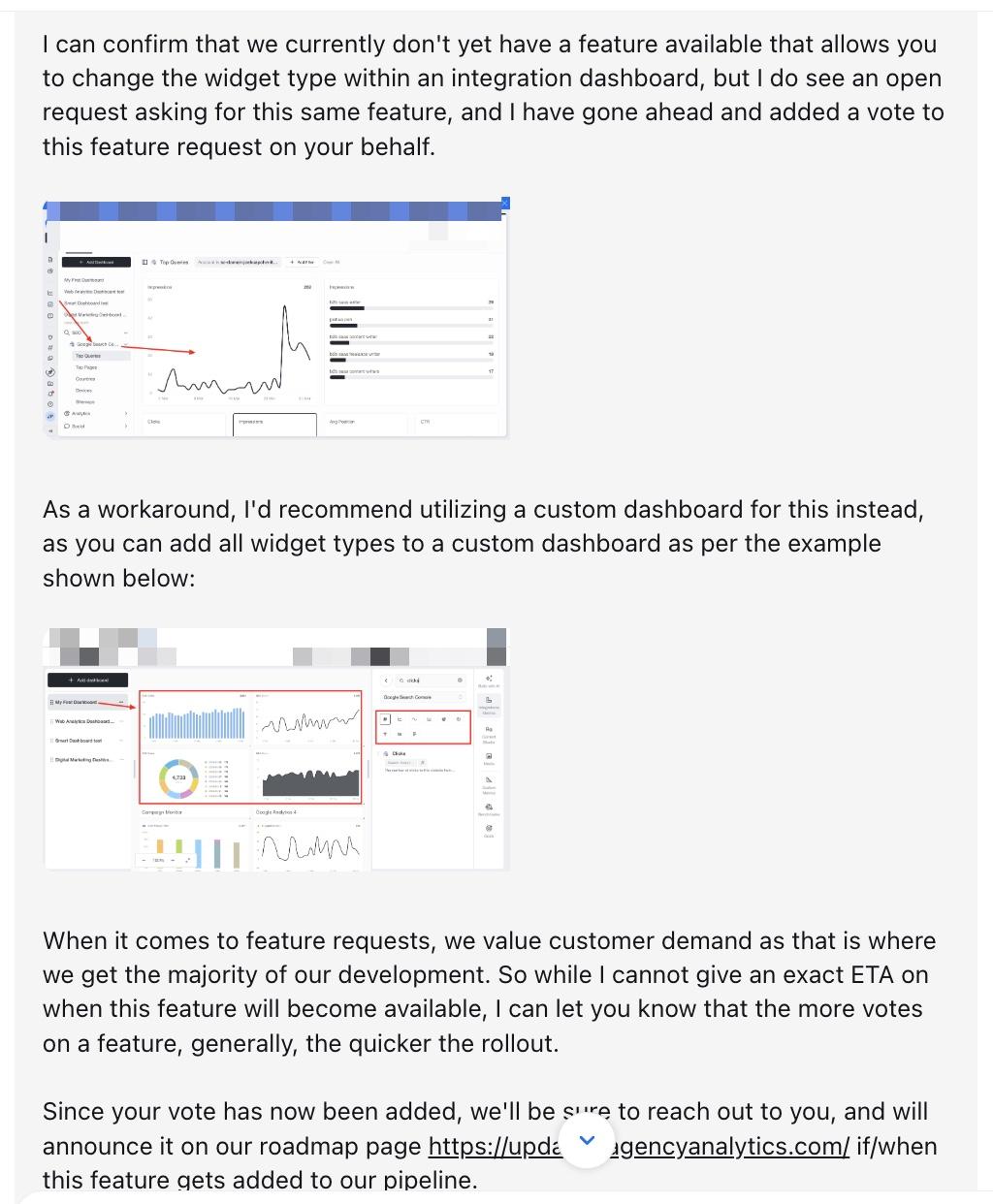
AgencyAnalytics doesn't let you change the visualization type of an existing dashboard widget. To display the same data in a different chart format, you need to either rebuild it in a custom dashboard or add it to a report instead—extra steps that shouldn't be necessary.
DashThis is more focused by design. You pick a metric, add a filter if you need one, and choose a chart style. Labels tell you exactly what each one does, making it easier to build a report with no need for much familiarity with reporting tools.
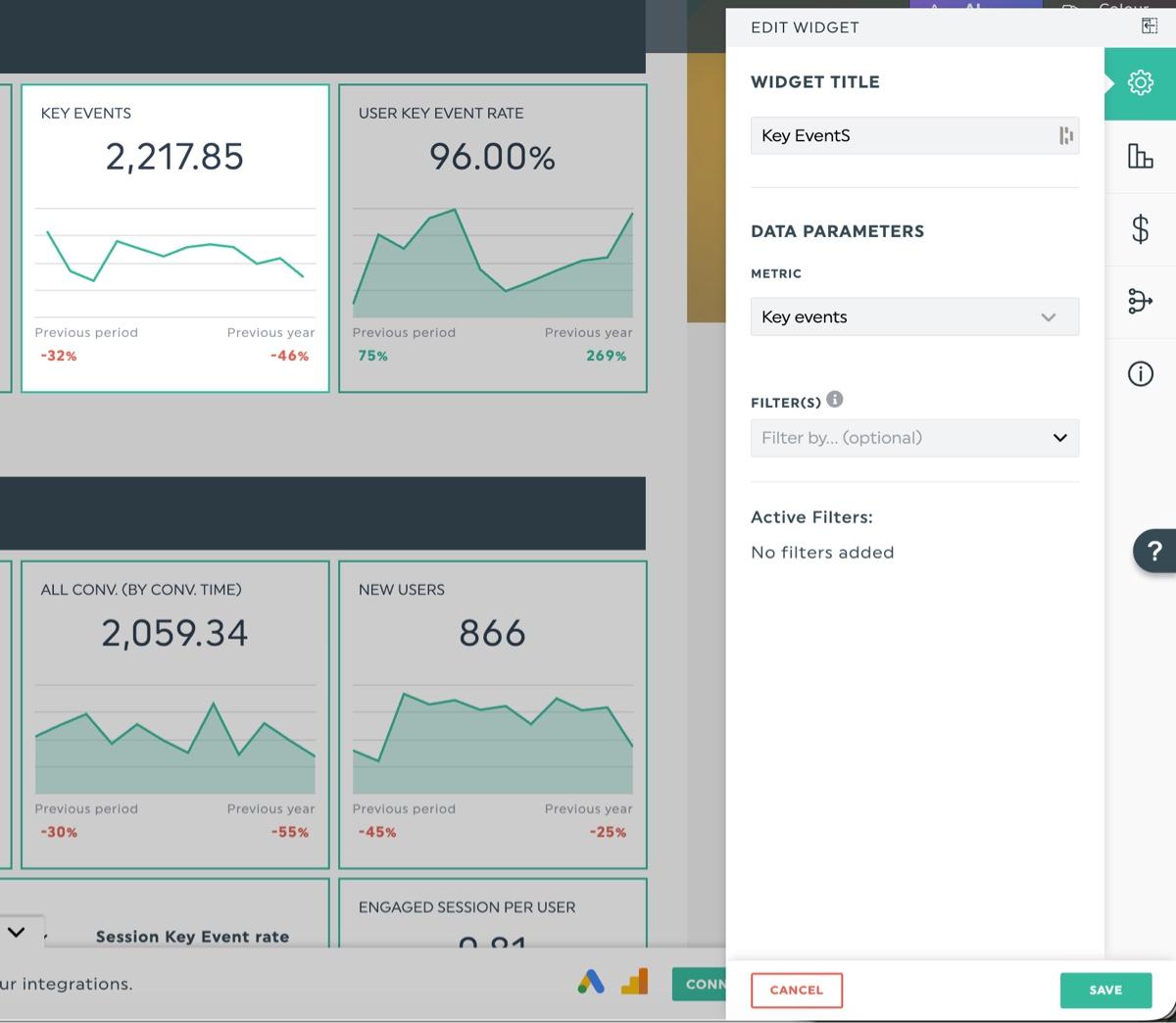
Our verdict: AgencyAnalytics gives you customizable dashboards with detailed, useful features for agencies that know what they want. The drag-and-drop interface is smooth, widget customization is precise, and tools like Annotations and Thresholds help you flag issues and explain data movements directly in the report before your client has to ask.
As user reviews and our own testing suggest, getting there takes time. The platform treats reports and dashboards as two separate entities, which takes some getting used to. The widget editor offers a lot of customization options at first glance, though you'll find it easier to use if you're already familiar with data reporting concepts.
If you're an experienced agency with reporting workflows already in place, that depth works in your favor. If you're new to reporting tools or need something a marketing team member can pick up quickly, expect to spend time learning the platform first. DashThis offers a simpler experience that non-technical users can get up and running with quickly.
3. Client communication features
Client communication is where your reporting tool directly affects how professional your agency looks. Here's how AgencyAnalytics handles sharing, branding, and keeping clients informed.
Report sharing options and design in AgencyAnalytics
AgencyAnalytics covers the standard report automation options: link-sharing to a real-time dashboard view, PDF export, and scheduled email delivery. It also lets you export reports as slide decks, with pre-built templates and visuals included, useful if you present to clients in person or have stakeholders who prefer slides over PDFs.
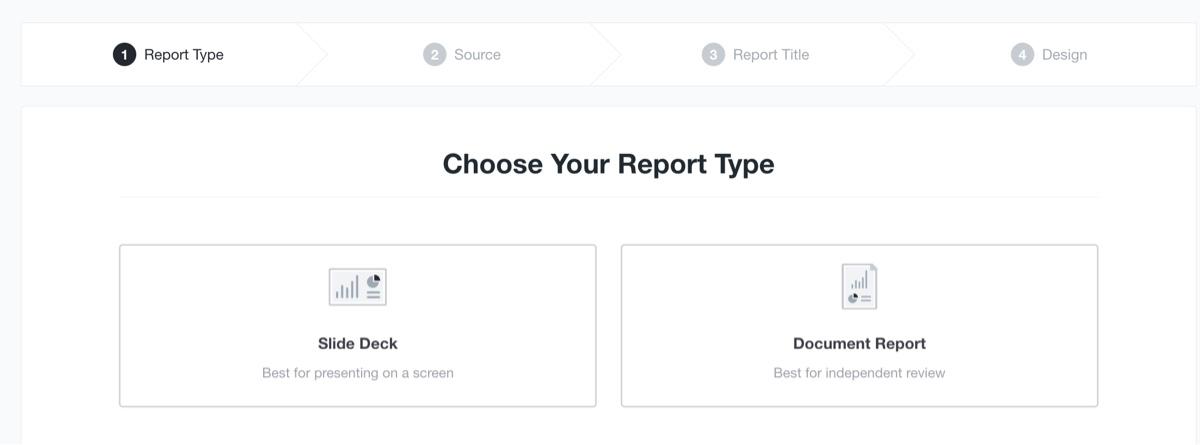
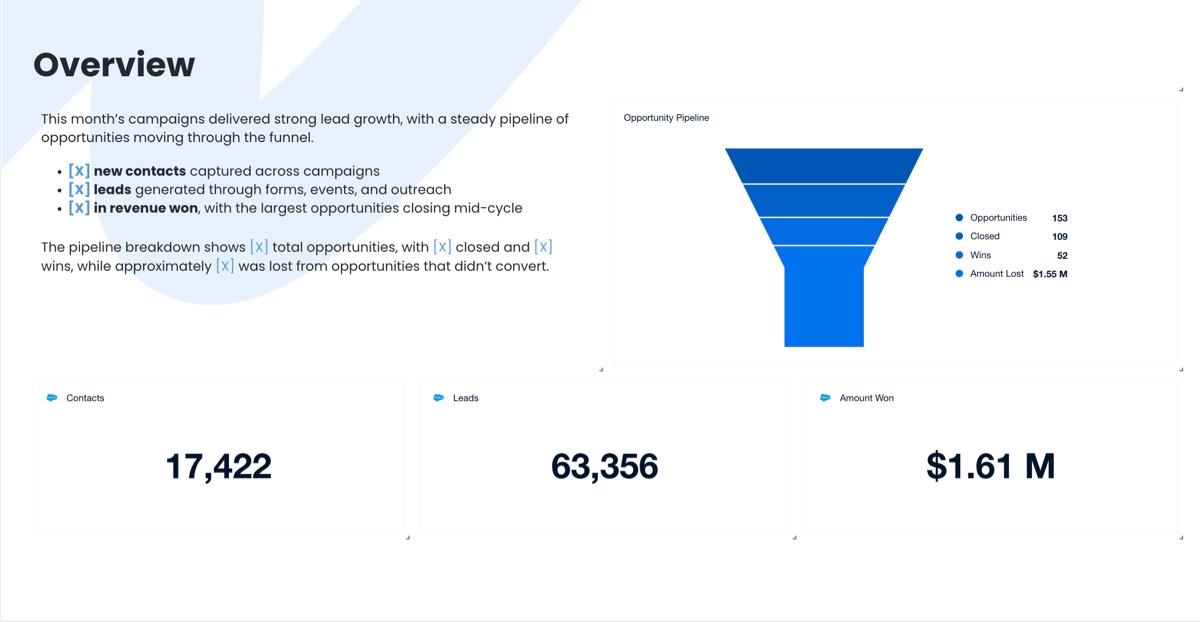
In the report settings, you can adjust background colors and typography or choose from design presets.
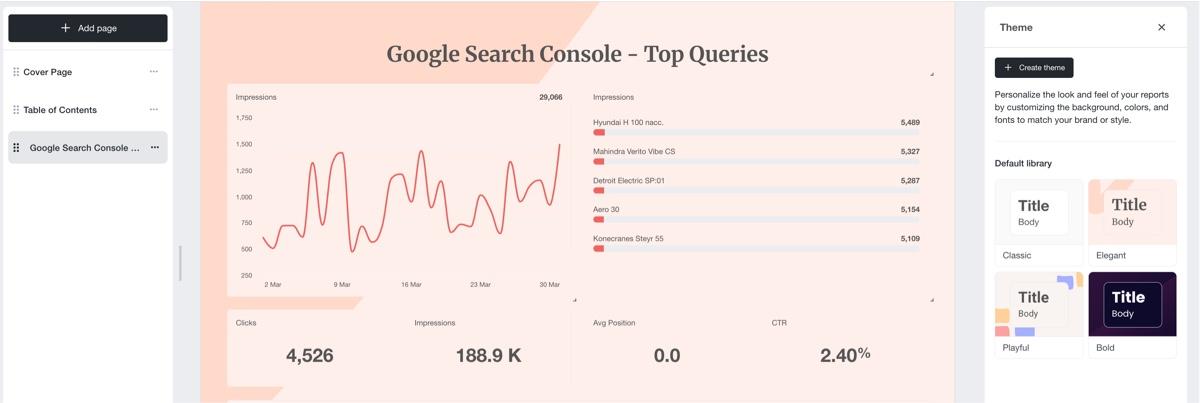
White-labeled options are available on the Agency plan and up, which allows you to upload your client's logo, assign custom colors for a client, or set up a custom domain and email address. On the entry Freelancer plan, reports go out without your branding.
AI features in AgencyAnalytics
AgencyAnalytics includes AI features on the Agency plan and up. These allow you to:
- Ask the AI about data in a dashboard, including questions on data summaries within the dashboard or questions about a specific metric within a widget
- Get step-by-step guidance on creating a report in AgencyAnalytics
- Get recommendations on which widgets to include in reports
AgencyAnalytics gives you two ways to interact with AI: conversational Q&A on your dashboard data, and prompted widget recommendations.
For DashThis, you get 10 prompts for a report per month on all plans, where you can ask broader picture questions like a data summary, quickly highlight issues, wins, and opportunities in the data to help with your analysis process. If you want conversational analysis or dashboard context for more personalized AI help, that's available on our AI Insights Pro plan add-on.
How AgencyAnalytics handles data annotations
Annotations are where AgencyAnalytics earns its keep for client-facing reporting. You can attach context directly to data points, flag performance against thresholds, and leave notes for your team via the Tasks widget.
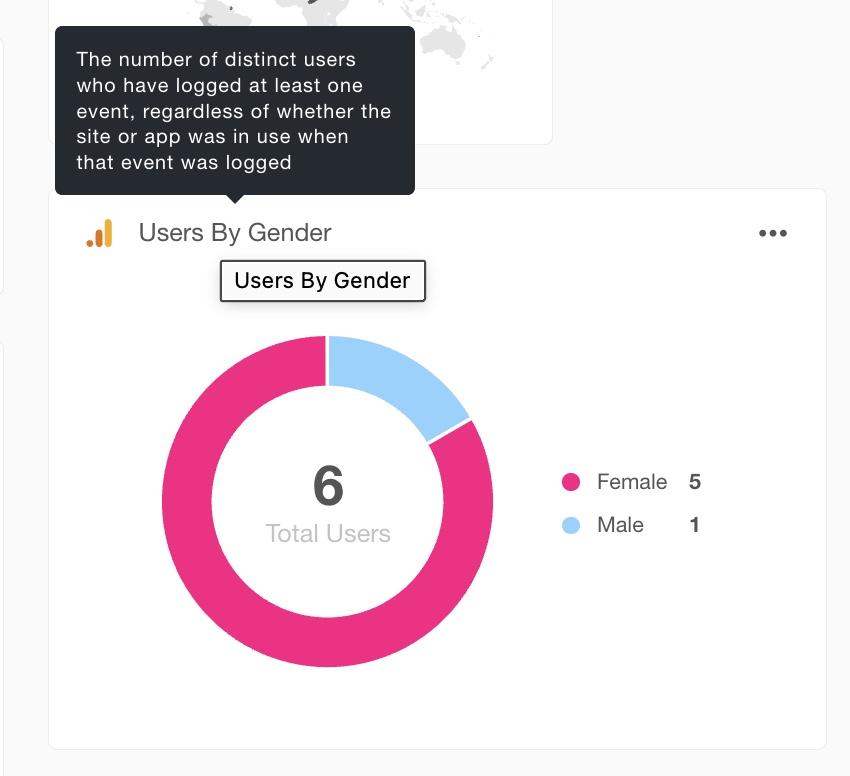
Tooltips: These appear when you hover over the title of your widget, where you can place a definition or give your data more context.
Annotations: Available for graphs, these let you add context to a specific time point. Useful for flagging an event that affected performance, like a campaign launch, a Google core update for SEO performance, or significant changes to campaign strategy.
Custom text box widgets: Place one anywhere in your dashboard to add free-form text or commentary.
Thresholds: Set a limit for a KPI so you get alerts when a KPI reaches or falls below a specified limit, useful for performance monitoring
Tasks (on Agency plan and up): Add these widgets to your dashboard or report to track follow-ups and next steps for your team and your clients
Our verdict: AgencyAnalytics covers client communication well, with more report delivery formats than most tools at this price. The ability to export reports as slides is useful if your clients prefer a presentation over a PDF. That said, you'll only get access to these features on the Agency plan at $239/month. On the Freelancer plan, AI analysis, full white-labeling, and task management are all locked out. DashThis covers the essentials for client communication: annotations, goal metrics, and white-labeling, all included from $164/month.
4. Customer support quality
Few things are more stressful than a broken integration or data not matching your platforms the day before a client report is due. Your GA4 data isn't displaying, a widget isn't cooperating, and you need answers now. A delayed response means a delayed report, and that affects how clients see your agency.
Here's how AgencyAnalytics customer support measures up:
- Support channels: 24/5 email, live chat, self-service knowledge base, one-off onboarding call
- Response time: Within 30 minutes for the first response, but subsequent replies were within five minutes
- Response quality: Responsive and helpful, although reactive
- Dedicated account managers: Available on the Enterprise plan only
AgencyAnalytics support is competent and responsive. As we tested the platform, we had a data connectivity issue when we tried connecting our Google Analytics 4 account to AgencyAnalytics. Our first contact was through their AI bot, whose first response was to send an irrelevant help article.
Not a good start.
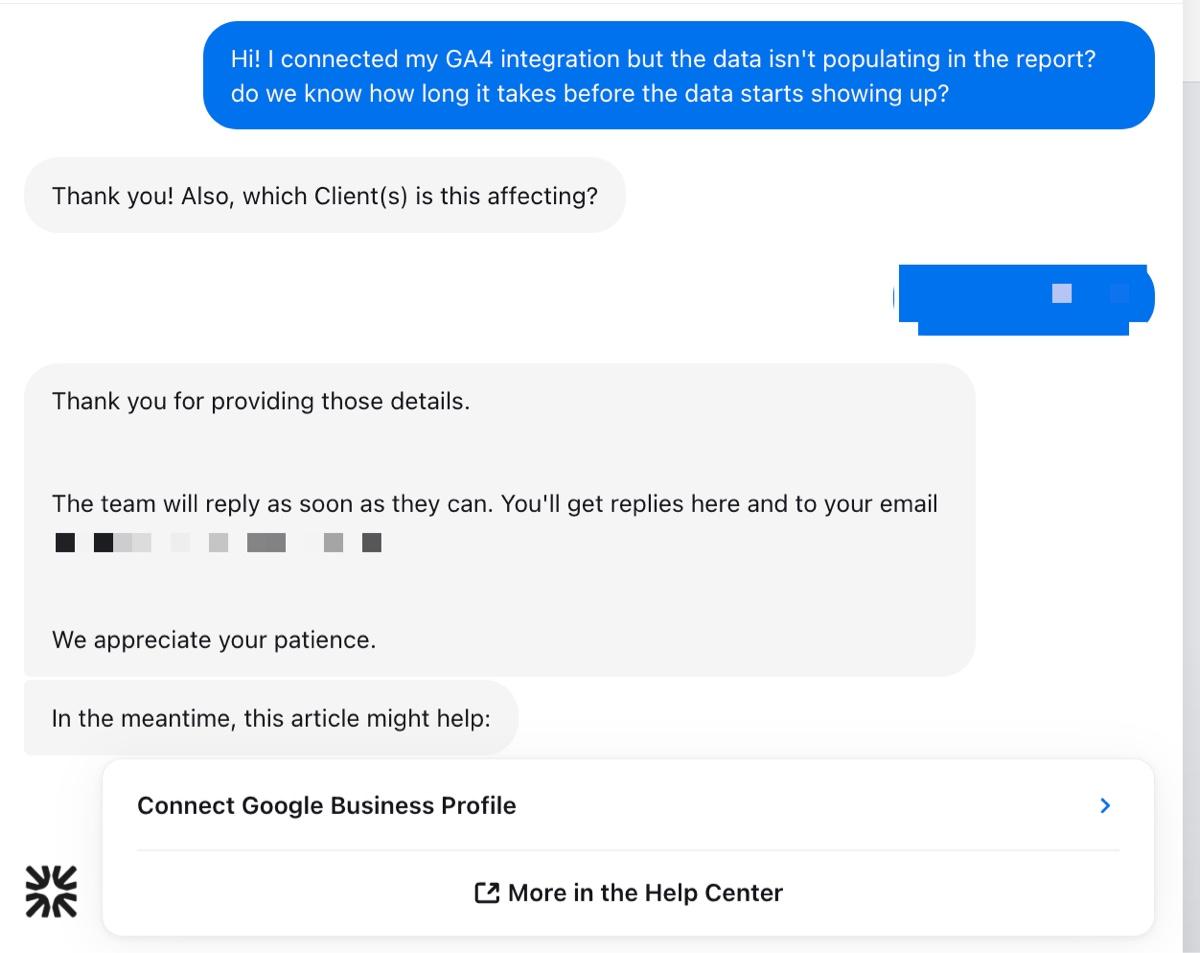
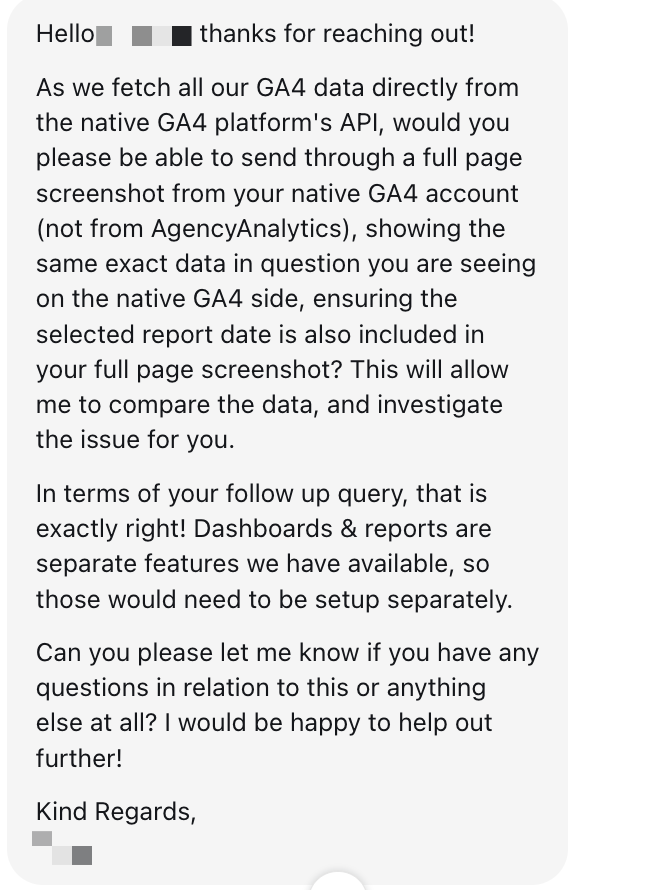
But it got better once we were connected to a human support agent. Their support team asked for a full-page screenshot before diagnosing, rather than sending a generic help article and providing annotated screenshots as part of their explanation.
They also responded proactively. When we asked about a feature limitation, they added a vote for that specific feature on their product roadmap.
Our verdict: AgencyAnalytics's support team is responsive and gets the job done. Questions get answered correctly, quickly, and with personalized guidance rather than a generic help article. For most day-to-day issues, that's enough.
Besides the AI chatbot's unhelpful first response to one of our queries, we found the support experience a little reactive. AgencyAnalytics is a feature-rich platform with a considerable learning curve. If you're newer to reporting tools, gaps in your setup may go unnoticed until a client report goes out wrong, or until you hit a plan limitation you didn't see coming.
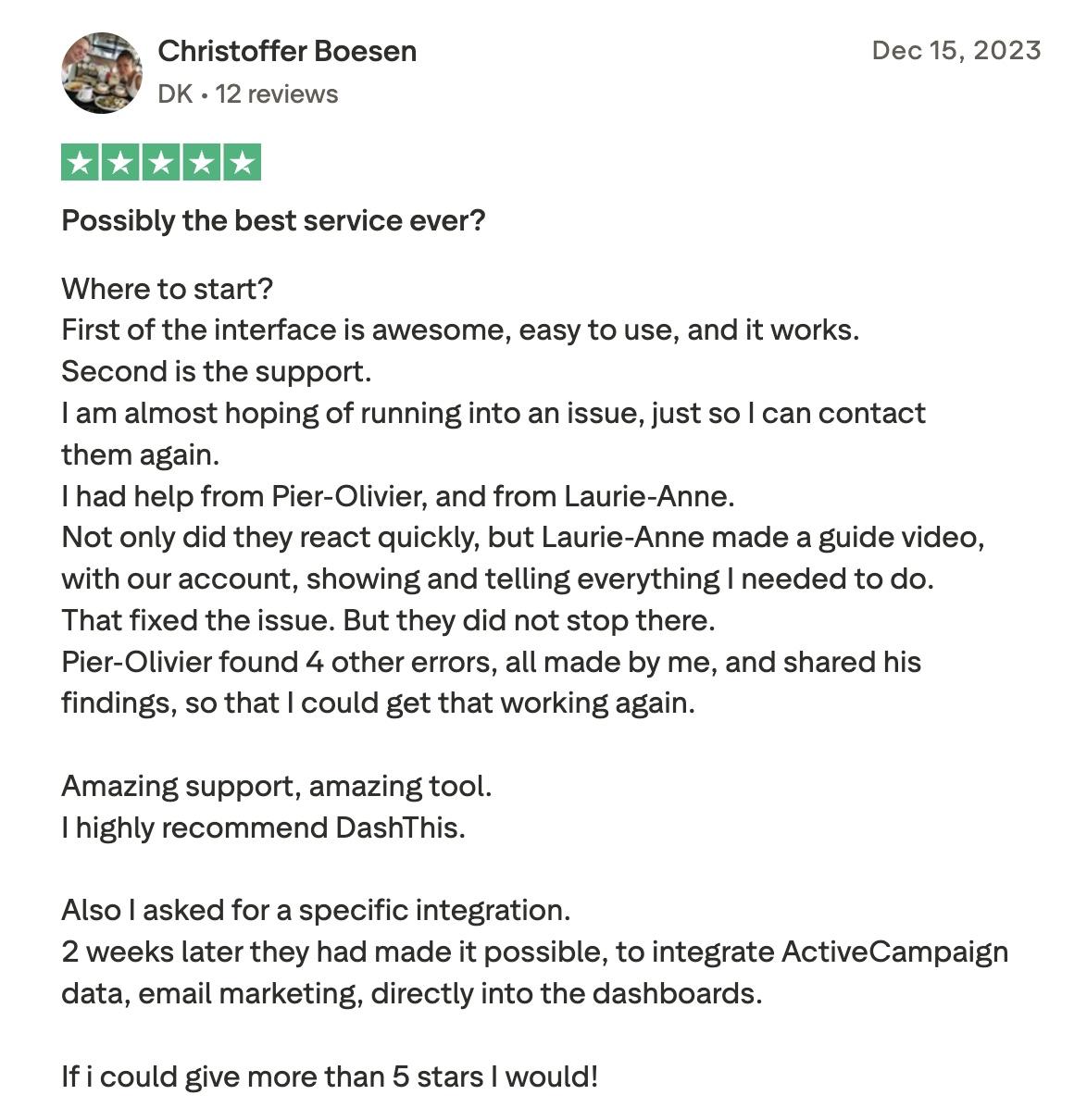
The support team answered our questions with personalized guidance and within minutes. Where DashThis goes further is what happens after your question is answered. Beyond opening your actual dashboard, we work through your setup and flag issues you didn't ask about. As Christoffer Boesen, one of our customers, shared on Trustpilot:
"Not only did they react quickly, but Laurie-Anne made a guide video with our account, showing and telling everything I needed to do. That fixed the issue. But they did not stop there. Pier-Olivier found 4 other errors, all made by me, and shared his findings so that I could get that working again."
5. Pricing and scalability
Pricing and scalability are real concerns for agencies. As you grow, you need costs that scale predictably. With that in mind, let's assess how AgencyAnalytics's client-based pricing model works out for agencies as they scale.
Assessing AgencyAnalytics Freelancer plan:
AgencyAnalytics's entry plan starts at $79/month (if you pay monthly), where you'll start if you're a small agency or you want to test out the platform. That gets you:
- 5 clients and staff users
- Unlimited dashboards
- Access to all integrations
- Basic reporting functionalities
Note that AI features aren't included in the Freelancer plan.
For a Freelancer plan, you can only connect one account or page of the same tool under a single client's dashboard. So if you're working with a client that runs a single Facebook page or Instagram account, you're within the Freelancer plan's limits. But if your client needs to manage another brand or add a sub-page for another region, for example, if a client has multiple business locations or brands with separate GA4 accounts or ad accounts, then you'll need to upgrade.
Is the AgencyAnalytics paid plan worth it for small agencies?
AgencyAnalytics and DashThis have different pricing models. AgencyAnalytics charges by the number of clients you manage, starting at $79/month for five clients, with each additional client at $20/month. DashThis has tiered plans charging by the number of dashboards and data sources, starting at $54/month. The right model comes down to how your client roster is structured and how predictably it grows.
First, consider each reporting tool's pricing model and whether it aligns with how many platforms your clients use.
AgencyAnalytics charges per client, so running a multi-channel campaign with SEO, email marketing, and social media tools costs the same as running a simpler local business optimization and GA4 analytics for.
DashThis charges by dashboards and data sources, so adding a new client who uses six platforms costs more than one who uses two. Which model works in your favor depends on how many tools your clients use on average. If your clients tend to use multiple platforms in their marketing, AgencyAnalytics's per-client billing will be more cost-effective. If you run a defined service offering across your clients, DashThis's source-based pricing keeps costs flat within each tier's allocation.
Then, check each plan to see what you actually get at each price point.
Here's a table comparing AgencyAnalytics and DashThis.
The accounts-per-integration limit is the most practical constraint on the AgencyAnalytics Freelancer plan. You get one connected account per integration per client, which works fine if each client runs a single Google Ads account or a single Facebook Ads account. But the moment a client runs multiple accounts across a platform, you'll need to upgrade to the next plan tier.
Unlike the per-client limit, which you can extend at $20/month per client, the accounts-per-integration ceiling requires a full plan upgrade to Agency at $239/month.
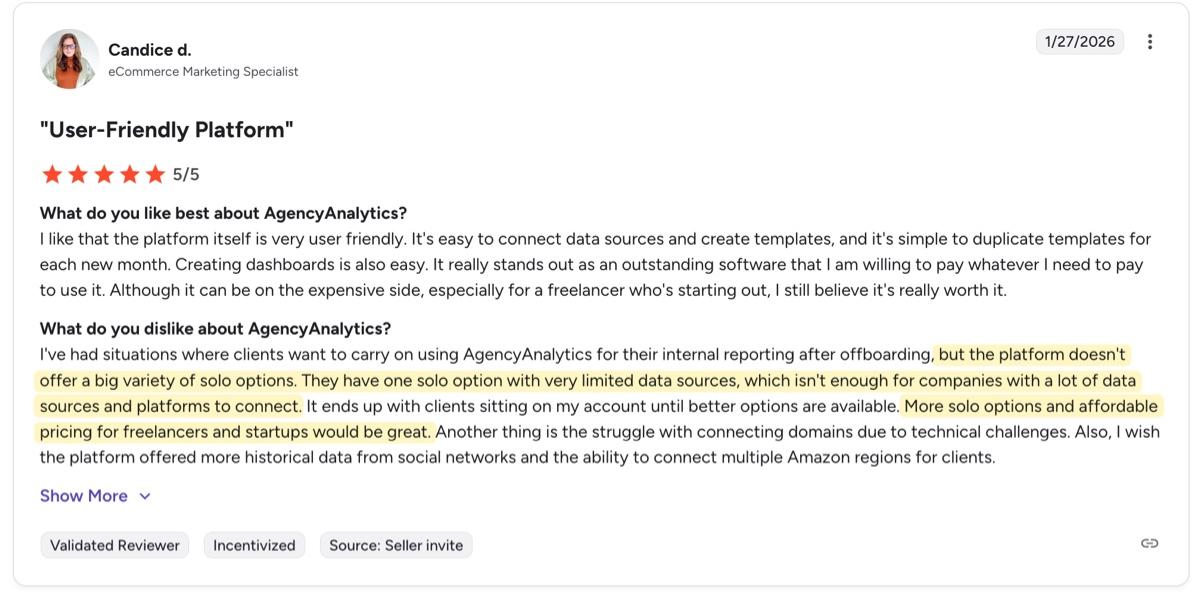
It's a limitation that shows up in user feedback, too. Candice D., an eCommerce Marketing Specialist on G2, noted that the Freelancer plan's solo options felt restrictive for clients with a lot of connected platforms, and called for more affordable options with broader data source access.
The Freelancer plan also gates several features that affect how professional your reports look to clients. AI summaries, full white-label with custom domains and branded emails, and unlimited staff users are only available on the Agency plan.
If those features matter to how you approach data analysis, or how your reports look, and how you present yourself to clients, you'll need to pay $239/month for AgencyAnalytics to get the features you need. DashThis Professional gets you there at $164/month, with no per-account ceiling on integrations and unlimited users on all plans.
Our verdict: AgencyAnalytics's per-client pricing gives you flexibility to grow gradually, but the feature gap between Freelancer and Agency means the plan that actually works for a professional small agency setup costs $239/month. DashThis Professional gets you a comparable professional setup at $164/month, with AI features, full white label, and no per-account ceiling on integrations included.
DashThis vs AgencyAnalytics: Why agencies choose DashThis
If you're evaluating the best AgencyAnalytics alternatives for your agency, the right choice depends on what you actually need from a reporting tool.
AgencyAnalytics is worth considering if your agency needs a wider integration library, advanced data display options, AI-assisted report building, or add-ons like Rank Tracker for SEO reporting. It's a capable platform that rewards agencies who invest time in learning it and have the budget to get on the Agency plan, where the full feature set becomes available.
If you're a smaller agency that needs professional reporting from day one without the learning curve or the plan gating, DashThis is the right call. You get white-labeling, AI Insights, and all 30+ integrations on every plan starting at $164/month, with support that proactively works through your setup rather than just answering what you ask.
Choose DashThis if you...
- Need a professional setup from day one, with AI Insights and all integrations included on every plan
- Want predictable costs that don't shift with every new client or platform you add
- Prefer proactive customer support that works through your specific setup
Choose AgencyAnalytics if you...
- Need a wider integration library, with 85+ integrations covering platforms DashThis doesn't support
- Want per-client billing that stays flat regardless of how many platforms each client uses
- Want more control over how reports look and how they're delivered, including slide export, more chart types, and AI-assisted building
Make your reporting platform work for you with DashThis
AgencyAnalytics is a capable all-in-one platform, but getting the most out of it takes time, budget, and the right plan. DashThis’s streamlined platform is built for small agencies that need professional reporting from day one. Connect your platforms, pick a template, and send your first client report in minutes, with AI Insights, white-labeling, and 30+ integrations included on every plan.
Start your 14-day free trial of DashThis today.
Frequently asked questions